At 2:15 p.m., a warehouse can feel like a moving puzzle. Forklifts cross aisles, pickers scan cartons, conveyors carry orders, robots wait for assignments, and a late trailer changes every priority.
Automated warehouse management systems give that activity a shared set of rules. They track inventory, direct work, record confirmations, and help people and equipment respond when reality disrupts the plan.
The strongest setup connects the warehouse floor to orders, carriers, and business systems, so every movement has a reason and a record.
Table of Contents
What Are Automated Warehouse Management Systems?
An automated warehouse management system is the software layer that coordinates inventory and daily warehouse work. It knows what stock arrived, where it belongs, which orders need attention, and what must happen next.
The WMS directs tasks, records results, and maintains the inventory record. Hardware performs the physical work. An AMR moves a tote, a conveyor carries a carton, and an automated storage and retrieval system retrieves a pallet. The software decides when each action should occur.
How the software controls inventory and warehouse tasks
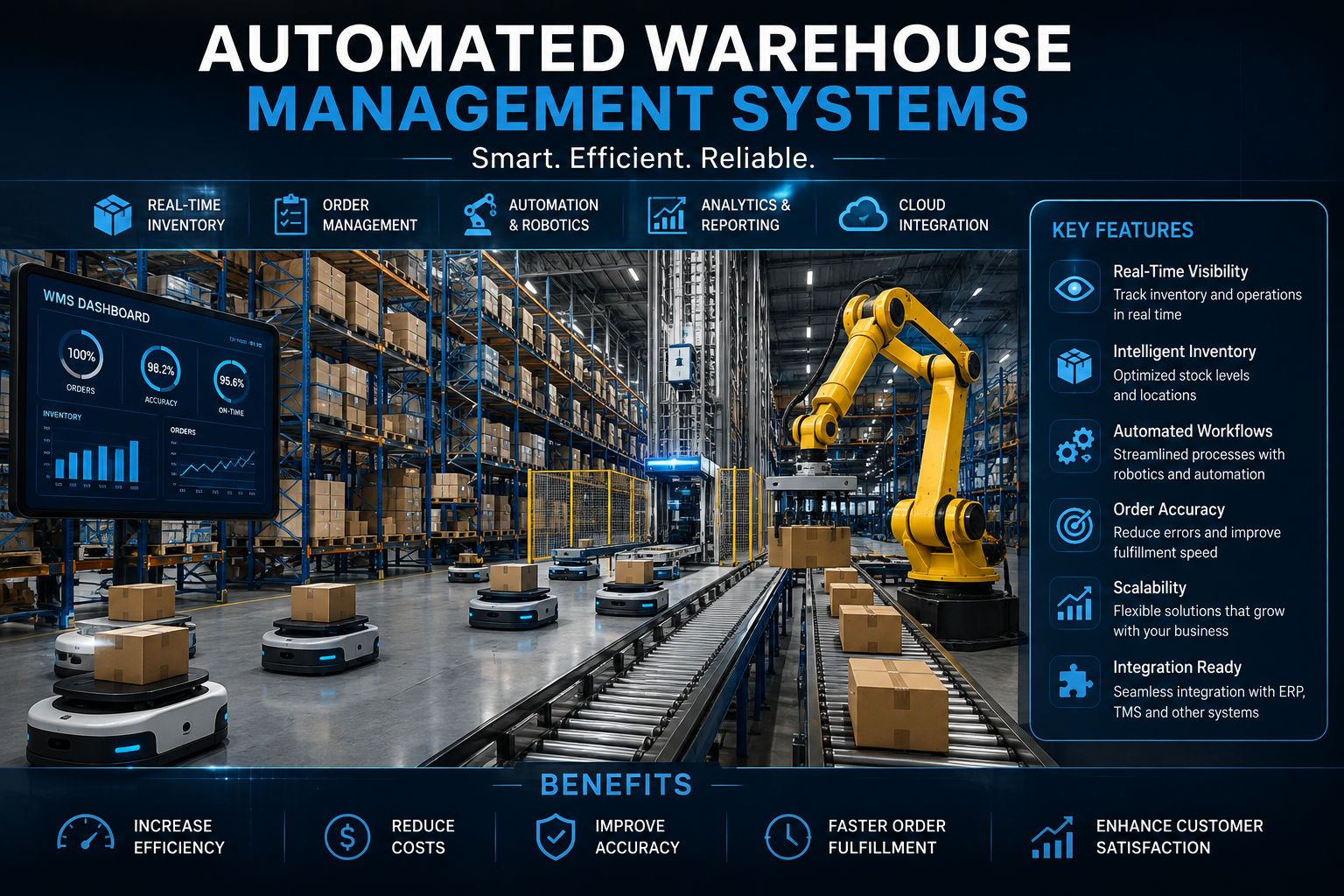
A WMS maintains real-time inventory by location, status, lot, serial number, or expiration date when needed. It assigns putaway, replenishment, picking, cycle-counting, and loading tasks based on rules such as priority, travel distance, available labor, and shipping cutoff time.
Barcode scans, QR codes, RFID reads, mobile devices, and equipment sensors confirm each handoff. That data reduces manual entry and creates a traceable record when a customer asks where an item went. For a closer look at location-level accuracy and task queues, explore this guide to warehouse inventory management software.
The main warehouse workflows it manages
The work starts at receiving. The system records goods receipt, flags damaged or unexpected items, and assigns a storage location. Next, it directs putaway and replenishment, then releases picking tasks as orders arrive.
At packing and shipping, it can verify cartons, apply carrier rules, and confirm dispatch. Returns follow their own workflow, with inspection, restock, quarantine, or disposal decisions. A short pick, blocked aisle, missing carton, or stalled machine becomes an exception task instead of a problem hidden in a spreadsheet.
SAP’s warehouse automation overview describes this chain as the automated movement of inventory through receiving, picking, packing, and shipping.
How Automated Warehouse Management Systems Work With Modern Equipment
Machines only help when they receive clear instructions and report back reliably. Automated warehouse management systems connect business demand with physical activity, while operators still handle judgment calls, quality checks, and unusual orders.
The right equipment mix depends on product dimensions, SKU count, storage density, order patterns, service promises, and building layout. A high-volume pallet operation needs different tools than a small e-commerce fulfillment center.
Robots, AS/RS, conveyors, and sortation
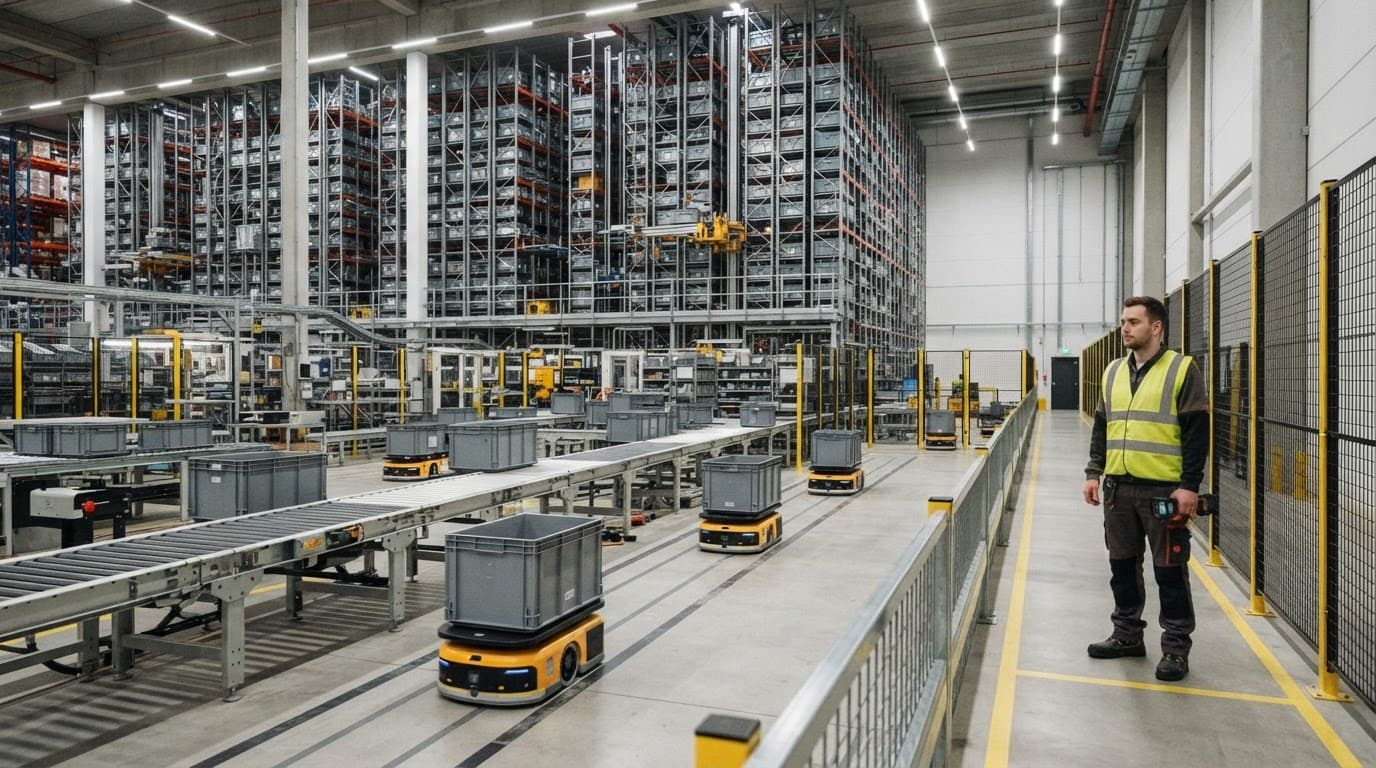
Autonomous mobile robots, or AMRs, move carts, totes, or pallets between work zones. Automated storage and retrieval systems, often called AS/RS, store goods densely and retrieve them on command. Pallet shuttles fit repetitive, high-volume pallet movements.
Conveyors and sorters move cartons along fixed paths and route them to packing lanes, docks, or destination chutes. The WMS may send work through a warehouse control system or directly through an integration layer. In return, it receives status updates such as task complete, jam detected, tote unavailable, or equipment offline.
Barcode, RFID, APIs, and cloud connectivity
Barcodes remain practical because they are low-cost, familiar, and easy to print. RFID can capture multiple tagged items without a direct line of sight, which helps in selected receiving, asset-tracking, and high-throughput workflows.
APIs and EDI connect the WMS with ERP, order management, transportation systems, marketplaces, e-commerce stores, carriers, and suppliers. ERP and WMS integration matters because a robot can’t make a useful move if the order, inventory, and shipping data disagree.
Cloud systems reduce local infrastructure work and support remote access. On-premise deployments give companies more direct control over local environments. Hybrid designs can fit sites with older equipment or strict operational technology requirements.
The Business Benefits and Tradeoffs of Warehouse Automation
Automation can remove wasted travel, reduce repetitive lifting, and keep order work moving during busy shifts. Yet software and machinery can’t repair bad location data or unclear operating rules.
The best results come from stable processes that have enough volume and repetition to justify the investment.
Where companies see the biggest gains
E-commerce fulfillment centers often gain speed from batch picking, AMR-assisted transport, and packing verification. Omnichannel retailers benefit when stores, online orders, and distribution centers share accurate inventory. Manufacturing sites can link component storage to production demand.
Third-party logistics providers need client-specific rules and dependable billing records. Grocery and high-volume distributors often focus on expiration control, cold-storage movement, and strict shipping windows. NetSuite’s overview of warehouse automation methods covers common approaches that combine software with mechanical systems.
Repeated travel, tight deadlines, many SKUs, and seasonal peaks make a stronger case for automation. However, labor savings depend on workload design, uptime, and whether staff can move into higher-value exception work.
Risks that can increase project costs
Integration work often costs more time than buyers expect. Teams may need to clean item masters, measure locations, redesign pick paths, test carrier labels, and reconcile stock before launch.
Training also matters. A worker who bypasses scans or creates workarounds can weaken inventory accuracy within days. Commissioning equipment takes careful testing, especially when several vendors own different parts of the system.
A warehouse project can meet its equipment specification and still miss service targets if master data, exception rules, and peak-volume testing were treated as afterthoughts.
Calculate payback using your own labor rates, order volume, error costs, equipment downtime exposure, and customer commitments.
Leading Automated Warehouse Management Systems and Providers
No provider is the right fit for every site. The market includes broad enterprise platforms, cloud WMS products, and vendors that combine software with warehouse robotics.
For tightly connected automation, Addverb positions Mobinity as warehouse control and management software that coordinates material flow across equipment. GreyOrange positions GreyMatter as a vendor-agnostic orchestration and inventory platform for people, robots, and systems.
How provider fit changes by warehouse type
A fast-growing online seller may prefer simple cloud deployment and marketplace connections. Increff Simple WMS, Unicommerce, Vinculum VinWMS, Falcon Autotech FalconWMS, GEIPL, and Bar Code India BCI WMS are names worth researching for e-commerce, retail, and regional deployment needs.
Large manufacturers and enterprise distribution centers often need complex inventory rules, production integration, advanced automation controls, and global support. SAP EWM, Oracle NetSuite WMS, and TECSYS may fit those requirements, depending on the existing ERP and operating model.
A 3PL needs strong client segregation, billing support, flexible workflows, and rapid onboarding. Ask every vendor for customer references from warehouses with similar order profiles, products, integrations, and operating hours. A broader view of warehouse automation strategies can help frame that comparison.
What pricing usually includes
Public WMS pricing is limited. Vendors commonly use subscription, usage-based, quote-based, or project pricing. Costs can depend on warehouses, users, devices, order volume, integrations, customization, hardware, implementation, training, maintenance, and service-level agreements.
Some market listings cite pricing near $99 per user per month for parts of NetSuite licensing. However, third-party estimates place NetSuite WMS in the low-thousands per month as an ERP add-on, and Oracle confirms final pricing through a quote. That figure excludes the total cost of an automated facility.
Treat every price as a starting point. Separate software, equipment, professional services, support, and expansion costs before comparing proposals.
How to Choose and Implement the Right Warehouse Management System
Start on the floor, not in a vendor demo. Map receiving, putaway, replenishment, picking, packing, shipping, returns, counting, and every recurring exception. Then set measurable targets for inventory accuracy, pick rate, order cycle time, shipping accuracy, and labor hours per order.
A phased rollout reduces risk when new software and hardware must launch together. Begin with a pilot area or one workflow, then test normal demand and peak volumes before expanding.
Build a shortlist around integration and industry fit
Check compatibility with AMRs, AS/RS equipment, conveyors, sorters, barcode devices, RFID readers, PLCs, and automation controllers. Also verify ERP, OMS, TMS, carrier, marketplace, and EDI connections.
Ask vendors to demonstrate your own work. Give them actual SKU characteristics, sample orders, location logic, replenishment rules, damaged-stock cases, and short-pick scenarios. Generic demonstrations can hide the work required to support your operation.
Questions to ask before signing a contract
Request direct answers to these questions:
- Who owns each integration, and who fixes it when data stops flowing?
- What is included in implementation, migration, training, support, and future upgrades?
- How does the system handle outages, offline scanning, machine downtime, and recovery?
- What are the limits on customization, users, transaction volume, and warehouse expansion?
- Can the vendor provide references from warehouses with similar product and order complexity?

Request a total cost of ownership estimate that separates recurring fees from one-time work. The 2026 WMS implementation considerations are a useful reminder that deployment choices affect staffing, integration, and maintenance long after go-live.
Measure Performance After Go-Live
A launch date is the beginning of operational proof. Review inventory accuracy, mis-picks, order cycle time, dock-to-stock time, equipment uptime, and manual touches against the baseline you recorded before implementation.
Watch the exceptions too. If workers override tasks, pause robots, or rely on side spreadsheets, find the reason before it becomes standard practice. Regular feedback from supervisors, maintenance teams, and floor staff will reveal problems that dashboards miss.
Use the findings to adjust slotting rules, replenishment triggers, robot zones, and training. Small fixes can protect the larger investment.
Conclusion
Automated warehouse management systems work best when software, equipment, people, and operating rules function as one connected operation. They can improve visibility, accuracy, throughput, and consistency when the underlying data and workflows are sound.
Choose a platform based on warehouse fit, integration strength, implementation support, and measurable business value. Automation rewards disciplined operations, not wishful thinking.