A services team can lose money long before a client complains. It happens when projects, staffing plans, timesheets, invoices, and status updates live in separate tools that never quite agree.
Professional services automation software brings those moving parts into one operating view. The right platform helps you protect margin, keep people assigned wisely, and turn completed work into accurate invoices without a weekly spreadsheet hunt.
The goal is simple: deliver stronger client work while seeing the financial result early enough to act.
Table of Contents
What Professional Services Automation Software Does
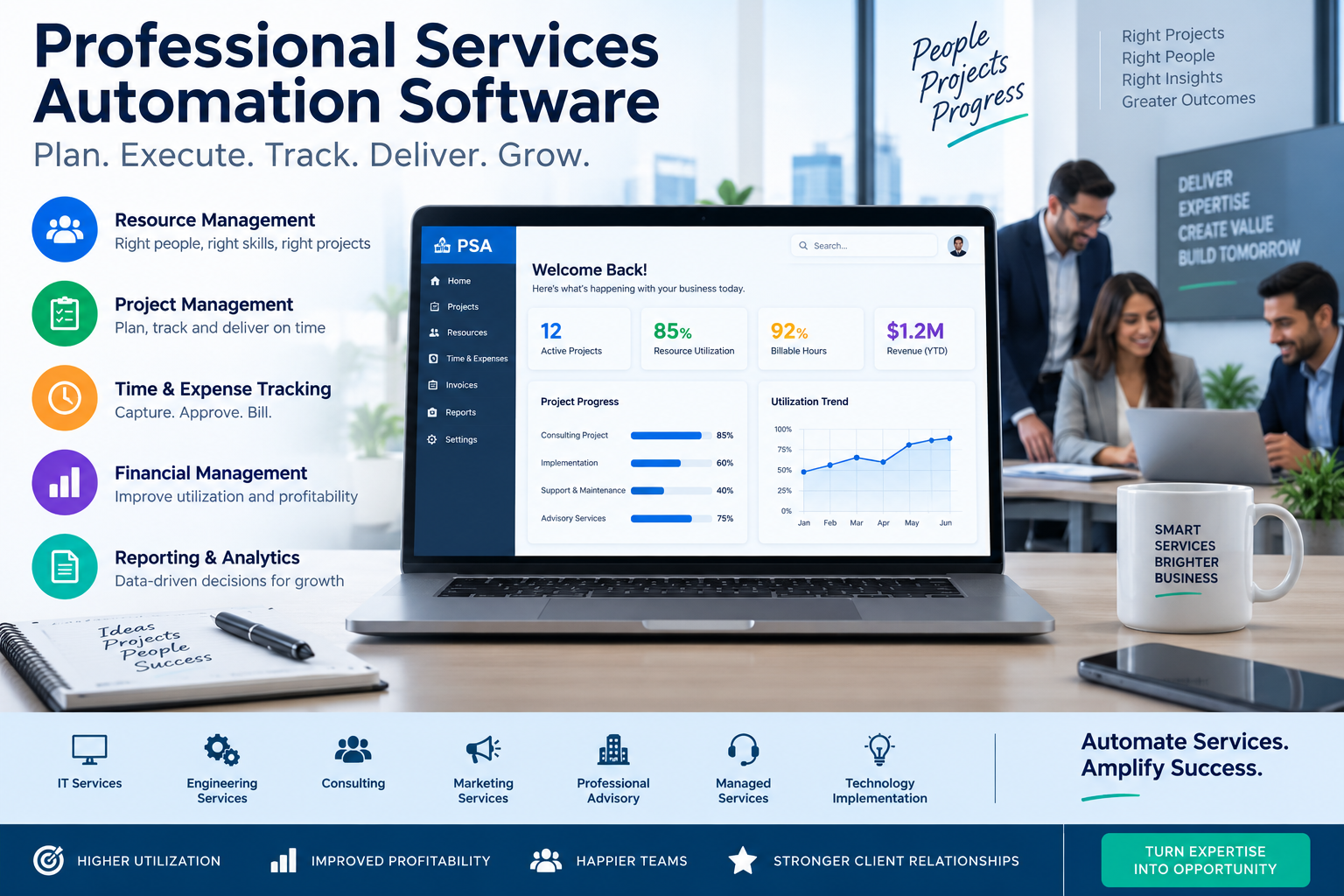
Professional services automation software, often called PSA, is a system for planning, delivering, tracking, billing, and improving client work. Agencies, consultancies, IT service firms, and internal services teams use it to connect operational activity with financial results.
A typical workflow starts when sales hands off a signed deal. The delivery lead creates a project, sets a budget, assigns people, and schedules milestones. Team members record time and expenses, managers approve work, finance issues invoices, and leadership reviews utilization, revenue, and project margin.
Certinia’s overview of PSA describes the core connection between project planning, resource allocation, and delivery tracking. That shared record prevents a familiar problem: a project can look busy and successful while it quietly burns through its budget.

Project management is only one piece
Project management tools organize tasks, dates, files, and discussions. PSA goes further by connecting those tasks to billable rates, labor costs, capacity, invoices, and revenue forecasts.
That difference matters when a creative agency wants to know whether a retainer is profitable, or when a consultancy needs to staff a new engagement without overloading a senior specialist. A delivery schedule alone cannot answer either question.
The right fit follows your service model
An agency may care most about retainers, budgets, and utilization. A consulting firm may need skills-based resource planning and complex project accounting. An MSP usually needs ticketing, contracts, recurring services, and device-management connections.
Because of that, the best PSA platform is rarely the one with the longest feature list. It is the one that matches how your team sells, schedules, delivers, and bills.
Which PSA Features Help Services Teams Work Smarter?
A useful PSA system reduces handoffs without hiding the numbers. The strongest features support delivery speed, billable utilization, cash flow, and a client experience that feels organized.
BigTime’s PSA feature guide highlights the usual foundation: projects, resource planning, forecasting, time and expense tracking, budgets, and reporting. The quality of those connections matters more than the number of menu options.
Resource planning and utilization
Resource planning shows who is available, what skills they have, and which commitments are approaching. Managers can spot idle capacity, conflicting assignments, or a project that needs an outside contractor before deadlines tighten.
Utilization reports add a financial lens. They separate billable time from internal work, leave, sales support, and unrecorded hours. However, a utilization target should never push people to log vague hours against the nearest client code. Clean data beats flattering percentages.
A full schedule is not proof of a healthy services business. Margin depends on the work’s billable value, labor cost, scope control, and collection speed.
Time, billing, and project financials
Time entry should be quick enough that people complete it daily. Approval rules then stop unreviewed hours, wrong rates, and out-of-scope work from reaching an invoice.
Project financials compare planned labor, actual cost, billed revenue, and remaining budget. Finance teams can also connect PSA records to accounting software rather than re-keying invoice data. For a broader view of project accounting and invoicing capabilities, review Deltek’s PSA software explanation.
Client-facing workflows and reporting
Client portals, shared plans, approval requests, and status reports can reduce the endless “Where are we?” email thread. Still, give clients only useful information. A cluttered portal creates more questions than it resolves.
Leadership reporting should answer plain questions: Which projects are at risk? Which clients are profitable? What capacity is available next month? SAP’s PSA resource management guidance also points to matching availability, skills, and certifications with project demand.
Best Professional Services Automation Tools for Different Service Businesses
There is no universal winner among PSA products. A platform built around Salesforce-based enterprise workflows can feel heavy for a 12-person agency. Likewise, an MSP tool with deep ticketing and contract management may be wrong for a brand consultancy.
The short list below is a practical starting point. Confirm current features, integrations, seat rules, support levels, and contract terms directly with each provider before buying.
| Service business | Platforms to consider | Typical strengths | Watch for |
|---|---|---|---|
| Enterprise services teams | Kantata, Certinia | Resource management, project financial controls, enterprise integration needs | Quote-based pricing and longer implementation work |
| Agencies and consultancies | Scoro, BigTime, Productive, Projectworks, Accelo | Projects, time, budgets, retainers, client billing | Feature depth and accounting connections differ |
| Client onboarding teams | Rocketlane | Implementation plans, collaboration, client onboarding work | Confirm fit for ongoing services and finance workflows |
| Managed service providers | ConnectWise PSA, Datto Autotask PSA, HaloPSA, Syncro, SuperOps, Atera | Tickets, contracts, recurring work, technician operations | Check RMM, documentation, and endpoint bundle requirements |
Enterprise platforms for complex delivery
Kantata and Certinia suit teams that need deeper resource planning, governance, and financial visibility across many engagements. Kantata’s description of PSA focuses on replacing disconnected project, resource, and financial systems with one shared environment.
Both deserve a careful implementation discussion. Ask who owns configuration, which data must migrate, and how long it takes before managers trust the reports.
PSA choices for agencies, consultants, and MSPs
Scoro publishes entry pricing beginning at EUR15 per user per month, with a five-user minimum and a 14-day trial as of September 2026. Kantata and Certinia use quote-based sales models, which makes a total-cost discussion essential.
For MSPs, products such as ConnectWise PSA, Datto Autotask PSA, HaloPSA, Syncro, SuperOps, and Atera should be judged against the daily ticket workflow. SuperOps’ explanation of PSA outlines why centralizing projects, billing, resource planning, and client management can matter in service operations.
How Much Does PSA Software Cost?
PSA pricing usually follows a per-user or per-technician monthly model. Smaller service platforms often publish entry plans around $17 to $49 per user per month, while enterprise products commonly require a custom quote and a formal implementation scope.
The subscription is only one line in the budget. Some vendors set seat minimums, annual commitments, or higher prices for advanced reporting, integrations, premium support, and workflow customization. MSP packages may bundle PSA and remote monitoring tools, sometimes with endpoint-based terms.

Calculate the first-year cost
Build a first-year estimate that includes setup, data migration, training, integrations, contract minimums, and internal time. A lower subscription can become expensive if staff spend months repairing data or building manual workarounds.
Also separate client invoicing from vendor payments. A PSA tool may create customer invoices, while finance may use invoice automation software for accounts payable workflows and vendor approval steps.
Price the outcome, not only the seats
A $40 monthly license may be cheaper than a $20 license if it stops missed time entries, identifies an unprofitable project early, or shortens the path to an approved invoice. On the other hand, expensive software cannot fix inconsistent scope control or managers who skip time approvals.
Set a measurable target before you buy. It might be faster invoicing, more accurate utilization, fewer overbooked employees, or a clear margin forecast for every active project.
How to Choose the Right PSA Platform for Your Team
Start with the work that creates friction today. Perhaps account managers promise dates without checking availability. Maybe consultants submit time at month-end, or finance cannot see whether a fixed-fee project has already gone over budget.
Write down the few workflows the system must handle. Include sales handoff, project setup, staff scheduling, time approval, change requests, invoicing, and executive reporting. Then identify who needs access, which systems must connect, and what reports leaders will review.
Test real work in a trial or demo
Do not accept a generic demonstration as proof of fit. Give each vendor a realistic scenario from your own business, with a real project shape, staffing mix, billing method, and reporting question.
During the evaluation, ask the team to:
- Create a project with a budget, schedule, and assigned roles.
- Schedule people with limited availability and conflicting commitments.
- Enter and approve time, then send an invoice or export billing data.
- Check planned versus actual margin and view next month’s capacity.
A platform that looks polished during a scripted demo may still frustrate the people who enter time or approve invoices every week.
Use a weighted scorecard
Score finalists against the factors that change your operation: delivery fit, resource planning, billing and finance, integrations, usability, client workflows, scalability, implementation effort, and total cost.
Weight the items that matter most. An MSP might give ticket and contract workflows a heavier score. A consulting firm may give resource forecasting and project profitability more weight. Keep written notes after each session, because memory gets unreliable after several vendor calls.
Ask every finalist about security, data migration, implementation ownership, support response, export options, seat minimums, renewal terms, and limits hidden behind higher plans.
Choose the System That Keeps Work and Profit Together
Professional services automation software connects people, projects, time, billing, and business results in a view that managers can act on. Its value appears when a project lead can correct a staffing or scope problem before margin disappears.
Start with your current delivery process, then choose a few measurable goals. Compare a short list using real project data, not a polished vendor story, and choose the platform your team will use consistently.