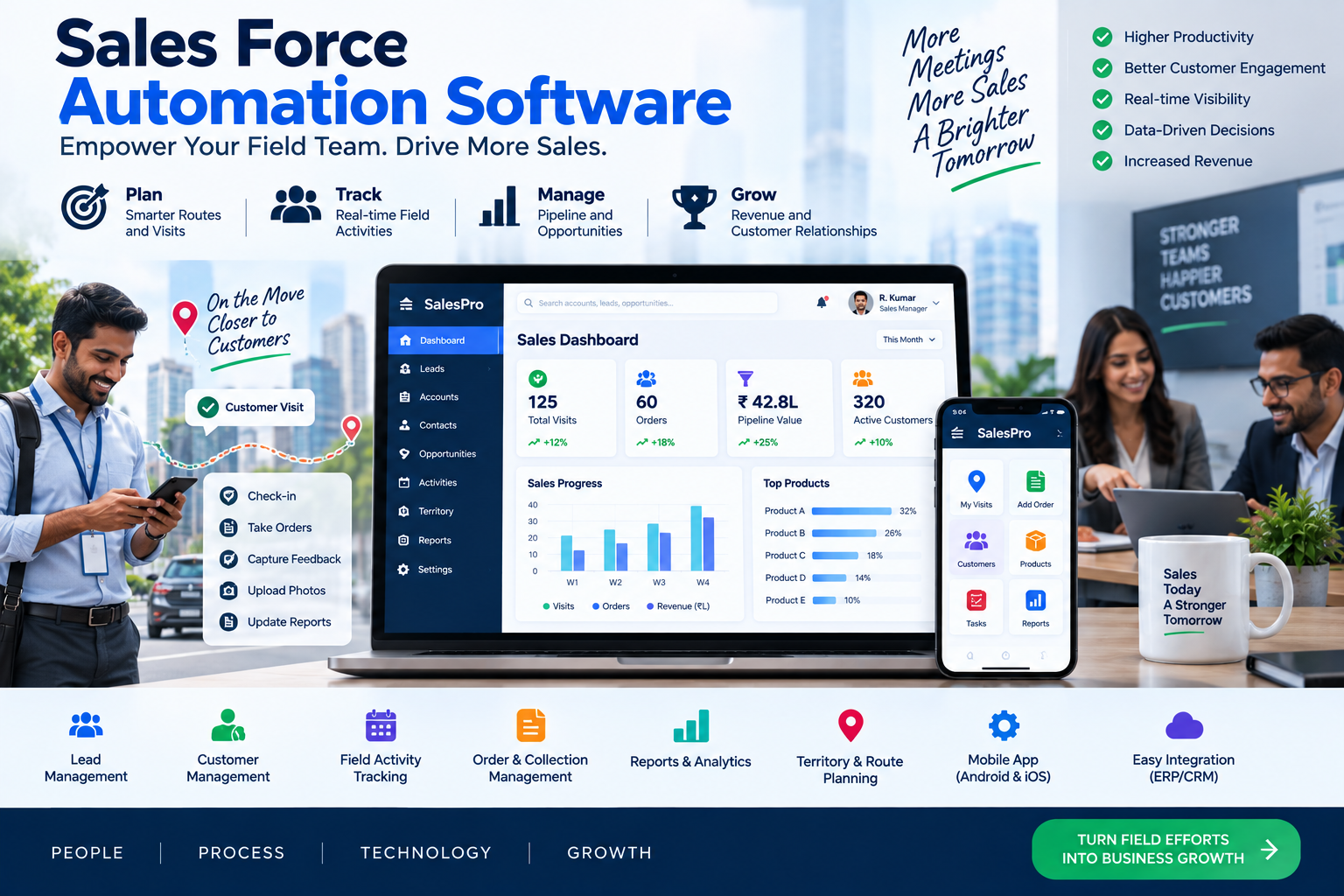
A sales rep can lose hours every week updating records, chasing reminders, writing routine follow-ups, and hunting for a customer’s last conversation. Sales force automation software takes repeatable work off that crowded desk so reps can spend more time in useful conversations.
It doesn’t replace sales judgment or relationship-building. Instead, it gives managers a clearer pipeline and gives reps a dependable next step when their day gets busy.
The right system turns scattered activity into a sales process people can follow.
Table of Contents
What Sales Force Automation Software Actually Does
Sales force automation software manages the repeatable steps that move a prospect toward a purchase, renewal, or expansion. A basic contact database stores names and notes. Sales automation connects those records to actions, rules, reminders, and reports.
A lead may enter through a web form, an imported list, or a referral. The system can score it, assign an owner, create the first task, and record every email, call, meeting, and proposal afterward. As the deal progresses, managers can see stage movement, stalled opportunities, expected revenue, and renewal dates.
Many teams get these functions inside a CRM. Others add focused tools for outbound prospecting, meeting scheduling, contact data, or email sequences. The goal stays the same: consistent follow-through, fewer lost opportunities, and customer records that people trust.

The daily sales work these tools can automate
Useful automation starts with clear rules. A platform can route inbound leads by territory, company size, product interest, or account owner. It can update contact fields after a form submission, create reminders after a call, schedule email sequences, generate quotes, and alert a manager when a deal has sat untouched too long.
Other common actions include calendar booking, pipeline-stage changes, renewal notices, and follow-up tasks after a demo. These small handoffs are where sales teams often drop the ball.
Human review still matters. Reps should approve sensitive messages, check high-value accounts, and step in when a prospect’s situation doesn’t fit the standard path.
The data and reports sales leaders gain
A shared system gathers customer history in one place. Calls, emails, meetings, opportunities, notes, and activity records stop living in separate inboxes and private spreadsheets.
That record supports dashboards for pipeline value, conversion rates, rep activity, deal aging, forecast accuracy, and sales-cycle length. A manager can spot a thin pipeline earlier or find out why deals keep slowing at the proposal stage.
A forecast is only as believable as the activity and close-date data behind it.
Reports won’t fix inconsistent data entry. However, sensible required fields, duplicate controls, and clear definitions for each stage make reporting far more useful.
The Features That Matter Most in Sales Automation
Feature lists can be misleading. One vendor may advertise automation while limiting the number of workflows. Another may put reporting, APIs, or forecasting behind a higher plan. Compare what your team must do every day, then check the exact limits.
Sales automation also needs to fit the rest of your stack. Email, accounting, marketing, support, and analytics systems all affect what sales reps see. For teams using predictive customer signals in marketing, Klaviyo predictive analytics offers a useful example of how data quality shapes automated recommendations.
Lead, contact, and pipeline management
Every prospect and customer needs a reliable record with a visible history. Look for clear deal stages, custom fields, lead scoring, duplicate detection, assignment rules, and unambiguous ownership.
The best setup tells a rep who needs attention next. It doesn’t bury them under a long list of stale contacts. A simple pipeline with well-defined exit criteria is often more helpful than a complicated one with ten vague stages.
Workflow, email, and task automation
Workflow rules should create a timely and relevant action. A new demo request can trigger an owner assignment and a task. A proposal sent three days ago can prompt a follow-up reminder. A deal without activity for two weeks can alert a sales manager.
Poorly designed automation fills inboxes with noise. Set timing rules, personalize messages with meaningful data, honor opt-outs, and add approval steps for messages that carry legal or brand risk. Calendar, email, phone, and messaging integrations also need reliable two-way sync.
Forecasting, integrations, and AI
Larger teams often need forecast categories, activity dashboards, advanced reporting, conversation intelligence, and API access. Newer tools also offer AI-generated call summaries, next-step suggestions, lead scoring, and sales agents.
Those features depend on clean records and sensible permission settings. AI can summarize a messy call, but it can’t repair a sales process nobody follows. Check how the platform connects with your existing CRM, email, calendar, marketing tools, accounting system, and support platform before you commit.
How Leading Sales Force Automation Tools Compare
There isn’t one universal winner in sales force automation software. Salesforce fits complex organizations that need scale and deep controls. Zoho CRM appeals to cost-conscious teams. Apollo centers on outbound prospecting, while Cal.com fills a scheduling gap rather than replacing a CRM.
Pricing and plan names change, so US buyers should verify current terms before signing.
Salesforce Sales Cloud and Agentforce Sales for complex teams
Salesforce is the enterprise benchmark for customization, broad integrations, sophisticated reporting, automation, and permission control. It’s a strong choice when several sales teams, territories, products, or approval paths share one system.
Its public Sales pricing page lists Free Suite at $0, Starter at $25 per user per month, Pro at $100, Core at $195, Advanced at $395, and Max at $550, generally billed annually. Review Salesforce’s current sales pricing for the latest plan details.
The tradeoff is real. Feature gating, add-ons, implementation work, and admin time can add up quickly. Salesforce rewards a disciplined rollout, but a rushed setup can become hard to maintain.
Zoho CRM for teams watching the budget
Zoho CRM is a practical choice for many small and midsize teams that need core contact management, pipeline tracking, workflow rules, and reporting without enterprise-level list prices. Its free plan supports up to three users.
Current US annual-billing prices commonly start around $14 per user per month, with higher tiers around $23, $40, and $52. Some comparisons cite top options near $99 when broader bundles or related products enter the quote, so check the edition carefully.
Before choosing Zoho, review user limits, automation depth, storage, support, custom modules, and the integrations you need. Lower entry cost helps, but only if the plan covers your real workflow.
Apollo and scheduling tools for outbound sales
Apollo focuses on prospect data, lead discovery, sequences, lead scoring, task reminders, AI personalization, conversation intelligence, reporting, and CRM sync. Its free Starter plan and paid Basic, Professional, and Organization tiers make it attractive for outbound teams building targeted lists.
Annual-billing list prices have been reported around $49, $79, and $119 per user per month for paid Apollo plans. Credits affect the true cost, especially for teams that need heavy data enrichment or high-volume prospecting.
Apollo may complement a full CRM rather than replace one for complex account management. Cal.com is also a useful companion for booking workflows. Some pricing comparisons report Professional around $19.99 per month and Team around $69 per month when billed annually, but buyers should confirm current Cal.com terms directly.
What Sales Force Automation Software Costs
The subscription price is only the visible part of the bill. Most vendors charge per user, per month, with annual billing offering the lower listed rate. Free plans, trials, and starter tiers help with testing, yet they often restrict automation, reports, storage, or integrations.
Salesforce shows how widely costs can range. Its public plans begin at $25 per user per month and rise to $550 for Max. Independent 2026 Salesforce pricing breakdowns also show why edition limits and add-ons deserve close attention.
Enterprise buyers may negotiate below list price. Some current analyses report discounts of 25% to 55%, but no vendor owes you that range. Contract length, seat count, product bundles, and timing all affect the final quote.
Build a total cost estimate before you sign
Start with paid users multiplied by the annual per-user price. Then add setup, data migration, integration work, training, premium support, extra storage, API access, and AI or data usage charges.
Model growth as well. Include expected new hires, seasonal users, plan upgrades, and any teams working in other currencies. Ask for a written quote that names every add-on, credit allowance, usage limit, and renewal term.
Know when a low-cost plan stops being enough
Basic plans may leave out advanced workflows, forecasting, custom objects, sandboxes, premium support, or higher API and data limits. A cheap first-year subscription can become expensive when the team bolts on separate tools to cover those gaps.
Compare the features you expect to need over the next 12 to 24 months. For example, Salesforce edition comparisons can help clarify how quickly functionality changes across plan levels.
How to Choose and Roll Out the Right Sales Automation Platform
Start with the actual work that frustrates your team. Maybe inbound leads wait too long, account owners aren’t clear, or forecasts rely on guesswork. Those problems should shape your shortlist.
A smaller system that reps use every day beats a powerful platform people avoid. Good adoption comes from simple rules, useful records, and training tied to real selling situations.

Match the platform to your team and sales process
Document team size, sales-cycle length, lead sources, territories, approval steps, reporting needs, current tools, and compliance requirements. Then separate must-have features from nice-to-have extras.
- A lighter CRM suits a straightforward process with a small sales team.
- An outbound-focused platform fits teams that depend on prospect data and sequences.
- An enterprise suite makes sense for complex permissions, multiple business units, and extensive customization.
Choose based on the work you need completed, not the flashiest demonstration.
Test integrations, data migration, and security first
Run a hands-on trial with protected sample data. Test email and calendar sync, lead routing, duplicate handling, mobile access, API limits, exports, backups, permissions, single sign-on, and audit logs.
Clean data before importing anything. Map fields, merge duplicates, set ownership rules, and preserve consent records. Otherwise, the new platform inherits every old spreadsheet problem on day one.
Launch in stages and measure adoption
Begin with one sales team or one repeatable workflow. Assign an internal owner, train reps around real scenarios, and create simple rules for fields that must be completed.
Review results weekly. Track time saved, lead response time, follow-up completion, pipeline accuracy, conversion rate, sales-cycle length, and active usage. Don’t automate a broken process. Fix the handoff first, then build the rule around it.
Choose the System That Clears the Sales Day
Sales force automation software earns its place when it removes repetitive work, protects customer data, and points reps toward the next useful action. Salesforce suits scale and deep customization, Zoho offers strong value, and Apollo fits outbound prospecting, while scheduling tools cover focused needs.
Compare total cost, plan limits, integrations, data governance, and adoption plans before you buy. List your team’s three biggest sales bottlenecks, test two or three tools against those workflows, and choose the platform that makes daily selling clearer and easier.