Adapting an industrial control system can be difficult when the solution seems to require rebuilding the entire automation setup. Schneider Electric EcoStruxure Automation Expert (EAE) takes a software-centric approach built around IEC 61499, with the goal of separating automation applications from specific hardware.
For your plant, the practical questions are where EAE can run, how it compares with traditional PLC and SCADA systems, and whether your existing devices are compatible. We’ll look at how the platform works and what to verify before adopting it, starting with Schneider Electric’s software-centric automation platform.
Table of Contents
What EcoStruxure Automation Expert Does for Industrial Automation
EcoStruxure Automation Expert (EAE) is Schneider Electric’s engineering and runtime platform for building and deploying industrial control applications. It uses IEC 61499 to organize control software into modular components and aims to separate application design from the hardware that executes it. Schneider positions EAE for discrete, hybrid, and continuous processes, so it can be relevant to machine builders, system integrators, and plant teams evaluating different approaches to control.
In practice, EAE is a way to develop, connect, test, and deploy automation applications across supported targets. It can be part of an architecture that also includes PLCs, HMIs, SCADA, historians, and field devices. It is not simply a new PLC, and it does not automatically replace supervisory systems. The goal is to make application software more reusable across compatible runtimes and devices, while keeping control functions organized as identifiable software assets.
That distinction matters when evaluating hardware independence. An application may be portable across targets that support the required runtime, libraries, and device functions. It does not mean every application will run unchanged on every controller or computer. The selected hardware, software versions, communications, and project configuration still set the boundaries.
How IEC 61499 makes control applications modular
IEC 61499 organizes automation software into function blocks. A block can represent a control function, such as a motor command, a sensor check, or a sequence step. Each block can have data inputs and outputs, along with event inputs and outputs that signal when an action should run.
Data flows carry values between blocks. Event flows trigger or coordinate actions, so the application describes both what information moves and when the related functions execute. Engineers can connect blocks into larger control functions, then assign application parts to supported execution devices. That makes it possible to distribute control across devices instead of tying the entire application to one controller.
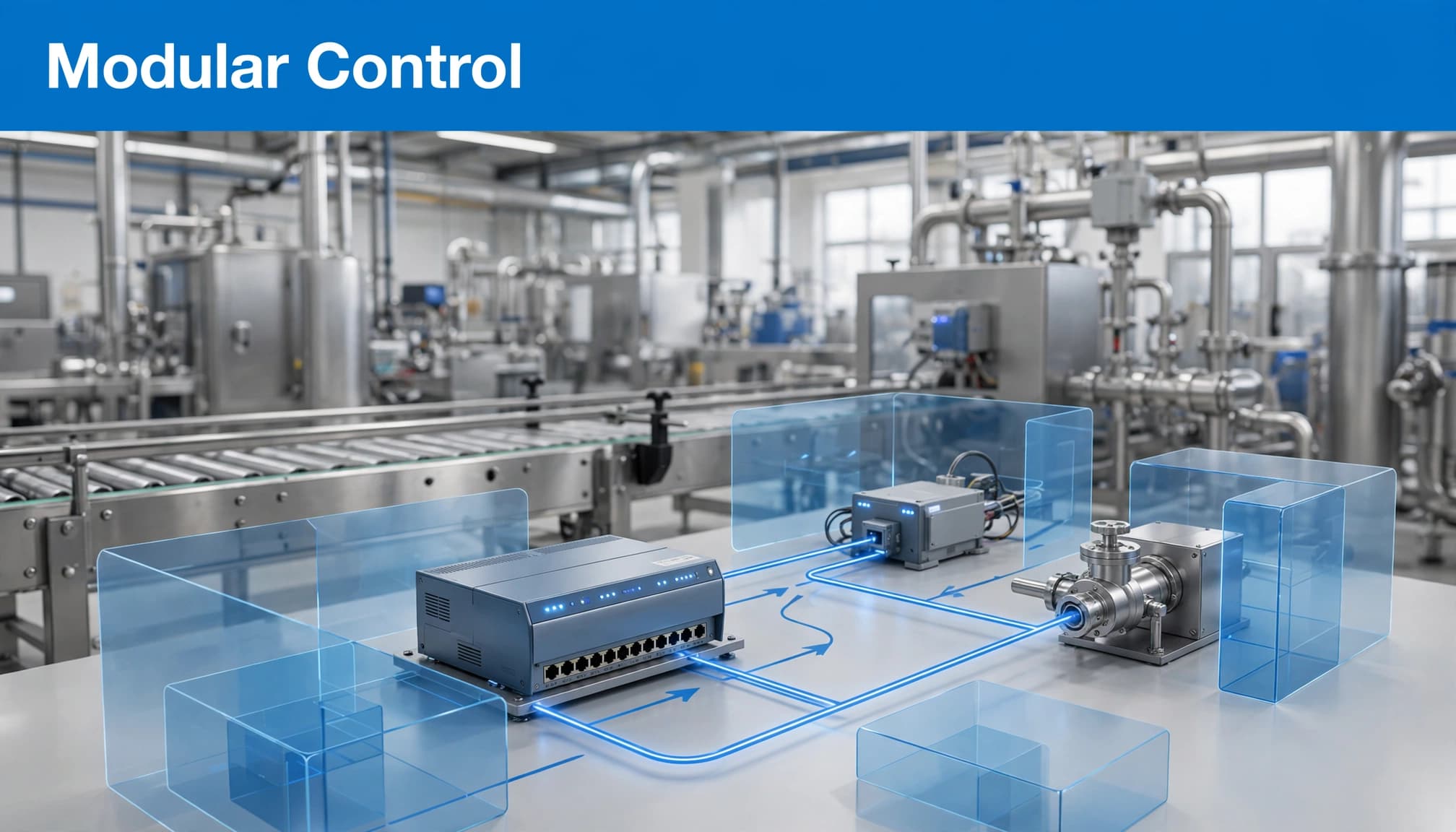
The intended gains are practical: teams can reuse tested blocks, organize applications by equipment or function, and make targeted changes without rebuilding every part of the system. IEC 61499 provides a model for this structure, but it does not guarantee that an application will run unchanged across vendors. Runtimes, device libraries, and hardware capabilities must still match. For a related explanation, see how EcoStruxure Automation Expert uses IEC 61499.
How EAE differs from a PLC or SCADA system
A PLC executes control logic and communicates with connected devices. It may handle tasks such as reading inputs, controlling outputs, and managing machine sequences. In a conventional setup, engineers often create and maintain that logic in software tied to a specific controller family.
SCADA typically provides supervision. It gives operators a way to view process conditions, respond to alarms, monitor equipment, and review historical data. A SCADA system may connect to PLCs and other automation equipment, but its main role is not the same as executing controller logic.
EAE is an engineering and runtime platform for creating and deploying control applications. It can work alongside PLCs and supervisory systems within a larger architecture. The right comparison is not “EAE or SCADA” in every project. Instead, ask which functions EAE will handle, which will remain in existing controllers, and what the SCADA or HMI layer must continue to provide.
How engineers build, test, and deploy an EAE application
An EAE project begins in the engineering environment, where engineers create an application from software objects and available libraries. Schneider describes the approach as asset-centric: the design can be organized around equipment and functions, such as a pump, conveyor, or control sequence, rather than only around a controller’s program structure.
Engineers compose an application by connecting objects and defining how they interact. Adapters can help connect components with compatible interfaces, while event chains define how actions or messages move through the application. In plain terms, an engineer links the equipment functions, data, and events needed for the intended behavior.
The application then needs an execution target. Engineers assign application parts to supported runtimes or devices, based on the project’s architecture and the functions each target can perform. This is where hardware support matters: a target must support the required runtime, libraries, communications, and performance needs. A reusable application component does not remove the need to confirm those requirements.
Before deployment, teams can use embedded simulation to exercise application behavior in the engineering environment. Simulation can help expose logic or connection issues before equipment is available for commissioning. It cannot prove that a physical installation will meet every timing, safety, or performance requirement, so site testing remains necessary.
After validation, engineers deploy the application to the selected target and verify its operation as part of the system. Exact tools, supported targets, protocols, and workflow details can depend on the EAE version and project configuration. The Schneider Electric EAE product information is a useful starting point, but current version documentation should guide project decisions.
Reusable objects and libraries simplify application design
Schneider training materials describe several object types used to organize EAE projects, including basic, composite, service, HMI, and hardware objects. Basic objects provide individual functions. Composite objects group multiple components into a larger function or equipment unit. Service objects can support shared functions, while HMI and hardware objects help connect an application to operator-facing or device-specific elements.
Libraries make these objects available for reuse across projects. A team might create a standard motor-control object, for example, then use it as a starting point when building applications for similar equipment. That can help standardize design patterns, improve consistency, and make applications easier for colleagues to understand and maintain.
Reuse still requires engineering judgment. Teams need to verify object behavior, interfaces, and version compatibility, then adapt components to the specific process and device. Libraries reduce repeated work when they fit the project. They do not eliminate programming, testing, configuration, or commissioning.
Simulation and connectivity help prepare a system for commissioning
Simulation gives teams a way to exercise application logic before connecting every real device. Engineers can check whether events trigger the expected actions, whether components exchange the right data, and whether the application responds to test conditions. Finding an issue in a simulated setup can make it easier to investigate before commissioning, though it does not guarantee a specific time or cost saving.
Connectivity also shapes how an EAE application fits into a wider system. Schneider lists OPC UA and MQTT Sparkplug as integration options for connecting automation applications with other systems. Those protocols may help share data across control, supervisory, and IT environments, depending on the required interfaces and configuration.
Protocol names alone are not enough to confirm compatibility. Check the current EAE documentation for the exact version, supported roles, configuration options, and limitations. Then test the required data exchange with the actual devices and systems in the proposed architecture.
Which runtimes, controllers, and tools work with EcoStruxure Automation Expert?
EAE includes an engineering environment for creating applications and a runtime for executing them. The runtime may run on supported controllers or other supported computing targets, depending on the product configuration. Hardware independence means that applications can work across specified targets, not that every controller or computer is automatically compatible.
There are concrete examples, but they need dates and context. On November 27, 2023, Schneider Electric and Phoenix Contact announced that EAE applications could be deployed to PLCnext Technology using shared runtime technology. Schneider’s announcement on PLCnext deployment describes a specific cross-vendor deployment path, not blanket compatibility with every PLCnext device or application.
Schneider training materials also use Modicon controllers in EAE examples. These examples show how the engineering workflow can be presented with Schneider hardware, but the controller model, firmware, runtime, and EAE version still need to match a project’s requirements.
A separate historical example is EAE V21.0, announced in 2021. Its listed features included an EtherNet/IP scanner, an ASi-5 gateway, and position control with Lexium 32 servo drives. These are release-specific details, not a current support list. Schneider’s V21.0 release announcement should not be used to infer present-day hardware or feature availability.
What the PLCnext and Universal Automation connection means
The 2023 Schneider Electric and Phoenix Contact announcement is a specific example of EAE application deployment across vendors. Schneider said EAE could deploy to PLCnext Technology controllers enabled with the UniversalAutomation.org runtime. The announcement describes a shared IEC 61499 runtime execution engine developed and managed by UniversalAutomation.org.
This distinction helps explain the roles involved. Schneider supplies EAE, Phoenix Contact supplies PLCnext Technology, and UniversalAutomation.org manages the shared runtime engine described in the announcement. Participation in a shared automation ecosystem does not make product licensing identical across companies or products. Teams still need to confirm what software and runtime licenses they require.
Interoperability also depends on implementation details. The selected runtime, libraries, devices, application version, and supported functions must work together. The announcement demonstrates a defined deployment path, not a promise that every IEC 61499 application can be moved between all vendors without engineering changes.
Check target support before choosing hardware
Before selecting hardware, confirm that the engineering software and runtime versions support the proposed configuration. Then check the details that can affect operation and long-term maintenance:
- The target hardware and operating system must be listed for the selected runtime.
- Required device libraries and fieldbus functions must be available.
- Real-time performance, redundancy, and safety requirements must be supported by the complete system.
- The vendor must be able to support the selected combination over the project lifecycle.
Intel’s EAE Linux runtime documentation is an example of a specific Intel ECI packaging option. It should not be treated as a general deployment rule for every EAE runtime or target. Linux compatibility, kernel requirements, and packaging can vary by runtime and implementation.
A supported target is only a starting point. Confirm that it can meet the application’s timing, communications, environmental, and maintenance needs under the conditions expected at the site.
Where EAE may fit, and how it compares with conventional automation
EAE may fit machine builders who want to reuse control application components across equipment variants. A builder could organize common functions into reusable objects, then configure each application for the selected devices and options. This is a possible design scenario, not a guaranteed customer outcome.
Another potential fit is a project that distributes control functions across supported devices. That approach may help teams organize applications by equipment or function, but it also adds decisions about runtime compatibility, network behavior, and system ownership.
Conventional PLC-based engineering has its own strengths. Many plants already have established controllers, programming standards, maintenance procedures, and trained staff. Keeping a proven control architecture can reduce migration work and preserve familiar troubleshooting practices. EAE may offer a different route for reuse and supported-target portability, but those benefits matter only if the required hardware and engineering workflow fit the project.
Compare the approaches across five practical areas: how much application logic can be reused, how strongly software is tied to a controller, how deployment is managed, what skills the team already has, and how much migration or testing is needed. A more flexible application model can be useful, but changing a working system has a cost. For a process plant considering another architecture, Foxboro SDA and software-defined control offers a related example of how EAE can fit into a broader automation offering.
Examples from Schneider Electric product materials
Schneider’s product materials show how EAE has been positioned and developed, but the examples need to be read in context. In 2023, Schneider announced deployment of EAE applications to Phoenix Contact PLCnext Technology using shared runtime technology. That announcement provides a concrete cross-vendor example within a defined configuration.
Earlier, Schneider announced EAE V21.0 in 2021. Listed enhancements included an EtherNet/IP scanner for a software-programmable automation controller, an ASi-5 gateway, and position control with Lexium 32 servo drives. These details show features associated with that release.
The V21.0 information is not a current compatibility list. It also is not a measured customer case study that proves a specific performance gain. Use product announcements to understand the capabilities Schneider described at the time, then check current documentation and target support for the version under consideration.
Benefits and trade-offs to weigh before a pilot
EAE’s potential strengths center on modular application design, reusable components, deployment to supported targets, and simulation before commissioning. These capabilities may help teams organize software and test application logic earlier in a project.
Each benefit comes with a practical limit. Portability applies to supported targets, and device-specific functions can restrict reuse. Migrating an existing application may require changes to logic, libraries, or configuration. Teams familiar with conventional PLC workflows may also need training in IEC 61499 and the EAE engineering environment.
The right question is not whether EAE is more flexible in theory. It is whether that flexibility solves a defined project problem without adding unacceptable complexity. A pilot can test that fit, provided the team uses the intended runtime and hardware rather than relying only on a simulated or demonstration setup.
How to evaluate EAE licensing, costs, and project fit
The available product information does not establish current India-specific prices, complete license terms, availability, or a full supported-hardware list. Schneider’s India product page presents Standard and Professional license options, but a project team should confirm current terms directly with Schneider Electric India or an authorized distributor. Costs may depend on the chosen products and configuration, so do not assume a seat, controller, or subscription model without written confirmation.
Schneider documentation describes workstation and application license categories, including an engineering workstation license and application licensing for runtime deployment. Those details can help frame a quotation request, but verify the current terms, product versions, and exact license scope for your project. The site’s guide to Automation Expert license activation and return can help explain one licensing workflow, but it does not replace a current commercial quote.
Before approving a pilot, ask the supplier to clarify:
- Which engineering and runtime licenses are required for the proposed configuration?
- Which targets, operating systems, and device libraries are supported?
- What training is available for engineers and maintenance staff?
- How do support, upgrades, and version changes work?
- What migration work is expected for existing applications?
- How will the pilot verify performance, timing, and safety requirements?
Questions to answer before a pilot project
Start with one focused use case. Define the equipment or process function the pilot will handle, then identify the existing PLC, SCADA, HMI, historian, and network dependencies it must retain. A narrow scope makes it easier to test whether EAE fits your actual engineering and operating needs.
Use the selected runtime and device libraries in the pilot. Confirm that the application behaves correctly with the target hardware, communications, and expected operating conditions. Include checks for timing, safety, cybersecurity, redundancy, and support over the system’s planned life.
Set success measures before testing. The pilot might assess application reuse, deployment effort, maintainability, or performance against a defined requirement. Compare the results with those goals rather than assuming benefits from product claims.
Confirm current pricing, licenses, and training locally
Before committing, request written confirmation of the commercial and support details for your location. Verify engineering-seat and runtime licensing, evaluation access, support and upgrade terms, training availability, and whether the selected targets are sold and supported in India.
Keep EAE licensing separate from the broader IEC 61499 and UniversalAutomation.org ecosystem. A shared standard or runtime initiative does not automatically define the license terms for Schneider software, another vendor’s hardware, or a specific deployment.
Confirm the complete package before ordering: software version, license scope, runtime, target hardware, required libraries, local support, and training. That gives the pilot a clear technical and commercial baseline.
Conclusion
EcoStruxure Automation Expert uses IEC 61499 to organize control applications into modular software that can run on supported runtimes. That can make application reuse and deployment across compatible targets easier to manage, but the fit depends on the hardware, integration requirements, and skills your team already has.
A small, carefully scoped pilot is the best way to test that fit against real project requirements. Verify the current runtime support, licensing, and commercial terms for your exact configuration before planning a wider rollout. Compatibility and project fit determine the value.