Focus Keyword: PME 2022 ISO File
SEO Title: PME 2022 ISO File Download Guide: Installation, Features & System Requirements
Permalink: pme-2022-iso-file-guide
Meta Description: Learn everything about the PME 2022 ISO file, including features, installation steps, system requirements, licensing, and best practices for Schneider Electric Power Monitoring Expert 2022.
What is the PME 2022 ISO File?
The PME 2022 ISO file is the official installation image used to deploy Schneider Electric Power Monitoring Expert 2022 on Windows Server. The ISO contains all required installation files, software components, prerequisites, documentation, and setup utilities needed for a complete PME installation.
Using the official ISO ensures that every software component is installed correctly and remains compatible with Schneider Electric devices and supported Microsoft technologies.
Table of Contents
Key Features of Power Monitoring Expert 2022
PME 2022 introduces several improvements that enhance monitoring, reporting, and system reliability.
Advanced Energy Monitoring
Monitor real-time electrical parameters including:
- Voltage
- Current
- Frequency
- Power Factor
- Active Power
- Reactive Power
- Apparent Power
- Energy Consumption
Real-time dashboards provide operators with instant visibility into facility performance.
Power Quality Analysis
PME 2022 records and analyzes:
- Voltage sags
- Swells
- Interruptions
- Harmonics
- Flicker
- Waveform captures
- Transient events
This information helps maintenance teams identify the root cause of electrical disturbances before they impact production.
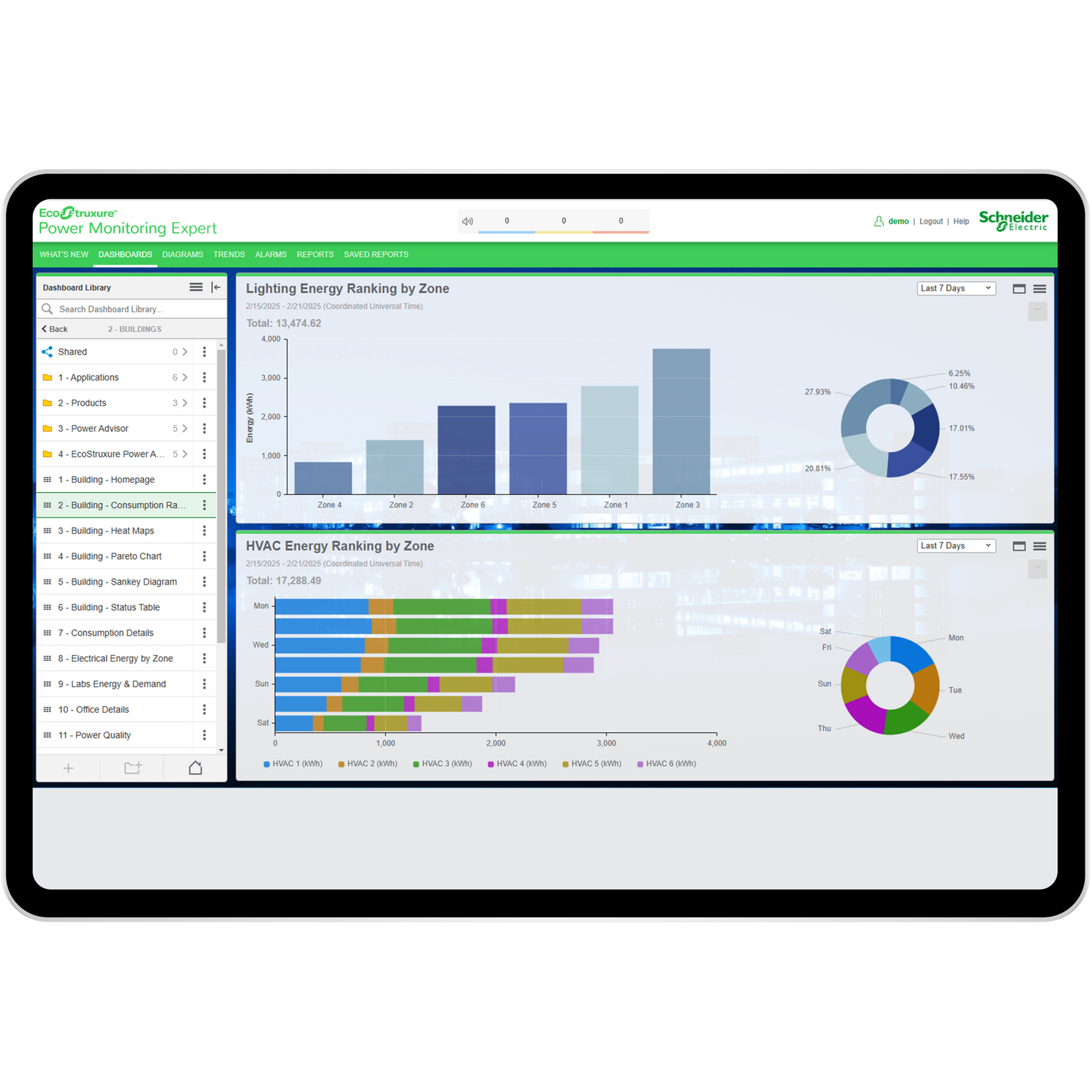
Custom Dashboards
Users can create personalized dashboards that display:
- Energy usage
- Load trends
- Device status
- Alarm summaries
- KPIs
- Historical reports
These dashboards simplify monitoring across multiple facilities.
Intelligent Alarms
PME continuously monitors connected devices and generates alarms when abnormal operating conditions occur.
Examples include:
- Overvoltage
- Undervoltage
- Breaker trip
- Communication failure
- Overload
- High demand
- Device offline
Alarm notifications allow engineers to respond quickly to critical events.
Automated Reports
PME 2022 includes powerful reporting capabilities such as:
- Daily energy reports
- Monthly consumption reports
- Cost analysis
- Power quality reports
- Load profile reports
- Equipment performance reports
Reports can be scheduled automatically and exported in multiple formats.
Devices Supported by PME 2022
PME supports a wide range of Schneider Electric devices, including:
- PowerLogic PM Series
- ION Series Meters
- MasterPact Circuit Breakers
- ComPacT Circuit Breakers
- Panel Servers
- EGX Gateways
- Com’X Energy Servers
- PowerTag Sensors
- Protection Relays
It also supports numerous third-party devices using open communication protocols.
Communication Protocols
PME 2022 supports several industrial communication standards, including:
- Modbus RTU
- Modbus TCP
- Ethernet/IP
- OPC
- SNMP
- BACnet
- IEC 61850 (supported integrations)
This flexibility allows easy integration into existing industrial automation systems.
PME 2022 System Requirements
A successful installation depends on meeting the recommended system requirements.
Operating System
- Windows Server (supported versions specified by Schneider Electric for PME 2022)
Database
- Microsoft SQL Server (supported editions)
Processor
- Multi-core 64-bit processor
Memory
- Minimum 16 GB RAM
- 32 GB or more recommended for larger systems
Storage
- SSD storage recommended
- Additional disk space for historical databases
How to Install PME 2022 Using the ISO File
Follow these general steps:
- Download the official PME 2022 ISO from Schneider Electric.
- Mount the ISO image in Windows.
- Launch the installer.
- Install required prerequisites.
- Configure Microsoft SQL Server.
- Select the desired PME components.
- Complete the installation wizard.
- Activate the software license.
- Configure communication with field devices.
- Verify successful data collection and reporting.
Benefits of Using PME 2022
Organizations implementing PME 2022 can achieve:
- Better energy visibility
- Lower electricity costs
- Improved power reliability
- Faster fault diagnosis
- Reduced downtime
- Predictive maintenance support
- Centralized monitoring
- Enhanced sustainability reporting
These advantages make PME an excellent solution for industrial facilities, commercial buildings, hospitals, airports, campuses, and data centers.
Best Practices After Installation
To maximize system performance:
- Keep Windows updated.
- Schedule SQL database backups.
- Configure user roles and permissions.
- Regularly archive historical data.
- Monitor communication health.
- Keep device firmware up to date.
- Validate alarm notifications periodically.
Frequently Asked Questions
Is the PME 2022 ISO file free?
The installation media may be available through Schneider Electric channels, but using PME requires appropriate licensing.
Can PME 2022 monitor third-party devices?
Yes. PME supports many third-party devices using industry-standard communication protocols such as Modbus TCP and Modbus RTU.
Does PME 2022 support remote monitoring?
Yes. Authorized users can securely access dashboards, reports, and system information over the network when properly configured.
Can PME 2022 generate automatic reports?
Yes. Users can schedule daily, weekly, and monthly reports for energy, demand, power quality, and alarms.
Conclusion
The PME 2022 ISO file is the foundation for deploying Schneider Electric Power Monitoring Expert 2022, a comprehensive energy and power management platform. Whether you’re monitoring a manufacturing plant, commercial building, utility network, or data center, PME 2022 delivers real-time visibility, advanced analytics, intelligent alarms, and detailed reporting to help improve electrical system reliability and energy efficiency.
Always obtain the installation media from official Schneider Electric sources or your licensed software portal to ensure authenticity, compatibility, and access to the latest updates.
SEO Elements
Focus Keyword: PME 2022 ISO File
LSI Keywords:
- Power Monitoring Expert 2022
- Schneider Electric PME
- PME 2022 Installation
- PME ISO Download
- Schneider PME Software
- Power Monitoring Expert Installation
- Energy Management Software
- PME System Requirements
- PME Licensing
- Power Monitoring Software
Suggested Tags:
- PME 2022
- Schneider Electric
- Power Monitoring Expert
- Energy Management
- Power Quality
- Industrial Automation
- Modbus
- Electrical Monitoring
- Smart Energy
- PowerLogic