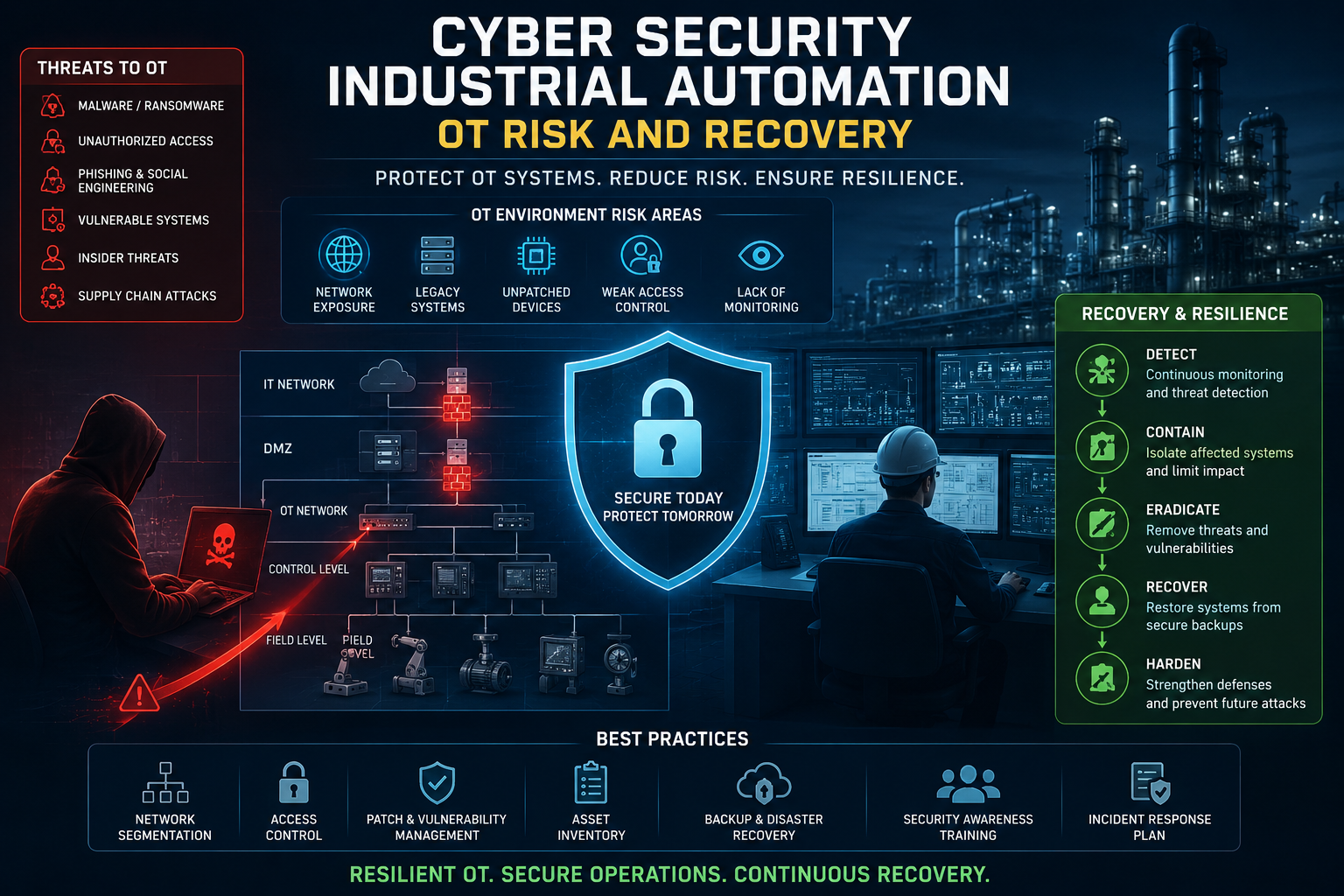
A modern plant can turn raw materials into finished products while PLCs, HMIs, sensors, robots, and safety systems coordinate every movement. Cyber security industrial automation protects more than data, because a compromised control system can threaten worker safety, product quality, uptime, and the physical process itself.
Threats such as exposed PLCs, unsafe remote access, weak IT/OT boundaries, and ransomware require controls that fit production realities. This guide connects practical defenses with IEC 62443, NIST SP 800-82, IT and OT network architecture, and recovery steps that support operators instead of disrupting them. Start with the risks that make industrial systems different from ordinary business networks.
Table of Contents
Why Cyber Security Industrial Automation Requires a Different Approach
Industrial automation cybersecurity protects the systems that sense conditions, make control decisions, and move physical equipment. These systems operate in manufacturing plants, energy facilities, water treatment sites, transportation systems, and process industries.
Operational technology (OT) and industrial control systems (ICS) differ from traditional IT networks. IT systems manage information, applications, and office services. OT systems manage physical processes, where a delayed command, incorrect setting, or failed controller can affect people and equipment. NIST guidance addresses this difference by placing performance, reliability, and safety alongside confidentiality and data integrity.
Security decisions must also account for long service lives. A business laptop may receive frequent updates, while a plant controller can remain in service for decades. Patching it without testing could stop a production line or disrupt a tightly controlled process. In OT, the safest decision often depends on what the system does, how it fails, and when the plant can tolerate a change.
The Industrial Systems Attackers Target
Attackers rarely need to compromise every device in a facility. Reaching one important control point may be enough to interrupt operations or create unsafe conditions.
- Programmable logic controllers (PLCs) execute the control logic behind machines, pumps, valves, conveyors, drives, and production lines. An unauthorized logic change can produce defective goods, stop equipment, or send a machine into an unexpected state.
- Remote terminal units (RTUs) collect measurements and control equipment across wide areas. Utilities, pipelines, substations, and remote pumping stations often rely on them.
- Human-machine interfaces (HMIs) show operators what the process is doing and allow approved commands. A compromised HMI could display false readings, hide an alarm, or encourage an operator to issue the wrong command.
- Engineering workstations let authorized staff create, test, and download PLC or RTU programs. They also hold configuration files that can help an intruder move deeper into the control environment.
- Historians store process data, alarm records, and operating trends. They may not control equipment directly, but they connect the plant floor to reporting systems and can expose valuable information about operations.
- Sensors provide the measurements that controllers trust, including temperature, pressure, flow, level, vibration, and position. False sensor data can lead to poor decisions even when the PLC itself remains untouched.
- Remote access tools give employees, integrators, and equipment vendors a path into plant systems. Poorly restricted access can turn a maintenance channel into an entry point for an attacker.
- Safety instrumented systems (SIS) monitor hazardous conditions and trigger protective actions. They are designed to reduce risk, but their separation, configuration, and testing require careful protection.

The outcome can reach beyond lost data. A compromised process may stop production, damage motors or turbines, release pollutants, spoil a batch, or create dangerous pressure and temperature conditions. Ransomware can also lock engineering files, servers, and operator stations, leaving a plant unable to restart even after the malware is removed.
A control system can remain available while showing operators false information. Availability alone doesn’t prove that the process is safe.
The Threats That Keep Reaching OT Networks
OT attacks often begin somewhere outside the plant floor. A phishing message can steal an employee’s credentials, while malicious email attachments or web content can infect a connected IT workstation. Attackers may then cross an unsafe IT/OT boundary, abuse a shared service account, or wait for a path into engineering systems.
Removable media creates another route. Technicians may carry configuration files, firmware, or diagnostic tools between facilities. If a USB drive contains malware, a routine maintenance visit can introduce it into a network that has no direct internet connection.
Remote access deserves close attention because plants depend on vendors and specialists. Exposed VPNs, direct internet connections, weak authentication, default passwords, shared credentials, and accounts that never expire can provide an attacker with legitimate-looking access. Use secure remote access for industrial control systems with individual accounts, approval workflows, limited permissions, logging, and time-based access.
Weak segmentation makes every stolen credential more dangerous. When business systems, vendor connections, HMIs, PLCs, and safety networks share broad access, an intruder has fewer barriers to cross. OT network segmentation with VLANs and subnets can restrict traffic between zones and limit the damage from one compromised device.
Outdated or unpatchable systems add pressure. Some controllers no longer receive updates, and some vendors prohibit changes during production. CISA provides ICS recommended practices that help teams combine compensating controls, monitoring, segmentation, tested backups, and carefully scheduled maintenance.
The central question is practical: what protection reduces risk without making the process unpredictable? OT security must answer that question before applying a control designed for an ordinary office network.
The Standards That Guide a Strong Industrial Cybersecurity Program
A strong industrial cybersecurity program needs more than isolated technical controls. IEC/ISA 62443 helps teams design and manage secure industrial automation environments, while NIST guidance connects those controls to risk management, daily operations, and recovery. These resources are complementary, not competing choices.
IEC/ISA 62443 provides detailed requirements for asset owners, system designers, and product developers. NIST SP 800-82 Rev. 3, published in September 2023, explains how to apply security practices within OT and ICS environments. NIST Cybersecurity Framework 2.0 adds a clear way to organize responsibilities and measure progress.

What IEC/ISA 62443 Adds to OT Security
The IEC/ISA 62443 series gives industrial organizations a shared structure for reducing cyber risk across the full control system lifecycle. Its parts address different responsibilities, so a plant owner, integrator, and product vendor can work from related expectations.
- 62443-2-1 focuses on the asset owner’s security program. It covers policies, roles, procedures, risk management, training, incident handling, and ongoing improvement.
- 62443-3-2 guides risk assessment and system design. Teams identify assets, evaluate consequences, divide the environment into zones, and define the conduits that connect them.
- 62443-3-3 turns those decisions into system security requirements. It addresses areas such as access control, system integrity, data confidentiality, restricted data flow, and response to events.
- 62443-4-1 focuses on secure product development. Vendors use its practices to manage security requirements, secure design, vulnerability handling, testing, and maintenance throughout a product’s lifecycle.
Zones group systems with similar security needs, such as an enterprise network, supervisory network, cell or area zone, and safety system. Conduits are the controlled communication paths between those zones. Firewalls, jump hosts, access rules, and monitoring can limit what travels through each conduit.
Security levels describe the strength of protection needed for a threat scenario. A safety controller exposed to a capable attacker may require stronger safeguards than a low-impact monitoring device. The level should match the consequences and threats identified during the risk assessment, rather than becoming a label applied to every device.
For example, a PowerLogic T500 substation controller can be evaluated within its wider architecture, not as an isolated product. The question is how its interfaces, accounts, updates, and communication paths fit the site’s zones and conduits.
Zones and conduits turn a broad security goal into a map of permitted communication, trust boundaries, and control responsibilities.
How NIST CSF 2.0 Turns Guidance Into Action
NIST Cybersecurity Framework 2.0 organizes security work around six functions: Govern, Identify, Protect, Detect, Respond, and Recover. The framework does not replace engineering requirements in IEC/ISA 62443 or OT-specific guidance in NIST SP 800-82. Instead, it helps leaders connect those requirements to business priorities and track whether the program is improving.
NIST’s Cybersecurity Framework 2.0 guidance can translate into practical plant activities:
- Govern: Assign an executive owner for OT risk, approve remote-access policies, and define who can authorize production changes.
- Identify: Build and maintain an inventory of PLCs, HMIs, engineering workstations, network devices, software versions, and critical dependencies.
- Protect: Require MFA for remote access, restrict privileges, segment networks, and control removable media.
- Detect: Use passive monitoring to spot unexpected protocols, new devices, abnormal commands, and changes in normal traffic without probing fragile controllers.
- Respond: Isolate a compromised plant segment, suspend a vendor account, preserve evidence, and coordinate decisions among operations, safety, IT, and security teams.
- Recover: Restore known-good configurations, validate controller logic, test process conditions, and return equipment to service in a controlled sequence.
The newer Govern function gives management a place to address risk tolerance, funding, ownership, and policy oversight. Meanwhile, NIST SP 1800-41, issued as an initial public draft in May 2026, focuses on response and recovery for manufacturing ICS environments. Together, these frameworks help a plant assess risk, design safeguards, assign work, and measure progress without separating cybersecurity from safe operations.
The Controls That Make Industrial Automation Safer
Cyber security industrial automation works best as a layered program. No firewall, monitoring platform, or access tool can protect a plant alone. Effective controls reduce exposure while respecting safety certifications, production schedules, equipment limits, and recovery needs.
Build a Living OT Asset Inventory
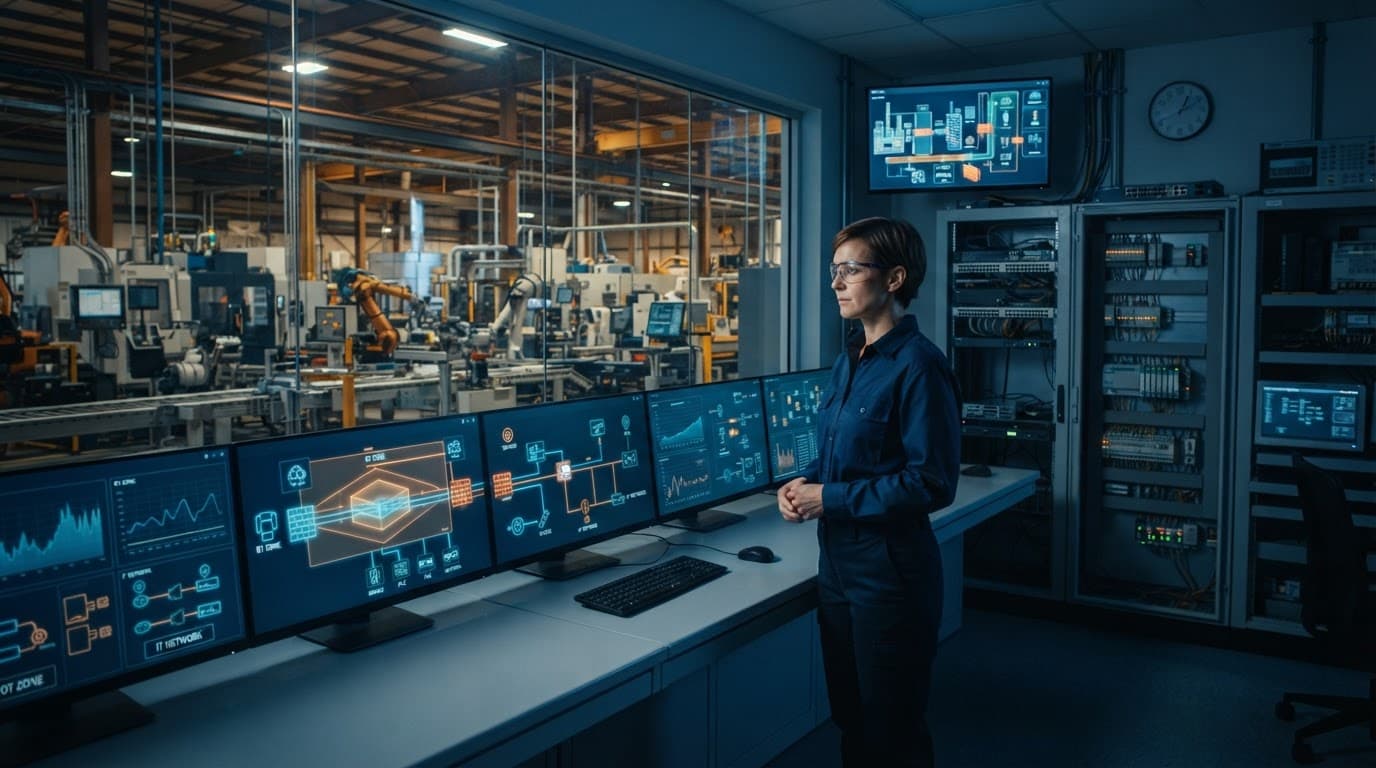
You can’t protect equipment that nobody knows exists. Create an inventory that covers every PLC, RTU, HMI, engineering workstation, network switch, firewall, sensor, historian, vendor connection, operating system, and firmware version. Record the system owner as well, because every asset needs someone who can approve changes, investigate alerts, and coordinate recovery.
The inventory should describe more than hardware. Add each asset’s business impact, process dependencies, known vulnerabilities, support status, and end-of-life date. A controller that appears minor on a network diagram may feed a safety interlock or depend on a specific historian, time server, or engineering workstation.
CISA’s OT asset inventory guidance treats inventory as a foundation for segmentation, access management, and monitoring. Update it after equipment changes, maintenance work, network redesigns, and vendor visits. Where active scans could affect fragile or outdated devices, use passive discovery through network TAPs, SPAN ports, configuration reviews, and interviews with operators.
Separate Networks With Zones, Conduits, and an OT DMZ
Purdue-style architecture divides the environment into layers, such as enterprise IT, supervisory systems, cell or area networks, controllers, and field devices. IEC 62443 uses similar ideas through zones, which group assets with comparable security needs, and conduits, which define the controlled paths between them.
An OT DMZ creates a boundary between enterprise IT and plant systems. Services that need to exchange information, such as historians, patch repositories, or remote access brokers, can reside there instead of connecting directly to PLC networks. Firewalls should deny traffic by default and permit only the protocols, hosts, ports, and direction required for a known process.
A data request from a reporting server may be allowed, while direct engineering access from an office laptop remains blocked. Safety instrumented systems deserve separate treatment, with their own zone, stricter access rules, and, where appropriate, one-way data flow. CISA’s ICS cybersecurity practices support this type of layered separation.
Lock Down Remote Access and Identity
Remote access paths are high-risk entry points because they connect trusted plant systems to people, vendors, and devices outside the facility. Give every user a unique account, remove shared credentials, require strong passwords, and enforce MFA wherever the technology supports it.
Access should be approved for a defined task, limited to the required systems, and removed when the work ends. Just-in-time access, expiration times, vendor reviews, session recording, and command or screen logging make unusual activity easier to detect and investigate. A hardened jump server should be the controlled entry point, not a direct connection to an HMI or PLC.
Test these paths regularly. Review dormant accounts, confirm that emergency access still works, and verify that logs reach the people responsible for OT security. A forgotten vendor account can remain open long after the original maintenance contract ends.
Monitor OT Protocols Without Disrupting Operations
Passive, protocol-aware monitoring can recognize normal industrial traffic and flag changes that ordinary network tools may miss. Depending on the environment, it can identify unexpected commands, new devices, controller logic transfers, network scanning, unusual communication partners, and abnormal polling patterns.
That visibility matters because industrial protocols often carry control instructions without modern security features. However, careless active scanning can overload older devices or trigger unexpected behavior. Passive collection watches traffic without sending queries to fragile equipment, which makes it a safer starting point for discovery and detection.
Alert tuning matters just as much as sensor placement. Security teams should establish normal operating patterns, suppress known maintenance activity, and route high-impact alerts to operators who understand the process. Otherwise, repeated false alarms become background noise.
Protect Legacy Assets With Compensating Controls
Some OT systems cannot receive patches because of safety certification, vendor restrictions, age, or the cost of stopping production. Leaving them exposed is still a risk decision, even when replacement is impossible today.
Use compensating controls that fit the asset:
- Isolate the system in a restricted zone and block unnecessary routes.
- Apply application allowlisting when the operating system supports it.
- Remove local administrator rights and restrict interactive logins.
- Use virtual patching or gateway filtering where testing confirms that it won’t disrupt control traffic.
- Back up configurations, controller logic, recipes, and recovery media.
- Add monitoring and stricter physical and remote access rules.
Document the exception, its owner, known weaknesses, and planned review date. Reassess it after a process change, new vulnerability, vendor notice, or safety modification. A legacy asset can remain in service safely only when its limits are visible and its surrounding defenses receive regular attention.
How to Respond When an Industrial Cyberattack Happens
An industrial cyberattack is a plant operations emergency as well as a technology incident. The first priority is safe control of the process, not simply disconnecting equipment and hoping production stops cleanly.
A good response moves through preparation, triage, containment, controlled operation, evidence preservation, and restoration. Cybersecurity teams investigate the intrusion, operators protect the process, safety leaders assess hazards, management sets priorities, vendors provide system knowledge, and emergency teams handle threats to people or the surrounding community. CISA’s industrial control systems guidance supports this shared approach to OT security and recovery.
Prepare OT-Specific Response Playbooks
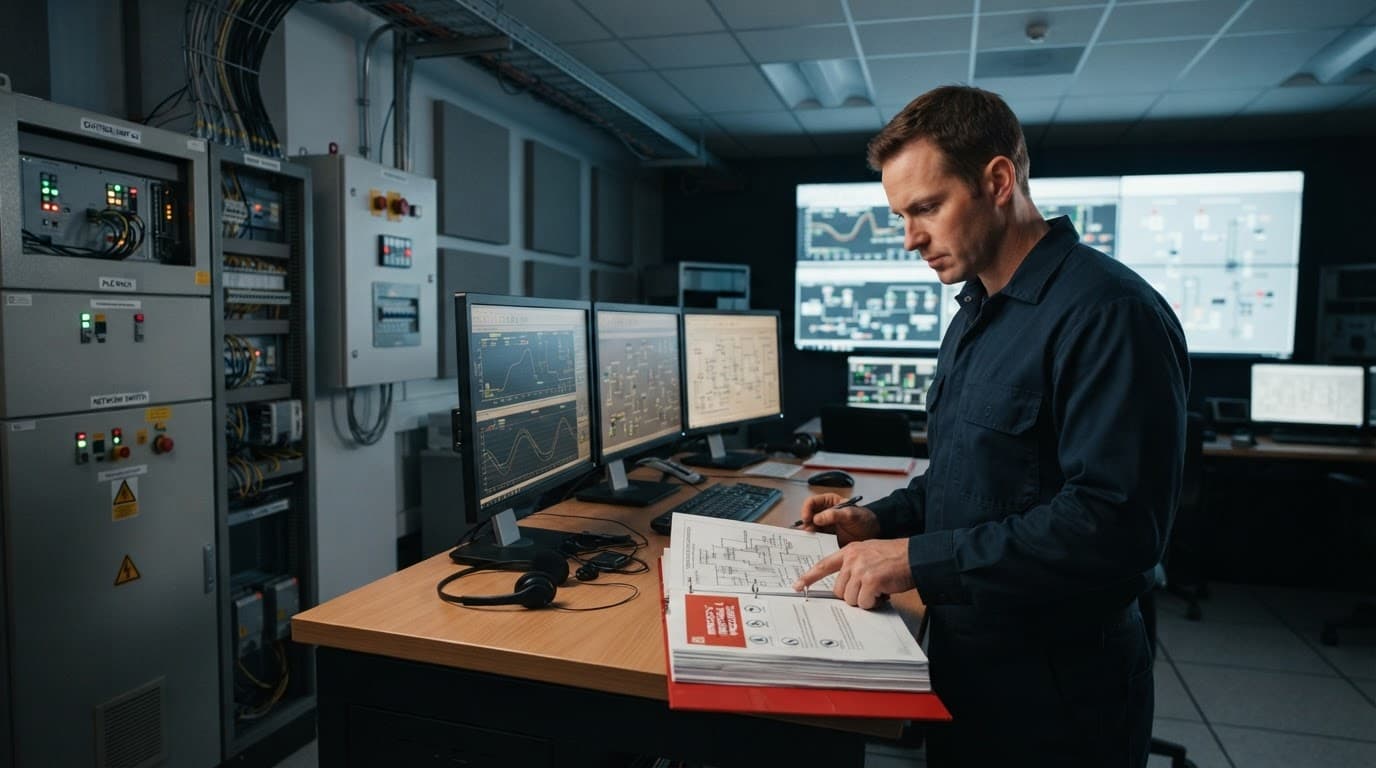
A plant needs separate playbooks for different failure patterns. Ransomware affecting office servers requires a different response from an unauthorized PLC logic change or a loss of operator visibility.
Each playbook should identify the first call, the person authorized to isolate equipment, the safe operating state, and the conditions that require a shutdown. Cover at least these scenarios:
- Ransomware on HMIs, historians, file servers, or engineering workstations.
- Loss of view caused by failed displays, network disruption, or manipulated HMI data.
- Unauthorized PLC logic, firmware, setpoint, or configuration changes.
- Unsafe commands sent to controllers, drives, valves, robots, or remote terminal units.
- Compromised vendor accounts, VPNs, jump servers, or remote-support tools.
- Removable-media infections introduced through maintenance laptops or USB drives.
- Suspected compromise of a safety instrumented system, which requires immediate safety review.
The incident commander should bring operations, cybersecurity, safety, management, the affected vendor, and emergency response into one communication structure. Operators should confirm the physical process through approved indicators where possible. If readings are unreliable, the team must decide whether to isolate a network segment, transfer to manual operation, place equipment in a safe state, or perform a controlled shutdown.
Preserve logs, controller programs, HMI images, network captures, alarm histories, and affected media before rebuilding systems. However, evidence collection must never delay action that protects workers, the public, or critical equipment. Management should know when to contact law enforcement, regulators, insurers, sector agencies, or emergency services. The playbook should also list OEM contacts and define when vendor support is required.
Disconnecting a controller can remove an attacker, but it can also remove visibility or interrupt a protective sequence. Isolation must follow process knowledge.
Recover From Offline Backups and Verified Configurations
Recovery depends on more than restoring files. Maintain offline or otherwise protected copies of PLC logic, HMI projects, engineering workstation images, network configurations, historian data, credentials, licenses, and project files. Keep firmware versions, device descriptions, drivers, recipes, and required installation media with the recovery package.
Backups should have clear owners, access procedures, retention periods, and restoration tests. A backup that exists but requires a compromised domain account or an unavailable license server may fail during the incident. Guidance on PLC backups and Rockwell controls support also highlights the need to preserve control programs, safety projects, drive parameters, and the tools needed to rebuild engineering systems.
Set recovery objectives for physical assets and production processes, not just file servers. Ask which pumps, lines, burners, robots, batches, or safety functions must return first. Then define the safe sequence, acceptable downtime, manual fallback, inspection requirements, and restart limits.
Before reconnecting restored systems, scan recovery media for malware and verify configuration versions against approved records. Test controller logic in a safe environment when possible. Confirm alarm behavior, interlocks, time synchronization, network paths, user permissions, and communication with safety systems. Operations should approve a controlled restart one process area at a time, with cybersecurity monitoring and a rollback plan in place.
Practice With Tabletop Exercises and Plant Drills
Tabletop exercises expose decisions that look simple on paper but become difficult during a live event. A facilitator can present a ransomware alert, a false pressure reading, or a vendor account issuing unexpected commands. The team then explains who calls whom, who can authorize isolation, and how operators keep the process safe.
Include plant personnel, cybersecurity, safety, management, vendors, legal staff, communications, and emergency contacts. Test the call tree after hours. Ask whether the team can reach backup credentials, offline configurations, OEM support, manual operating procedures, and current equipment drawings.
Plant drills should test physical actions without creating unnecessary risk. Practice transferring to manual operation, restricting remote access, preserving evidence, shutting down a process cell, and restarting it under supervision. CISA’s tabletop exercise packages provide scenario questions for incident response and recovery planning.
The 2026 ICS4ICS workshop from ISA is a useful example of incident-command-style training. It combines incident command, cybersecurity response, and OT expertise, helping teams coordinate technical investigation with safe plant decisions. After every exercise, update contacts, authority levels, recovery steps, and vendor procedures while the lessons are still fresh.
A Practical Roadmap for Improving OT Cybersecurity
Improving OT cybersecurity doesn’t require a perfect inventory, a new security platform, or a large capital project. Start with ownership and visibility, then fix the paths that could cause the greatest harm. Each improvement should protect safe operations, reduce recovery time, or make an important decision easier during an incident.
Start With Risk, Ownership, and Visibility
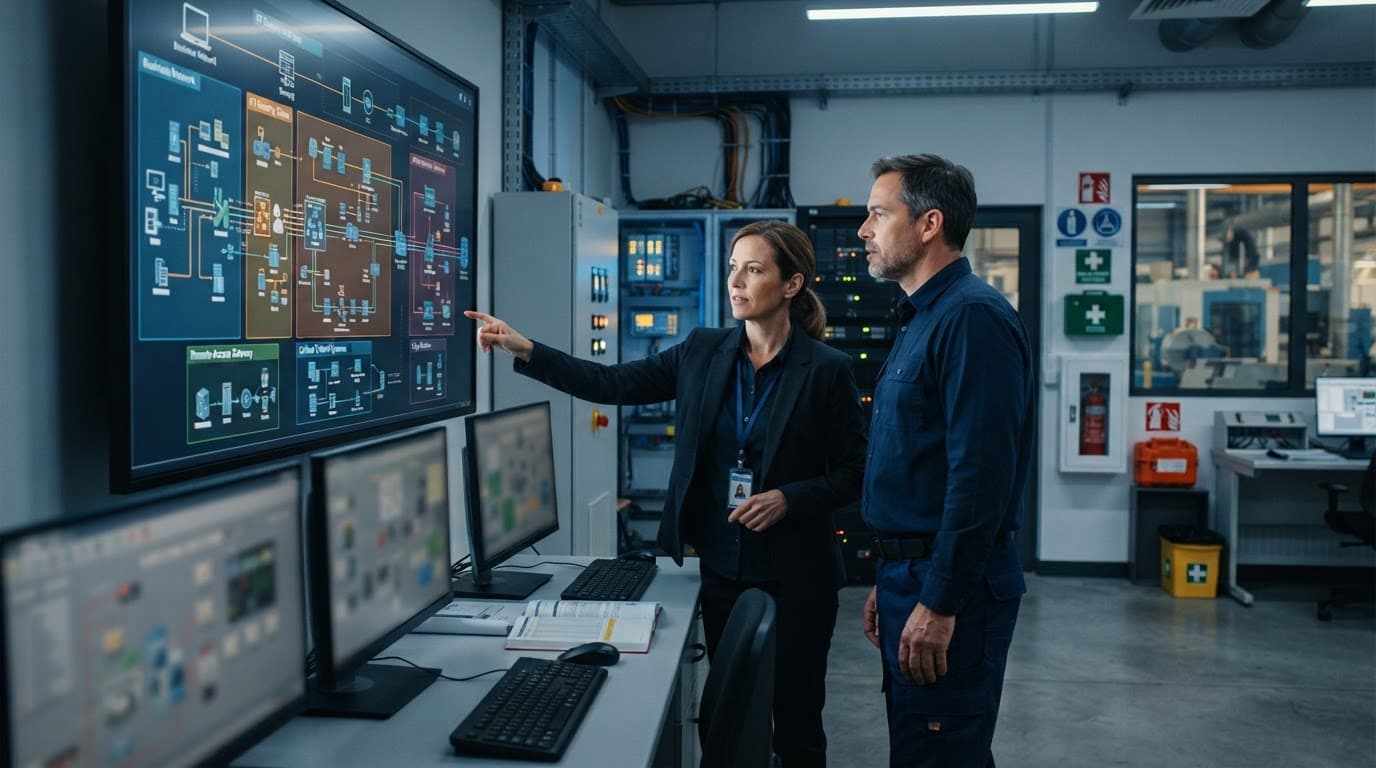
Name one person as the OT security owner, even if several teams share the work. That owner should have authority to coordinate plant engineering, IT, safety, vendors, and leadership. Without clear ownership, security tasks often sit between departments until an outage exposes the gap.
Begin by mapping critical processes rather than listing devices in isolation. Identify which production lines, pumps, robots, boilers, substations, or safety functions must keep operating. Then connect each process to its PLCs, HMIs, engineering workstations, network devices, historians, remote connections, and supporting services.
Build an asset inventory with practical fields, including:
- Manufacturer, model, firmware, operating system, and physical location.
- IP and MAC addresses, active protocols, ports, and communication partners.
- User accounts, vendor access, logging capability, and system owner.
- Process dependencies, support status, known vulnerabilities, and recovery requirements.
CISA’s OT asset inventory guidance recommends combining physical inspection, logical surveys, asset attributes, and lifecycle management. Include temporary devices, maintenance laptops, and removable media because they can create short-lived paths into permanent control systems.
Next, identify the crown-jewel systems. These are the assets where compromise could threaten people, damage equipment, stop production, spoil a batch, or prevent a safe restart. Review every remote connection with the same care. Record who uses it, which system it reaches, how access is approved, whether MFA protects it, and when the account expires.
Write down known gaps without waiting for a solution. An unsupported PLC, undocumented vendor modem, missing backup, or flat network is easier to manage when it has an owner, a risk rating, and a review date.
Prioritize the Highest-Impact Improvements
Use process safety and business impact to set priorities. A controller with one software finding may deserve faster action than an office server with dozens of findings if that controller regulates pressure, temperature, motion, or a safety interlock.
Most plants can establish an early baseline with a focused set of controls:
- Require MFA for remote access, preferably through a hardened jump host or bastion system.
- Remove default credentials, shared accounts, and unused vendor accounts.
- Segment OT networks and apply default-deny rules between IT, OT, safety, and vendor zones.
- Deploy passive monitoring at important boundaries, using TAPs or SPAN ports where appropriate.
- Maintain separate, protected backups of PLC logic, HMI projects, configurations, and engineering files.
- Rank patches and vulnerabilities by exploitability, exposure, process consequence, and available compensating controls.
- Restrict removable media through approved devices, scanning procedures, port controls, and exception records.
An IoT2040 secure OT-to-IT connectivity gateway may support controlled data exchange in some architectures, but the design still needs firewalls, access rules, monitoring, and clear ownership. Technology cannot replace a safe operating decision.
When patching could disrupt production or invalidate a certification, document the reason and apply compensating controls. Segmentation, restricted access, passive monitoring, and stronger backup protection can reduce exposure until a tested maintenance window becomes available.
Measure Progress Without Chasing a Perfect Score
A useful OT security program shows movement in numbers that plant leaders understand. Track coverage and response performance, not just the number of vulnerabilities closed.
Helpful measures include:
- The percentage of OT assets inventoried and reviewed within the past month.
- The percentage of remote connections protected by MFA and individual accounts.
- The percentage of crown-jewel systems covered by passive monitoring.
- Backup restoration success for each critical process or system.
- Median time to detect suspicious activity and time to isolate affected equipment.
- The percentage of response exercises completed with corrective actions assigned.
- Recovery time achieved during tests compared with the target for each critical system.
Review these measures after equipment changes, vendor transitions, network redesigns, major vulnerabilities, and incidents. Threats change, but plant dependencies change too.
Use a staged plan so progress doesn’t depend on a perfect program:
- First 30 days: assign the OT security owner, map critical processes, inventory high-impact assets, and close exposed remote paths.
- Next 60 to 90 days: remove default credentials, enforce MFA, segment the most sensitive zones, restrict removable media, and begin passive monitoring.
- After 90 days: test restorations, run response exercises, measure detection and isolation times, and fund remaining gaps according to safety and production risk.
Leadership should treat this work as part of safety, reliability, and operational resilience. A security budget protects the plant’s ability to control its process, recover from disruption, and return to production safely.
Conclusion
Cyber security industrial automation protects people first, then the dependable production that supports them. Accurate asset visibility, zones and conduits, an OT DMZ, secure remote access, passive monitoring, compensating controls, offline backups, and practiced response reduce the chance that a digital attack becomes a physical crisis.
Begin with the systems that matter most, involve plant operators from the start, and improve the program one measurable step at a time. Strong OT security grows through disciplined decisions that keep control systems safe, available, and recoverable.



2 thoughts on “Cyber Security Industrial Automation: OT Risk and Recovery”
Comments are closed.