A panel job can drift off course before anyone cuts metal. One wrong device choice, one missed clearance, or one shaky quote can send the whole project back for rework.
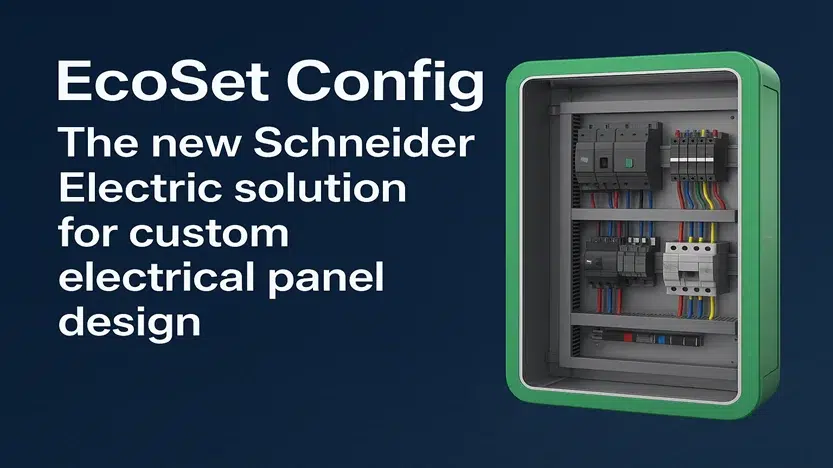
EcoSet Config is built for that early pressure. It helps you design, check, and price low-voltage panel work on the same path, so fewer decisions get lost between planning and production.
If you build panels, specify them, or quote them, this is where the software starts to earn its keep.
What EcoSet Config is built to do
EcoSet Config is focused on low-voltage panel and switchboard design, not broad project management. Schneider Electric describes it as a Windows-based tool for configuring and quoting switchboard projects, especially around PrismaSeT assemblies. In plain terms, it helps you choose the right parts, arrange them into a usable panel, check the result, and prepare the paperwork that follows.
Turn a panel idea into a working design
At the start of a project, speed matters. So does clarity. A rough idea on paper may work for a first conversation, but it won’t carry a team through pricing, review, and build.
EcoSet Config helps move past that rough stage. You select switchgear components, build the electrical network, and start shaping a panel that reflects real hardware choices. Because the software is tied to the equipment logic, the design process feels less like guesswork and more like assembly with guardrails.
That matters when several people touch the same job. Engineers, estimators, and builders often lose time because the first concept is too vague. A better starting point cuts down the back-and-forth and gives the team something concrete to review. For a quick product view, Schneider Electric’s EcoSet Config overview shows the basic flow.
See and verify the panel before building it
A panel can look fine on a parts list and still fail in the cabinet. Space, arrangement, and fit can break the plan long before site delivery. That’s why the visual side of EcoSet Config matters.
The software includes a 3D view that lets you inspect the panel before anything is built or ordered. You can catch placement issues earlier, review how sections come together, and spot problems that are easy to miss in a flat document. That visual check often saves more time than any single shortcut.
Errors found on a screen are cheaper than errors found on the shop floor. When a team can verify the design early, it reduces rushed changes, spare-part confusion, and awkward calls to the customer after the quote is already out.
Create quotes and documents faster
Once the design is stable, paperwork becomes the next bottleneck. Many teams still copy part details by hand into quotes or project files. That work is slow, and it creates openings for mismatch.
EcoSet Config helps connect the design stage to the commercial stage. Because the selected components and panel structure are already in the project, the quote and supporting documents can follow with less manual re-entry. The gain is simple: less repetition, fewer typing errors, and faster handoff from design to pricing.
That focus is useful because the tool stays close to low-voltage panel work. It isn’t trying to manage every part of an electrical project. It helps the team get the panel right, then turns that work into documents people can trust.
Who gets the most value from EcoSet Config
The people who benefit most are the ones who live with the cost of small mistakes. In panel work, those mistakes don’t stay small for long. A wrong part, a missed incompatibility, or a slow quote can ripple through the whole job.
For engineers who want fewer design mistakes
Engineers need structure more than flash. They need to know which parts belong together, whether the panel still makes sense as it grows, and where the weak spots are before release.
EcoSet Config helps by keeping component choices organized and tied to the design itself. That reduces the chance of planning around parts that don’t fit the intended assembly. It also helps engineers review a panel as a real object, not only as an idea spread across notes, spreadsheets, and email threads.
If your work also includes plant-wide modeling, AVEVA E3D 3D design features belong to a much broader software category. EcoSet Config stays much closer to the panel.
For panel builders who need faster quoting
Panel builders often win or lose work on response time. If a customer asks for changes, the clock starts again. A slow quoting process can turn solid technical work into a lost opportunity.
This is where EcoSet Config makes practical sense. When the panel design and the commercial output live close together, the team spends less time rebuilding the same information in different formats. The quote becomes an extension of the design, not a separate project that starts from scratch.
A third-party overview of EcoSet Config for custom panel design describes the same appeal: one place for design, validation, and quotation. For busy shops, that can mean quicker turnaround and fewer repetitive tasks.
For teams handling bigger electrical projects
Larger panel jobs punish loose planning. More sections, more devices, and more coordination all raise the cost of a mistake. EcoSet Config fits best when a project needs more control than a simple, one-off enclosure.
It’s aimed at low-voltage panel work, including assemblies up to 3,200 A. That matters because a bigger board brings more complexity in layout, device choice, and final review. On those jobs, a missed issue doesn’t only delay one item. It can affect procurement, labor, and delivery dates across the project.
The tool is also often discussed in the context of PrismaSeT switchboards for non-critical buildings. Even so, the core value stays the same: give teams a better way to design and price a low-voltage assembly before the expensive work begins.
What you need before using EcoSet Config
Good design software still needs a computer that can keep up. Because EcoSet Config includes visual work and 3D review, weak hardware can turn a normal task into a slow, choppy session.
Schneider Electric lists these baseline requirements for a usable setup:
| Requirement | What you need |
|---|---|
| Operating system | Windows PC only |
| Browser | Chrome or Microsoft Edge |
| Memory | At least 16 GB RAM |
| Graphics | Dedicated graphics card |
| Display | 1920 x 1080 resolution |
That list tells you something simple. This is desktop software for real design work, not a light browser app for a tablet or phone.
Check your computer and browser first
Before you start a live project, confirm the basics. EcoSet Config is built for Windows, and it expects a Chromium-based browser such as Chrome or Edge. If your IT setup forces an older browser or underpowered laptop, you may feel the limits right away.
That doesn’t always show up as a crash. Sometimes it appears as lag, slow loading, or awkward page behavior when a project grows. You can check the current details in Schneider Electric’s system requirements.
Make sure the screen and graphics can handle the work
The visual side of the software needs room to breathe. A full HD display helps you review the layout without crowding the screen, and a dedicated GPU helps the 3D view stay smooth enough to be useful.
When hardware falls short, design review gets harder. You spend more time fighting the machine and less time checking the panel.
A slow computer doesn’t only waste time. It also makes design errors easier to miss.
How to think about the workflow from start to finish
The best way to use EcoSet Config is to follow the order of a real panel job. First choose the right equipment, then build the layout, then check what you’ve made, and only after that finish the quote and documents.
Start with the right parts and layout
The opening choices shape the whole project. If the wrong devices go in early, every later step gets harder. Layout review, pricing, and even customer approval all become less reliable.
So start with compatible components and a clear structure. Build the panel around real selections, not placeholders you hope to fix later. That makes the visual review more useful because you’re checking a design that already has technical weight behind it.
This is also a good place to keep the scope straight. Design software handles one part of the job. Monitoring and operations happen later, after installation. For example, Schneider Power Monitoring Expert software is about watching electrical distribution in service, not building the panel design itself.
Review, adjust, and finalize with confidence
After the layout is in place, the checking stage does the heavy lifting. This is where teams catch fit problems, rethink section choices, and clean up details before orders go out. Small edits here can prevent large corrections later.
Once the panel passes review, the last step is easier to trust. Quotes and documents are based on a design the team has already inspected, not on a rough estimate with missing pieces. That gives customers a cleaner proposal and gives builders a firmer starting point.
The workflow isn’t fancy. That’s the point. It follows the same logic good panel teams already use, but it pulls the steps into one connected process.
Why EcoSet Config matters on real projects
Panel work gets expensive when the truth shows up late. EcoSet Config helps move that truth forward, while changes still live on a screen instead of in steel, copper, and labor hours.
Its main value is simple: design, verification, and quoting stay connected. When accuracy, documentation, and time all matter at once, that connection can save a project from a long trail of avoidable rework.
For teams that build or specify low-voltage panels, that’s often the difference between a smooth release and a messy revision cycle.