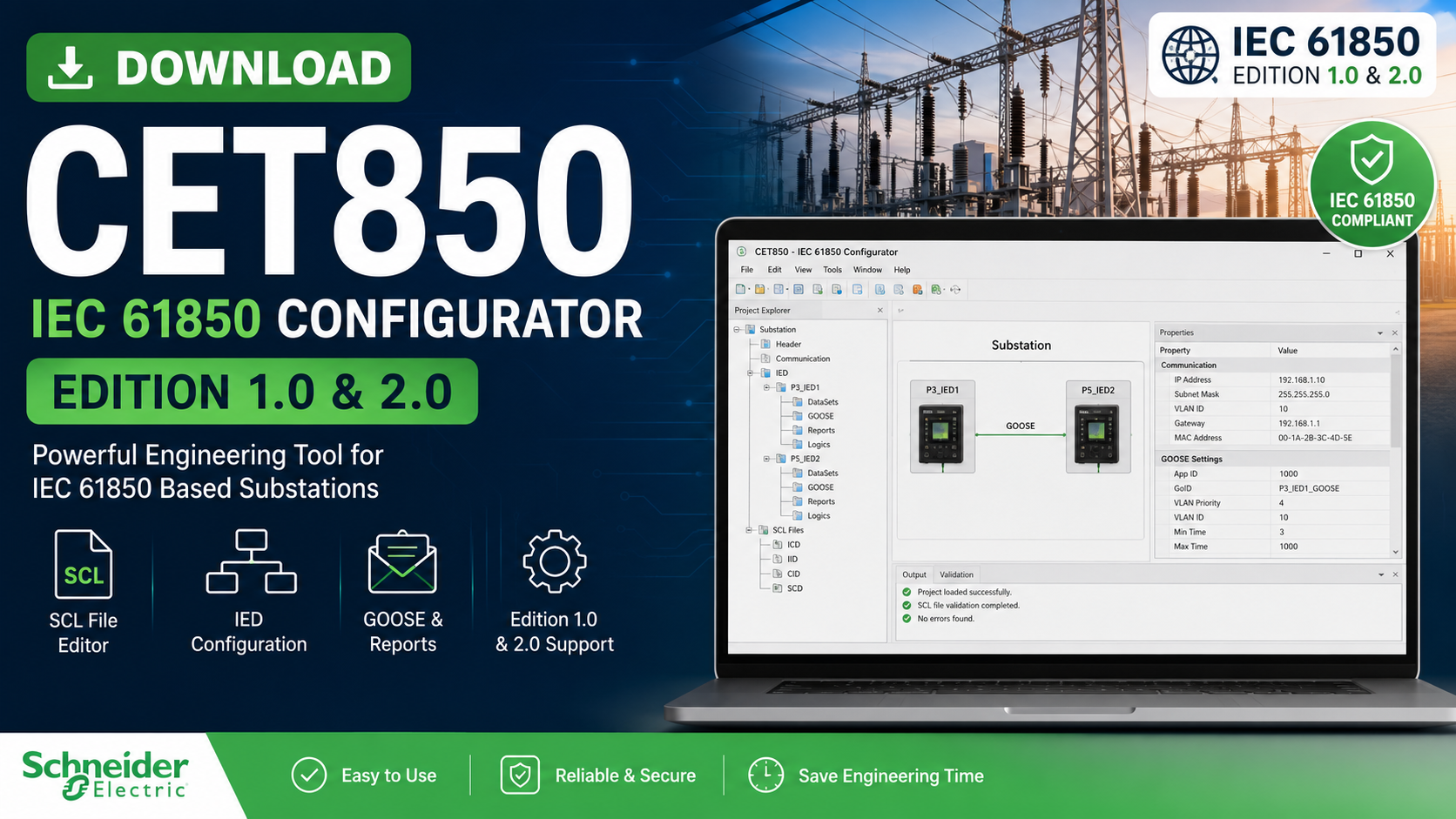
If you’re working with IEC 61850-based digital substations, Schneider Electric’s CET850 is one of the most powerful engineering tools available. It enables engineers to create, edit, optimize, and manage IEC 61850 Substation Configuration Language (SCL) files for intelligent electronic devices (IEDs).
The latest version of CET850 supports both IEC 61850 Edition 1.0 and Edition 2.0, making it suitable for new installations as well as legacy substation projects. Schneider Electric currently provides CET850 V4.17.0, which supports Windows 10 and Windows 11.
DownloadTable of Contents
What is CET850?
CET850 is Schneider Electric’s IEC 61850 engineering software designed for configuring intelligent electronic devices (IEDs) used in electrical substations.
The software allows protection and automation engineers to:
- Create IEC 61850 projects
- Configure communication between IEDs
- Edit SCL files
- Configure GOOSE messaging
- Configure Report Control Blocks
- Generate CID files
- Build complete Substation Configuration Description (SCD) files
- Optimize IEC 61850 communication
It simplifies the engineering process while ensuring compliance with the IEC 61850 standard.
Key Features of CET850
✔ Supports IEC 61850 Edition 1.0 & Edition 2.0
CET850 provides compatibility with both editions of the IEC 61850 standard, allowing engineers to work on modern and legacy substations.
✔ Complete SCL File Editing
The software supports:
- ICD (IED Capability Description)
- IID (Instantiated IED Description)
- CID (Configured IED Description)
- SCD (Substation Configuration Description)
✔ Configure GOOSE Communication
Users can configure:
- GOOSE Control Blocks
- DataSets
- Peer-to-Peer communication
- Report Control Blocks
✔ Communication Parameter Management
Engineers can easily configure:
- IP Address
- Subnet Mask
- VLAN
- Communication Settings
- MMS Parameters
✔ Optimized Data Exchange
CET850 automatically helps optimize:
- Reports
- Deadbands
- DataSets
- GOOSE traffic
Supported Schneider Electric Devices
CET850 supports several Schneider Electric products, including:
- PowerLogic P3 Protection Relays
- PowerLogic P5 Protection Relays
- Sepam Series 20
- Sepam Series 40
- Sepam Series 60
- Sepam Series 80
- PowerLogic ION7550
- PowerLogic ION7650
- PowerLogic ION8650
- MasterPact MTZ
- Easergy devices
The software also allows importing ICD files from other manufacturers, although advanced editing capabilities are primarily available for Schneider Electric devices.
System Requirements
| Requirement | Specification |
|---|---|
| Operating System | Windows 10 / Windows 11 |
| RAM | 4 GB minimum |
| Recommended RAM | 8 GB or more |
| Processor | Intel Core i3 or higher |
| Hard Disk | 1 GB free space |
| Network | Ethernet for device communication |
How to Download CET850
To download the latest version:
- Visit Schneider Electric’s official software download page.
- Search for CET850 IEC 61850 Configuration Tool.
- Log in or create a Schneider Electric account if required.
- Download the latest ZIP package.
- Extract the installer.
- Install the software.
- Launch CET850 and begin configuring your IEC 61850 project.
Schneider Electric distributes the latest release as CET850-V4.17.0.zip, available through its official download portal.
How CET850 is Used
A typical engineering workflow includes:
- Create a new IEC 61850 project.
- Import ICD files.
- Add IED devices.
- Configure DataSets.
- Configure Report Control Blocks.
- Configure GOOSE messaging.
- Build the CID file.
- Export SCD or IID files.
- Download the CID file to the IED using supported tools such as FTP, SFTP, or ION Setup where applicable.
Advantages of CET850
- Easy graphical interface
- Fast IEC 61850 engineering
- Supports both Edition 1.0 and Edition 2.0
- Compatible with Schneider Electric protection relays
- Simplifies GOOSE configuration
- Generates standards-compliant SCL files
- Improves interoperability between IEC 61850 devices
- Reduces engineering time
Frequently Asked Questions
Is CET850 free?
The software is available through Schneider Electric. Access to the download may require a Schneider Electric account.
Does CET850 support IEC 61850 Edition 2.0?
Yes. The latest versions support both Edition 1.0 and Edition 2.0.
Which file formats are supported?
- ICD
- IID
- CID
- SCD
Can CET850 configure GOOSE messaging?
Yes. CET850 allows complete configuration of GOOSE messages, DataSets, and Report Control Blocks.
Which operating systems are supported?
The latest release supports Windows 10 and Windows 11.
Final Thoughts
CET850 remains one of the leading IEC 61850 engineering tools for Schneider Electric digital substations. Whether you are commissioning a new protection relay, integrating multiple IEDs, or optimizing GOOSE communication, CET850 provides a comprehensive environment for creating and managing IEC 61850 configurations.
For the best security, compatibility, and feature set, always download the latest version from Schneider Electric’s official website.