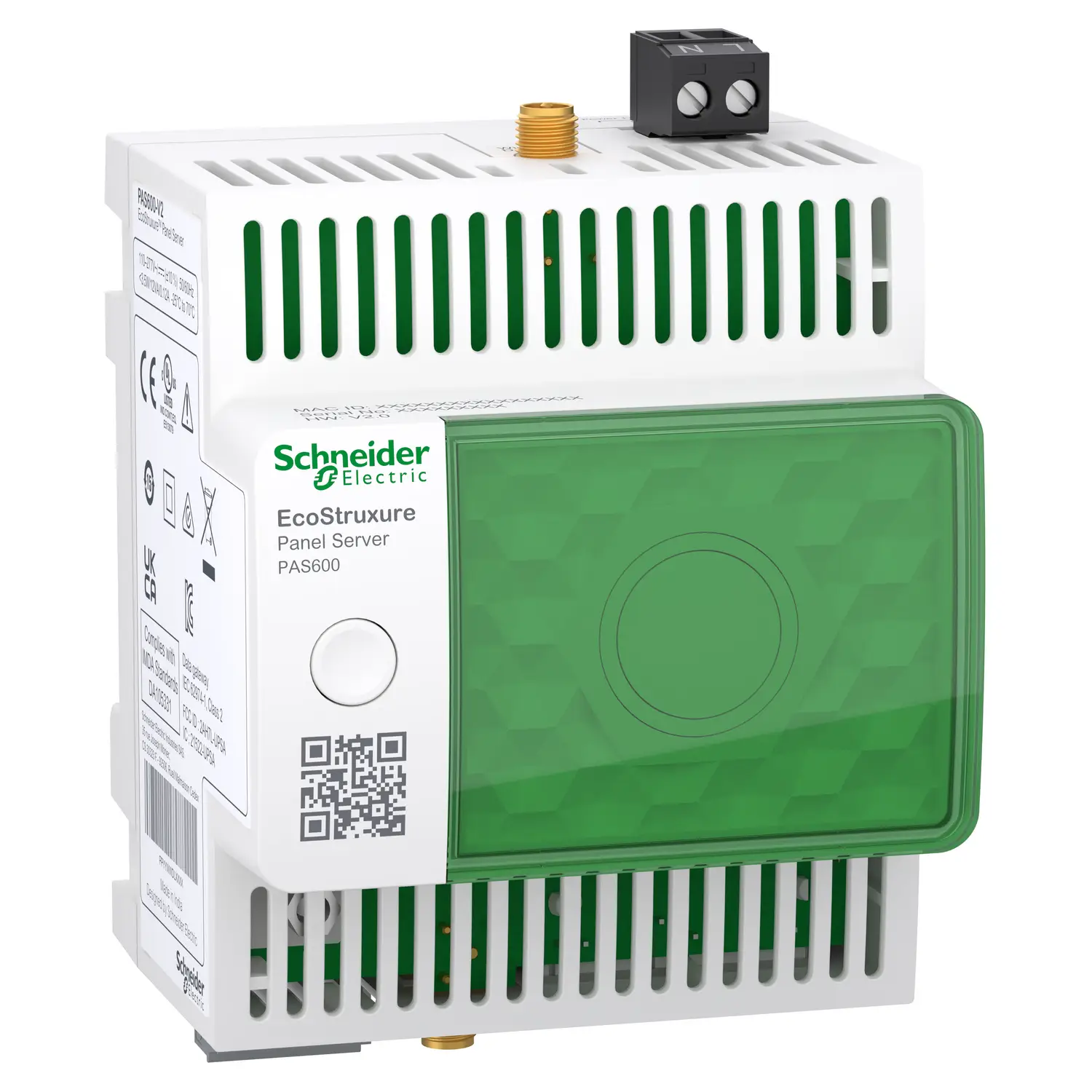
If you’re working with Schneider Electric’s EcoStruxure ecosystem and trying to decide between the PAS600 (Universal) and the PAS800 (Advanced) Panel Server, you’re not alone. At first glance, the two devices look almost identical — same form factor, same DIN rail mounting, same EcoStruxure branding. But dig a little deeper and you’ll find that the differences between them are real, meaningful, and could determine which one belongs in your panel.
This post breaks it all down so you can make a confident choice.
Table of Contents
What Is the EcoStruxure Panel Server?
Before comparing the two models, let’s establish what both share. The EcoStruxure Panel Server is Schneider Electric’s next-generation IoT gateway — designed to bridge the gap between field-level electrical devices and higher-level software platforms. Whether you’re connecting to edge-control software like EcoStruxure Power Monitoring Expert, a Building Management System, or cloud applications like EcoStruxure Energy Hub or Facility Expert, the Panel Server is the device that makes it happen.
Both the PAS600 and PAS800 function as all-in-one gateways that collect data from downstream devices over IEEE 802.15.4 (wireless) and Modbus (wired), and relay it upstream to monitoring, analytics, or cloud platforms. Both support Wi-Fi, Ethernet, and cellular connectivity via an optional external module. Both can be commissioned using EcoStruxure Power Commission software with plug-and-play, auto-discovery features.
So where do they actually differ?
The Key Differences: PAS600 vs PAS800
1. Model Tier
The PAS600 sits in the Universal tier — Schneider’s mid-range Panel Server. The PAS800 is the Advanced tier — the most capable model in the lineup, sitting above both the PAS600 and the entry-level PAS400.
Think of it this way: PAS600 handles the majority of typical energy monitoring projects with confidence, while PAS800 is built for installations that demand deeper local intelligence.
2. Wi-Fi Frequency Band
This is a subtle but practically important difference:
- PAS600 supports Wi-Fi 2.4 GHz and 5 GHz only
- PAS800 supports both 2.4 GHz and 5 GHz Wi-Fi
In environments where the 2.4 GHz band is congested — such as large commercial buildings, data centers, or industrial facilities with many wireless devices — the PAS800’s dual-band capability gives it a significant connectivity advantage.
3. Ethernet Ports
- PAS400 (Entry): One RJ45 port
- PAS600 (Universal): Two RJ45 ports
- PAS800 (Advanced): Two RJ45 ports
Both the PAS600 and PAS800 share the same dual-port Ethernet setup, giving them redundancy and flexibility for network topologies.
4. On-Board Data Logging — The Biggest Difference
This is arguably the most significant functional gap between the two models:
- PAS600: No dedicated on-board data logging
- PAS800: 3 years of on-board data logging with 32 GB of internal memory
The PAS800’s local data logger stores historical measurement trends directly on the device. This means even if connectivity to the cloud or edge software is lost, your data doesn’t disappear — it’s preserved locally and can be backfilled when the connection is restored.
This makes the PAS800 the right choice for applications where data continuity is non-negotiable: substations, hospitals, critical infrastructure, or any site where losing historical records could cause compliance or operational issues.
5. Embedded Webserver Capabilities
Both models have a built-in webserver, but what they show you is different:
- PAS600 webserver: Displays real-time measurements only
- PAS800 webserver: Displays real-time measurements plus historical trends
If you plan to use the Panel Server in standalone mode — without connecting to a BMS, SCADA, or cloud platform — the PAS800 is the better choice because you can view historical data directly from its embedded web interface without any external software.
6. Advanced Local Functions (PAS800 Only)
The PAS800 unlocks several exclusive software features in the EcoStruxure Panel Server User Guide labeled as “Advanced Model” only:
- Local Energy Server Functions — acts as a local energy analytics engine
- Consumption Overview — aggregated energy consumption reports
- Data Trending — visual trend graphs accessible from the embedded webpages
- Exporting Data Locally — ability to export logged data directly from the device
None of these functions are available on the PAS600.
7. Legacy Product Substitution
Schneider Electric positions the two models differently for replacing older gateway products:
- PAS600 is recommended as a substitute for legacy universal gateways (e.g., Com’X 210 equivalents)
- PAS800 is the recommended replacement for more advanced legacy systems (e.g., Com’X 510 equivalents)
If you’re migrating from an older Schneider gateway, matching the tier ensures you don’t lose functionality in the process.
Quick Comparison Table
| Feature | PAS600 (Universal) | PAS800 (Advanced) |
|---|---|---|
| Wi-Fi | 2.4 GHz | 2.4 GHz + 5 GHz |
| Ethernet Ports | 2 x RJ45 | 2 x RJ45 |
| On-Board Data Logging | ✗ | ✔ (3 years / 32 GB) |
| Webserver – Real-Time Data | ✔ | ✔ |
| Webserver – Historical Trends | ✗ | ✔ |
| Consumption Overview | ✗ | ✔ |
| Local Energy Server | ✗ | ✔ |
| Export Data Locally | ✗ | ✔ |
| IEEE 802.15.4 (Wireless) | ✔ | ✔ |
| Modbus SL / TCP-IP | ✔ | ✔ |
| Cloud Connectivity | ✔ | ✔ |
| DNV Marine Certified | ✔ | ✔ |
So, Which One Should You Choose?
Choose the PAS600 if:
- Your project is budget-conscious and data logging at the edge isn’t required
- You’ll be relying on a cloud platform or SCADA to store and analyze historical data
- Your Wi-Fi environment is clean and 2.4 GHz is sufficient
- You need a straightforward gateway for medium-scale commercial or industrial monitoring
Choose the PAS800 if:
- You need on-board data storage as a backup — especially in locations with unreliable network connectivity
- You want to use the Panel Server in standalone mode and view trends without any external software
- Your wireless environment is crowded and you need 5 GHz Wi-Fi support
- Your project requires advanced features like local energy server functions, consumption overview, or local data export
- You’re replacing a Com’X 510 or equivalent advanced legacy gateway
Final Thoughts
The PAS600 and PAS800 share the same DNA — same connectivity backbone, same EcoStruxure compatibility, same easy commissioning workflow. The PAS800 earns its “Advanced” label through three meaningful upgrades: local data logging, dual-band Wi-Fi, and richer embedded analytics. For many standard deployments, the PAS600 delivers everything you need at a lower price point. But for any project where edge-level data resilience and standalone intelligence matter, the PAS800 is worth every rupee of the premium.