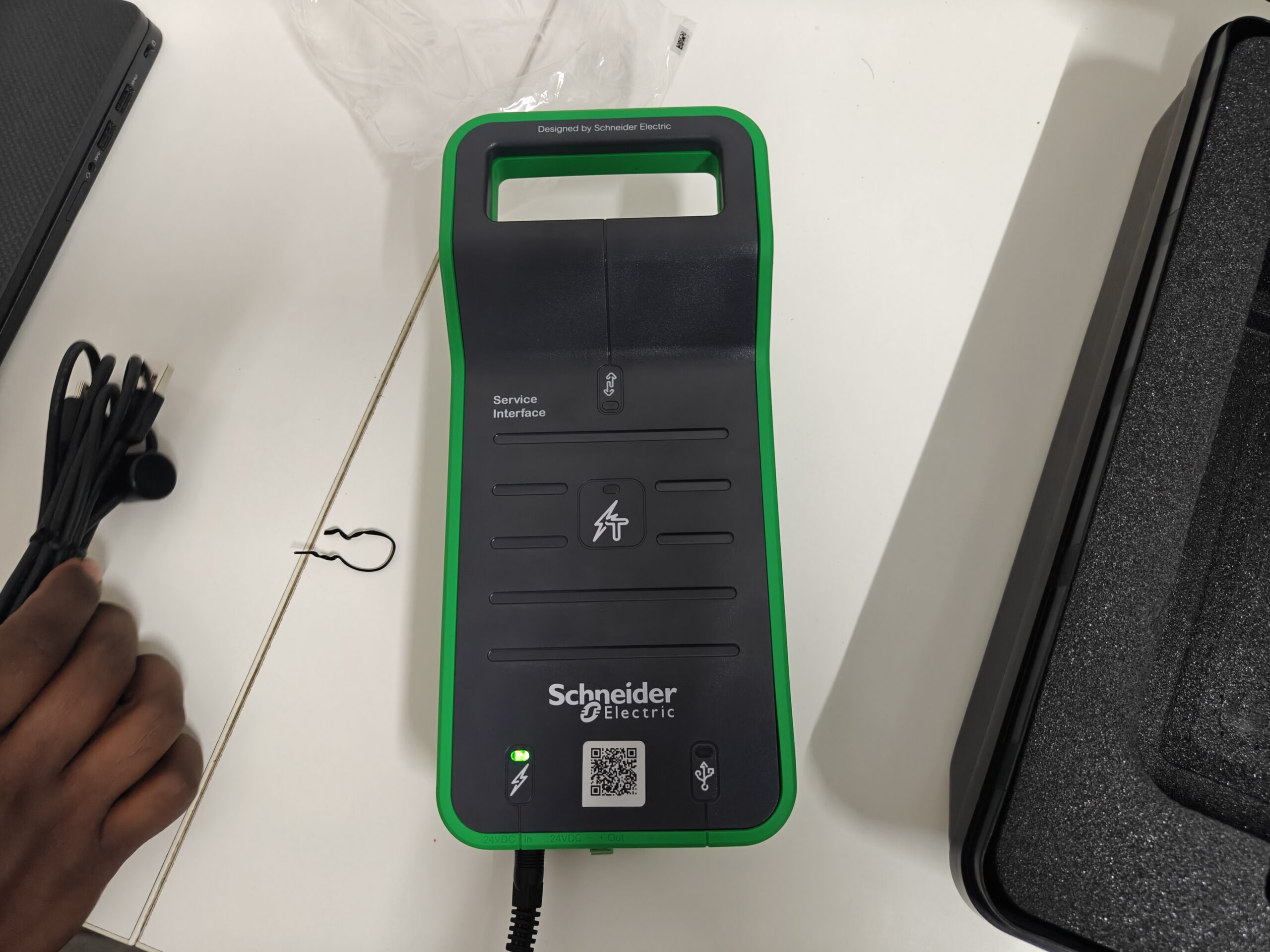
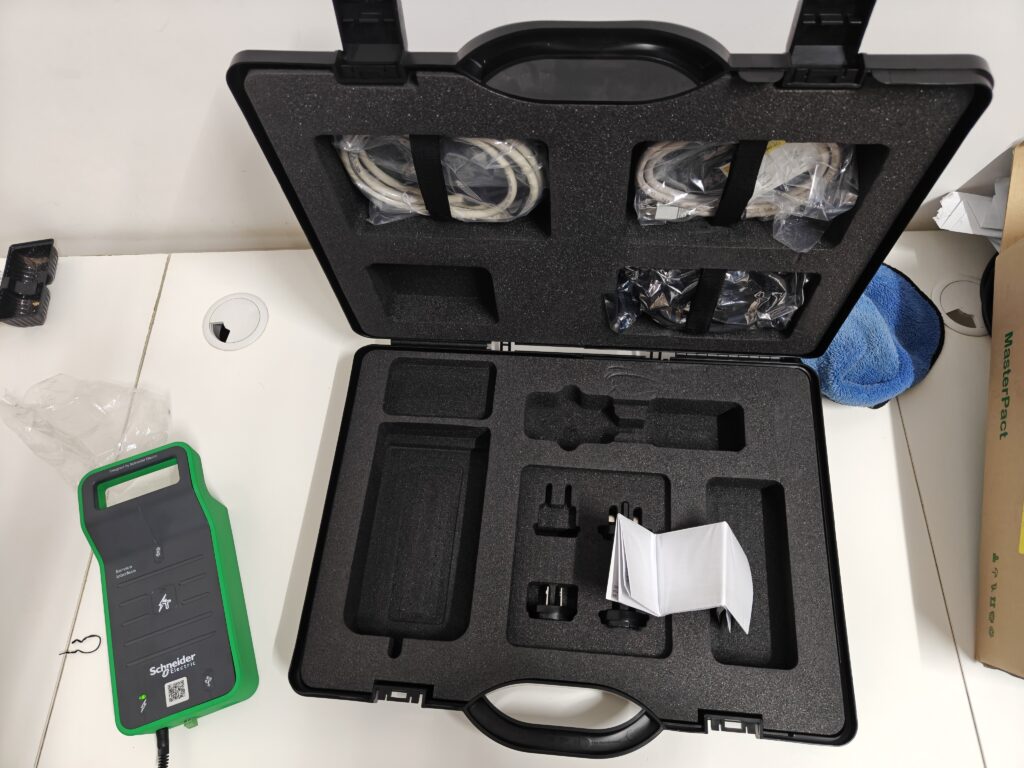
The Schneider Electric Service Interface Kit, Pact Series Circuit Breakers is a must-have tool for electrical technicians, maintenance teams, and commissioning engineers who work with MasterPact, ComPacT, and PowerPacT circuit breakers. This kit allows you to connect directly to the breaker’s electronic trip unit for diagnostics, parameter configuration, testing, and firmware updates.
In this expert guide, we cover installation, breaker compatibility, key features, practical use cases, and our professional review of the kit.
What Is the Schneider Electric Service Interface Kit?
The Schneider Electric Service Interface Kit is a portable interface module that allows communication between a laptop/tablet and Pact series circuit breakers. It enables technicians to:
- Retrieve breaker data
- Adjust protection settings
- Perform diagnostic tests
- Read event logs
- Update trip unit firmware
It acts as the communication bridge between Schneider Electric’s EcoStruxure software tools and the trip units installed in Pact series breakers.
Supported Devices: Compatibility Overview
The Schneider Electric Service Interface Kit, Pact Series Circuit Breakers supports the following breaker families:
✔ MasterPact Series
- MasterPact MTZ
- MasterPact NW
- MasterPact NT
✔ ComPacT NSX / NS Series
- NSX models with Micrologic trip units
- NS models with electronic trip units
✔ PowerPacT
- PowerPacT P & R frame breakers
- PowerPacT H, J, L frames (with supported trip units)
✔ EasyPact (Limited Support)
Trip-unit dependent. Some models only support reading basic parameters.
The kit also supports a wide range of Micrologic trip units, including:
Micrologic 2.0, 5.0, 6.0, P, H, and E versions.
📌 Add Image Here:
A compatibility chart graphic showing different breaker families.
Key Features of the Service Interface Kit
Here are the most important capabilities technicians benefit from:
1. Real-Time Monitoring
View live measurements including current, voltage, loading, thermal memory, and status indicators.
2. Parameter Configuration
Adjust protection settings such as L, S, I, G curves depending on the trip unit model.
3. Event Log Retrieval
Download breaker events, alarms, and trip histories for troubleshooting.
4. Firmware Update Support
Keep Micrologic and MTZ trip units running the latest firmware.
5. Easy USB Connectivity
The kit connects directly to laptops with a standard USB interface.
6. Rugged, Portable Design
Compact, field-ready design with status LEDs for communication, power, and test-port activity.
📌 Add Image Here:
A close-up photo of the LEDs and ports, or a labeled diagram showing input/output connections.
Installation Guide: How to Use the Service Interface Kit
Here is a simple step-by-step process for using the Schneider Electric Service Interface Kit, Pact Series Circuit Breakers.
Step 1 – Install Schneider EcoStruxure Software
Install one of the following tools depending on your breaker:
- EcoStruxure Power Commission
- EcoStruxure Facility Expert
- MTZ Setup app
- Power Device app
Step 2 – Connect the Interface Kit to the Circuit Breaker
Use the provided test-port cable or ULP cable to connect the kit to the breaker’s trip unit.
Step 3 – Connect the Kit to Your Laptop
Use the USB cable to establish communication.
Step 4 – Power Up the Trip Unit
Ensure the breaker is energized OR provide auxiliary power if required.
Step 5 – Launch the Software
The software will automatically detect the trip unit and display available parameters.
Step 6 – Review or Modify Settings
You can now:
- Change protection settings
- Download logs
- Perform tests
- Verify measurements
Step 7 – Save Reports
Export data for documentation, audits, or service reports.
📌 Add Image Here:
A step-by-step flowchart or connection diagram showing laptop → interface kit → breaker.
Use Cases for Technicians
✔ Commissioning New Breakers
Quickly set parameters and verify trip settings.
✔ Preventive Maintenance
Analyze event logs, loading, and thermal history.
✔ Fault Diagnosis
Identify root causes of trips and alarms.
✔ Firmware Upgrades
Keep breakers updated with Schneider’s latest firmware.
✔ Audit & Compliance Reporting
Generate detailed trip, event, and configuration reports.
Expert Review: Is the Kit Worth It?
From a professional technician’s perspective, the Schneider Electric Service Interface Kit, Pact Series Circuit Breakers offers excellent value.
Pros
- Extremely reliable communication
- Essential for advanced commissioning
- Reduces maintenance time
- Accurate diagnostics
- Supports all major Pact series breakers
- Portable and field-friendly
Cons
- Requires Schneider software
- Compatibility depends on trip-unit model
- Needs careful handling during firmware updates
Overall Rating: ⭐⭐⭐⭐⭐ (4.8/5)
This tool is almost mandatory for anyone working with Schneider’s MasterPact, ComPacT, or PowerPacT breakers. It simplifies troubleshooting, increases accuracy, and saves significant time on site.
Conclusion
The Schneider Electric Service Interface Kit, Pact Series Circuit Breakers is an essential tool for anyone responsible for commissioning, maintaining, or troubleshooting Schneider’s MasterPact, ComPacT, EasyPact, or PowerPacT breakers. Its ability to provide real-time data, detailed diagnostics, event logs, and firmware updates makes it far more than just a communication interface—it is a productivity and reliability booster for field engineers.
By simplifying configuration and reducing downtime, the Service Interface Kit ensures that electrical systems remain safe, efficient, and fully optimized. Whether you’re working on a new installation or diagnosing an existing system, this interface kit gives technicians the confidence and accuracy needed to perform their job at a professional level.
In short, if you regularly handle Pact Series circuit breakers, investing in the Schneider Electric Service Interface Kit, Pact Series Circuit Breakers is one of the smartest decisions you can make for long-term performance and maintenance efficiency.