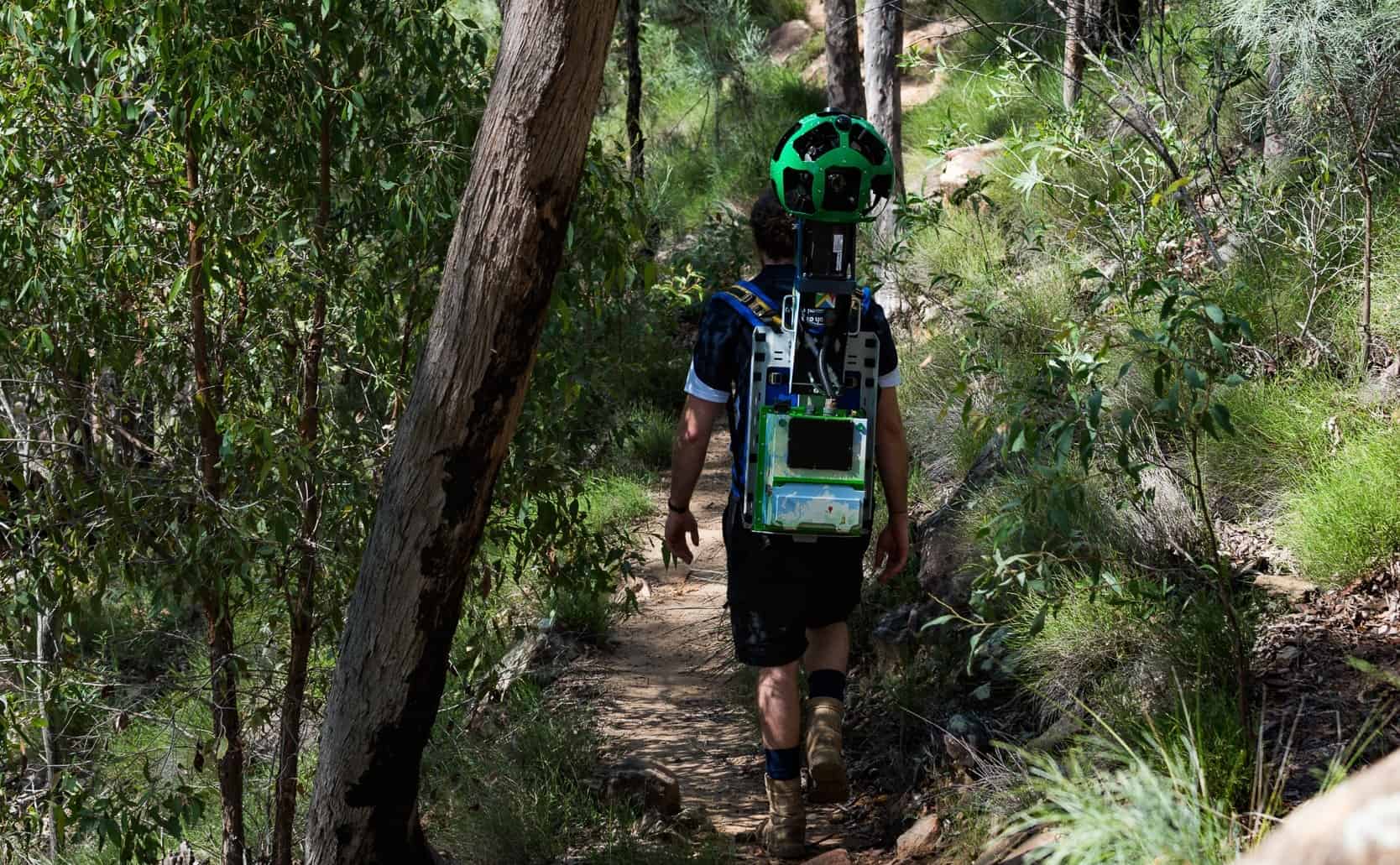
It looks like a casual walk, but it’s actually a field data job that feeds one of the most used products on earth. A Google Trekker (often described as a tracker for Google Maps) records 360-degree imagery on foot for places a Street View car can’t reach. Think narrow alleys, hiking trails, national parks, and pedestrian paths.
The work is simple to describe but harder to pull off. You carry a specialized backpack camera rig, follow a planned route, and capture consistent, usable footage so Google can refresh map and Street View coverage.
What a Google Trekker actually does (and why it matters)
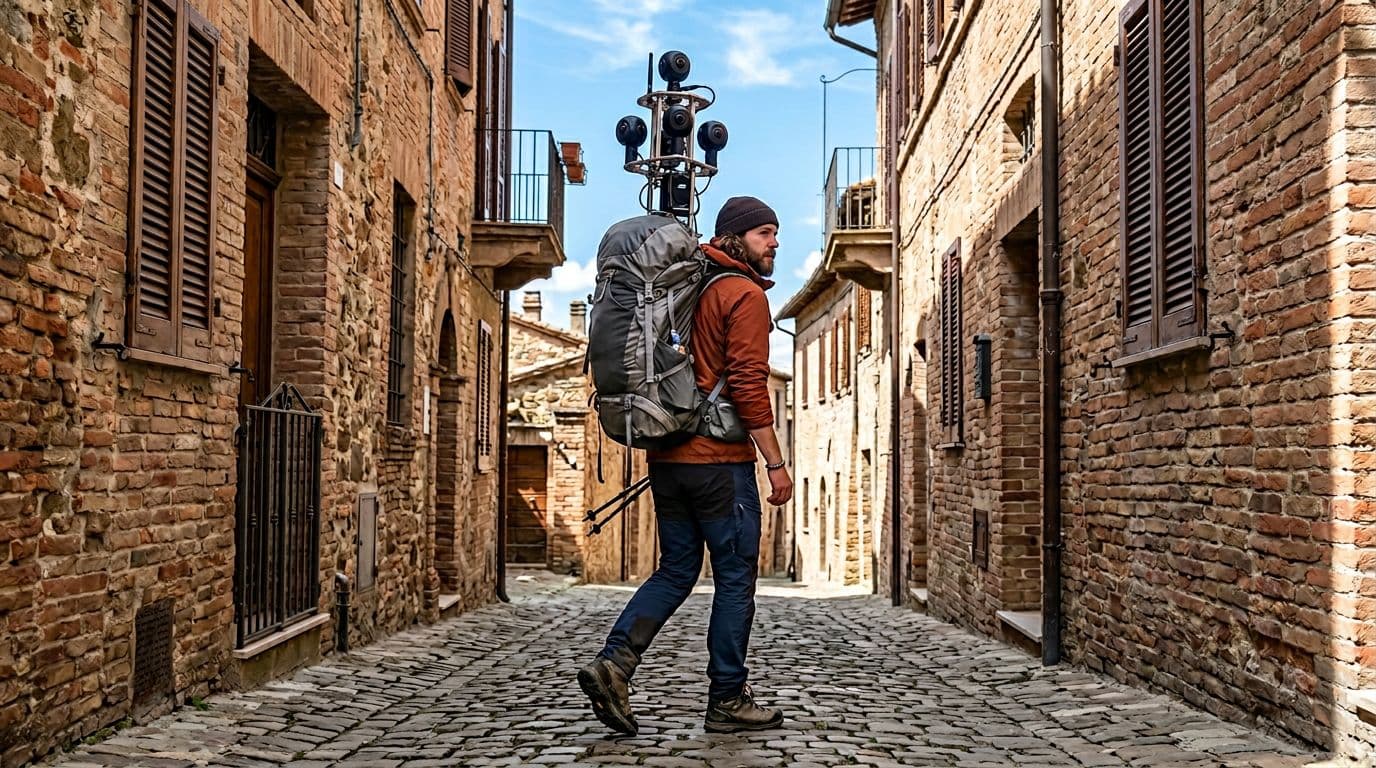 Walking-only mapping work captures areas cars can’t reach.
A Google Trekker’s role is straightforward: collect up-to-date visual data for Google Maps and Street View by walking routes that are off-limits to vehicles. Street View cars handle public roads. Trekkers handle the rest, especially places with physical constraints like tight corridors, stairs, footbridges, and protected nature areas.
This matters because maps are only as good as their inputs. Businesses move, entrances change, paths get rerouted, and parks update trail access. When coverage goes stale, users feel it quickly. One bad turn in a narrow lane, one closed gate on a trail, or one missing walkway can mean wasted time or a safety issue.
Unlike a casual walk with a phone camera, Trekker collection needs consistency. The operator has to maintain a steady pace, keep the camera rig upright, and avoid blocking the lenses. They also have to think like a data collector, not a tourist. The goal is repeatable coverage, not artistic shots.
The key idea: Trekkers fill the “last mile” of Street View, the parts of the map that are hardest to capture but most painful to miss.
For a mainstream overview of how the backpack system brought Street View into remote locations, see Outside’s story on the Trekker in the backcountry.
Why “walking capture” exists alongside Street View cars
Street View cars are optimized for scale. They can cover long road networks fast, with predictable speeds and stable mounting. However, car-based capture breaks down in any of these conditions:
A road is too narrow for safe driving, the route is pedestrian-only, the surface is uneven, or the location is environmentally sensitive. In those areas, a person carrying the camera becomes the most reliable “mount.”
On foot, the capture path is also more flexible. A Trekker can step aside for foot traffic, climb stairs, pass through gates, and follow the exact line people use. That’s important because the final imagery is meant to represent how real visitors experience a place, not just a nearby road.
The Trekker backpack rig: a mobile 360-degree imaging system
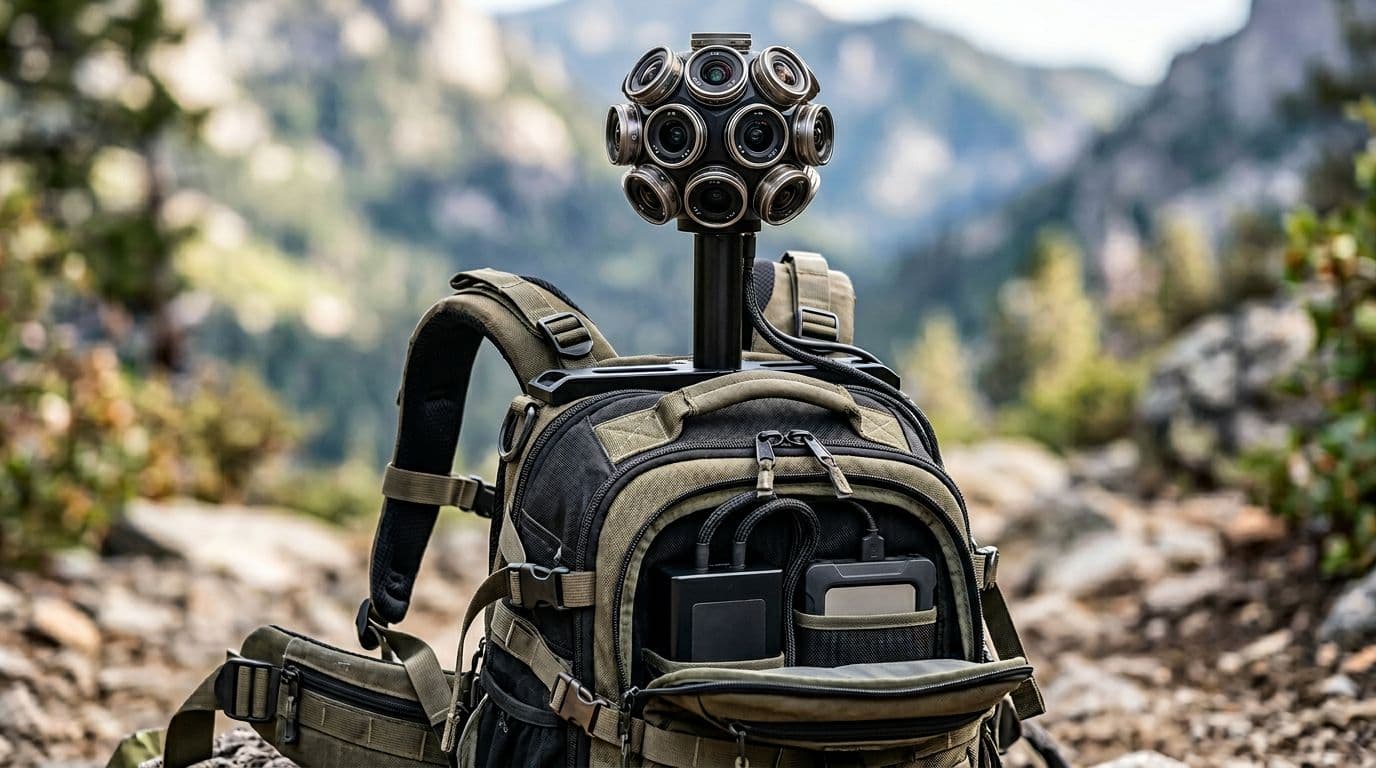 The Trekker setup combines multiple lenses, storage, and power in one carryable system.
The defining feature of this job is the backpack. It isn’t a normal hiking pack. It’s a purpose-built system designed to capture 360-degree imagery at a stable height above the operator’s body. The camera array sits on a frame so it can “see” over shoulders and reduce lens obstruction.
In practice, the rig has a few core requirements:
- Full 360-degree coverage so the final output can be navigated in every direction.
- Stable mounting geometry so images align from frame to frame.
- Onboard power and storage because you can’t rely on a wall outlet halfway through a trail.
- Rugged handling since the operator may walk on dirt, stone steps, sand, or uneven pavement.
The rig also explains why this job looks easy from a distance but feels like real work up close. Carrying a tall, delicate camera system changes how you move. Turning too fast, ducking under branches, or brushing against a wall can ruin segments of footage. Even if you never “break” anything, shaky capture can reduce the usability of the output.
A good mental model is a survey instrument, not a vlogging camera. The operator is essentially a moving sensor platform.
How the captured data becomes usable on Google Maps
The Trekker captures visual data that later gets processed into navigable imagery. The important part is that the backpack isn’t the product. The product is the processed, stitched, and aligned result that can be placed on a map.
While the detailed pipeline is internal, the practical concept is easy to understand:
- The operator records along a path.
- The system stores data for later upload.
- Processing turns raw captures into a consistent 360 “walk-through.”
- The output gets associated with locations so users can explore it.
That last step is why route discipline matters. If the capture path is sloppy or incomplete, the final experience feels broken. Users may see jumps, missing segments, or confusing transitions.
For a general explanation of the public-facing Trekker concept and why Google looked for backpackers to help map more areas, this overview is helpful: Techlicious on Google recruiting backpackers.
Places Trekkers record that cars can’t reach
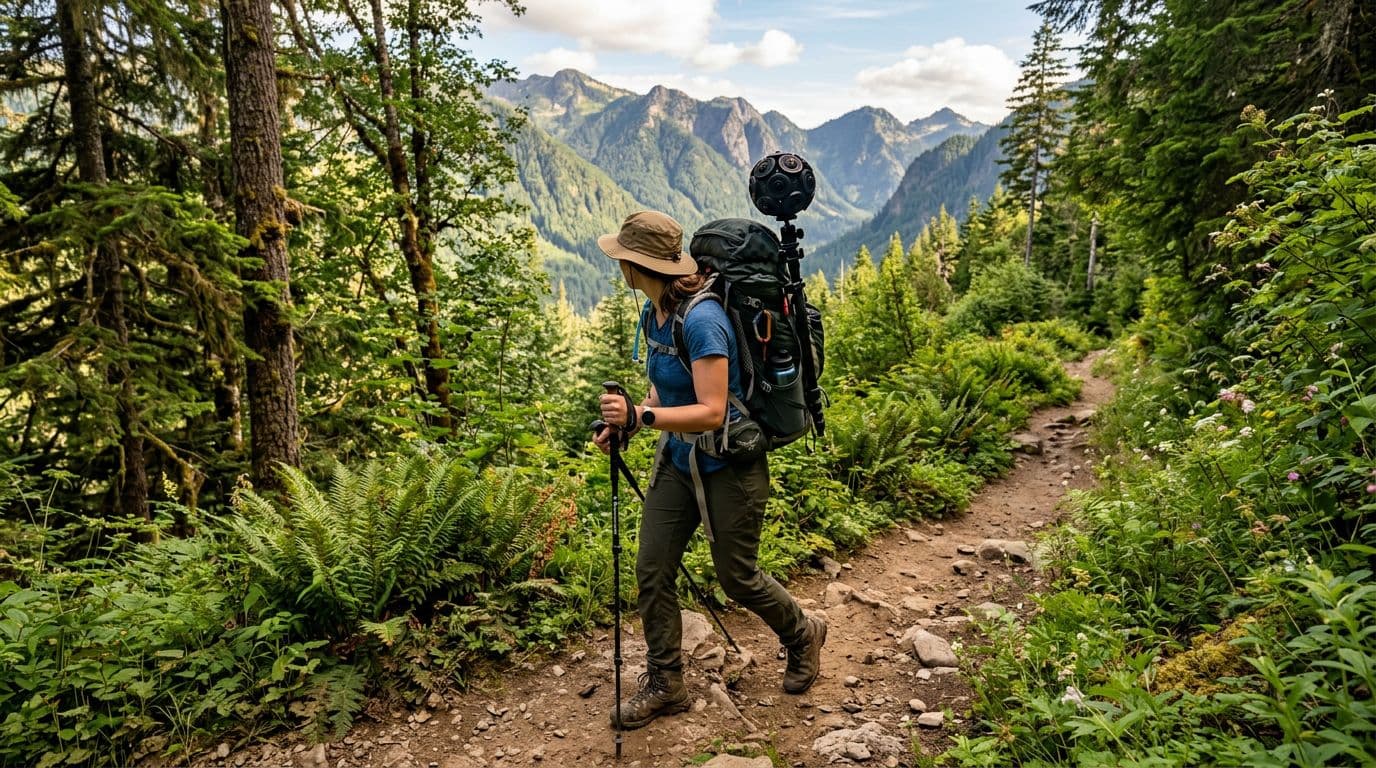 Trail capture can extend Street View into parks and hiking routes.
Trekker footage is most valuable where people move on foot but still depend on maps. The video examples and description point to a few common environments:
Narrow alleys (gang sempit) are a classic case. In dense neighborhoods, a car simply can’t enter. Even if it could, it might block traffic or create safety risks. A Trekker can walk the alley like a resident would, capturing intersections, signage, and entry points that help users orient themselves.
National parks and hiking routes are another strong fit. Trails have forks, switchbacks, and access points that matter for navigation. In addition, parks often restrict vehicles to protect land and visitors. Foot-based capture is a practical compromise between coverage and minimal impact.
Footpaths and pedestrian connectors also show up in everyday navigation. Short connectors between streets, campus walkways, and staircases can reduce travel time, but only if they appear in map data. A Trekker can record those human-scale routes.
The description also mentions places like temples (candi), campuses, and natural tourist sites. These locations share a pattern: lots of foot traffic, complex pathways, and a strong need for orientation. In those settings, 360 imagery helps people understand entrances, route choices, and terrain before they arrive.
To make the difference clearer, here’s a quick comparison of car capture versus Trekker capture.
| Capture method | Best for | Can reach | Typical limitations |
|---|---|---|---|
| Street View car | Long road networks | Drivable public roads | Can’t enter pedestrian-only areas, tight alleys, trails |
| Trekker backpack | Pedestrian routes | Alleys, stairs, trails, parks, campuses | Slower coverage, physical load, access rules |
The takeaway is simple: the Trekker doesn’t replace cars. It completes the map where cars stop.
Field constraints: permissions, safety, and privacy basics
Even when a place is physically reachable, it isn’t always available for recording. Public spaces vary by rules, and parks often have location-specific guidelines. On top of that, crowded areas create practical safety concerns. The operator must avoid collisions and protect the gear.
Privacy also matters because the data is visual. Foot-based capture can get closer to doors, faces, and license plates than car-based capture. In many mapping systems, later processing can reduce risk (for example, blurring), but the best control is still careful collection behavior and route selection.
Pay: where the “millions per day” claim comes from
The most attention-grabbing detail is the pay rumor. The video claims Trekker work can reach around Rp3 million per day. That number gets clicks because it sounds like “just walking,” yet the pay resembles skilled field work.
It’s worth separating two things:
First, a per-day figure often implies a contract or project rate, not a standard hourly employee wage. Second, pay varies a lot based on who hires you. Some mapping work happens through partners and contractors, not always directly as a Google employee role.
In the US, you’ll often see Street View related jobs discussed with hourly ranges rather than “per day” rates. For a reference point on related roles, this listing aggregates reported pay for drivers: Glassdoor’s reported hourly pay for a Google Street View Driver. It isn’t the same job as a Trekker, but it helps show that compensation discussions typically depend on location, contract type, and reporting source.
A high day rate can be real in contract work, but it doesn’t always mean daily, full-time pay for months.
What tends to affect Trekker compensation
Even without pinning down one universal number, the drivers behind pay are not mysterious. Walking with a camera backpack is still field data collection, and field work pricing usually reflects effort and constraints.
Here are common variables that can push a rate up or down:
| Pay factor | Why it changes the rate |
|---|---|
| Location difficulty | Steep trails, heat, or long distances increase physical burden |
| Access restrictions | Permits or limited hours can slow capture and add planning work |
| Project timeline | Short deadlines can require longer days or more staff |
| Deliverable quality needs | Higher quality standards can require re-walks and tighter route discipline |
| Who contracts the work | Rates differ between employers, vendors, and partner programs |
If you’re curious about the concept of becoming a Trekker and the types of requirements that have been discussed publicly, this explainer gives a starting point: Treehugger’s guide to becoming a Google Street View Trekker.
What to expect if you spot a Trekker in public
Seeing a person with a tall camera rig can be surprising. At a glance, it looks like hiking gear mixed with a sensor tower. In a narrow alley or a park, it stands out even more.
Most of the time, the operator is doing routine capture. They’ll walk a planned route at a steady pace. They may pause briefly at intersections or entrances to ensure the path coverage makes sense. Because the rig captures in all directions, standing too close can put you in the imagery, even if you aren’t interacting.
If you pass someone doing this work, the best approach is simple: give space, pass like you would on any trail, and avoid touching the equipment. The operator is probably trying to keep the camera unobstructed, so stepping aside for a second helps both of you.
From a technical standpoint, the real “magic” isn’t the backpack itself. It’s the disciplined, repetitive capture that turns real places into something you can preview from your phone before you ever arrive.
Conclusion
A Google Trekker job looks like a walk because walking is the collection method, but the goal is data quality. By carrying a 360-degree camera backpack into alleys, parks, trails, and other car-free zones, Trekkers help keep Google Maps and Street View useful in the places people actually move. Pay claims like Rp3 million per day grab attention, yet the bigger story is the work behind the map refresh cycle. Next time Street View takes you down a footpath or through a tight lane, remember someone likely carried that route on their back.