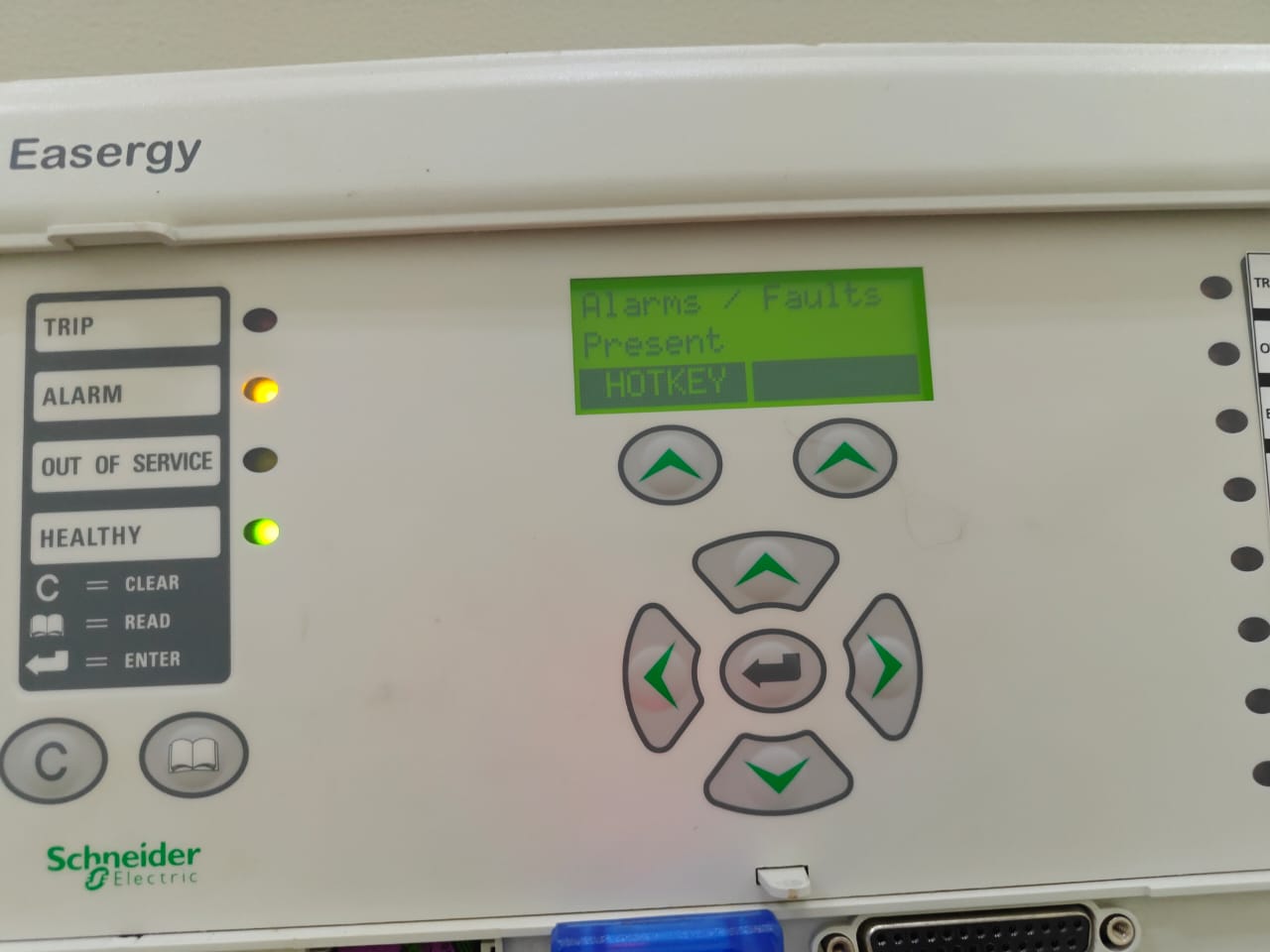
Modern digital substations rely on fast, standardized communication between protection relays and supervisory systems. This guide explains IEC 61850 communication between MiCOM relay and SCADA, covering network setup, IP configuration, SCL files (ICD/CID), and real-time data exchange using MMS and GOOSE. Whether you are integrating Schneider Electric MiCOM P141, P143, or other MiCOM models, this step-by-step tutorial will help you build a reliable substation automation network.
What Is IEC 61850?
IEC 61850 is an international communication standard for substation automation systems. It replaces vendor-specific protocols with a unified, object-oriented data model and Ethernet-based communication.
Key Features of IEC 61850
- High-speed communication using Ethernet
- Standardized data models for protection and control
- MMS (Manufacturing Message Specification) for client/server communication
- GOOSE (Generic Object Oriented Substation Event) for fast event messaging
- SCL files (ICD, CID, SCD) for system engineering and configuration
IEC 61850 enables seamless communication between MiCOM relays and SCADA systems regardless of manufacturer.
Why Use IEC 61850 with MiCOM Relays?
Schneider Electric’s MiCOM protection relays are widely used in transmission, distribution, and industrial substations. With IEC 61850 support, they provide:
- Real-time status and measurements to SCADA
- Fast protection signaling via GOOSE
- Interoperability with any IEC 61850-compliant IED
- Reduced wiring using Ethernet networks
- Centralized monitoring and control
This makes IEC 61850 communication between MiCOM relay and SCADA ideal for modern digital substations.
MiCOM Relay Models Supporting IEC 61850
Most modern MiCOM relays support IEC 61850, including:
- MiCOM P141 / P143 – Feeder protection
- MiCOM P127 / P122 – Metering and control
- MiCOM P445 / P437 – Distance protection
- MiCOM C264 / P40 Agile series
Ensure your relay firmware supports IEC 61850 before configuration.
System Requirements
Before starting, confirm the following:
Hardware
- MiCOM relay with Ethernet port
- Managed Ethernet switch (substation-grade preferred)
- SCADA server or HMI workstation
Software
- Schneider S1 Studio / Energy Studio (for MiCOM configuration)
- IEC 61850-compatible SCADA software
- Network configuration access
Network & IP Configuration
A stable network is the foundation of IEC 61850 communication.
Step 1: Physical Connection
Connect the MiCOM relay’s Ethernet port to the substation switch using a CAT-6 cable.
Step 2: Assign IP Address to MiCOM Relay
Using S1 Studio / Energy Studio:
- Connect your PC to the relay.
- Open the relay configuration file.
- Navigate to Communication → Ethernet Settings.
- Set:
- IP Address: e.g.,
192.168.1.10 - Subnet Mask:
255.255.255.0 - Gateway: (if required by your network)
- IP Address: e.g.,
- Write settings to the relay and reboot.
📌 Tip: Ensure the SCADA system is on the same subnet.
Understanding SCL Files: ICD, CID, and SCD
IEC 61850 uses Substation Configuration Language (SCL) files to define communication.
🔹 ICD (IED Capability Description)
- Provided by the manufacturer
- Describes relay capabilities and data models
🔹 CID (Configured IED Description)
- Device-specific configuration
- Created after engineering the relay
- Loaded into the MiCOM relay
🔹 SCD (Substation Configuration Description)
- Contains full substation architecture
- Used when multiple IEDs are integrated
Creating the CID File in S1 Studio / Energy Studio
Step 3: Export ICD File
- Open your MiCOM project in S1 Studio.
- Go to IEC 61850 Configuration.
- Export the ICD file.
Step 4: Engineering in SCADA or IEC 61850 Tool
- Import the ICD file into your SCADA or system configurator.
- Map required data points:
- Measurements (Voltage, Current, Power)
- Status (Breaker Open/Close)
- Alarms and protection trips
- Generate the CID file.
Step 5: Upload CID to MiCOM Relay
- Return to S1 Studio.
- Import the generated CID file.
- Download it to the relay.
- Restart the relay to apply settings.
SCADA Integration Using MMS
MMS is used for standard client/server communication between MiCOM relays and SCADA.
Step 6: Configure SCADA Tags
In your SCADA software:
- Add a new IEC 61850 device.
- Enter the MiCOM relay IP address.
- Browse available data objects from the relay.
- Map:
- Analog values (V, I, P, Q, Frequency)
- Digital signals (Trip, Alarm, Breaker status)
- Save and activate communication.
Once complete, your SCADA should start receiving real-time data from the MiCOM relay.
GOOSE Messaging for Fast Protection
GOOSE (Generic Object Oriented Substation Event) is used for high-speed peer-to-peer communication.
Typical GOOSE Applications
- Interlocking between relays
- Busbar protection schemes
- Transfer trip signals
- Breaker failure logic
Step 7: Configure GOOSE
- In S1 Studio, enable GOOSE Publishing.
- Select signals to publish (Trip, Start, Status).
- Assign:
- VLAN ID (if used)
- GOOSE ID
- In receiving devices or SCADA, subscribe to the GOOSE message.
GOOSE messages operate in milliseconds, making them ideal for protection coordination.
Testing IEC 61850 Communication
Step 8: Communication Verification
✔ Ping Test
From SCADA or engineering PC:
ping 192.168.1.10
Confirms basic network connectivity.
✔ MMS Status
Check in SCADA:
- Device should appear Online
- Data values should update in real time
✔ GOOSE Monitoring
Use:
- S1 Studio GOOSE diagnostics
- Network analyzer (Wireshark) for GOOSE frames
Common Problems & Troubleshooting
❌ No Communication
- Verify IP address and subnet
- Check Ethernet cable and switch port
- Confirm IEC 61850 service is enabled
❌ SCADA Not Reading Data
- CID file not properly loaded
- Data mapping mismatch
- Wrong logical node or dataset
❌ GOOSE Not Working
- VLAN mismatch
- GOOSE ID incorrect
- Network switch not supporting multicast
Best Practices for Reliable IEC 61850 Networks
- Use managed industrial Ethernet switches
- Enable VLANs for GOOSE traffic
- Keep relay firmware updated
- Maintain proper network documentation
- Use standardized naming conventions for datasets
Conclusion
Implementing IEC 61850 communication between MiCOM relay and SCADA enables fast, secure, and interoperable substation automation. By correctly assigning IP addresses, engineering SCL files, configuring MMS and GOOSE, and validating communication, you can integrate Schneider Electric MiCOM relays seamlessly into any modern SCADA system.
This setup not only improves operational visibility but also enhances protection performance and system reliability—making IEC 61850 the backbone of future-ready digital substations.