Facing a MiCOM P143 configuration error in eSergy Studio? Learn how to fix TRANSFER_ERR_BLOCKSENDFALL2, resolve IEC 61850 issues, and successfully upload settings.
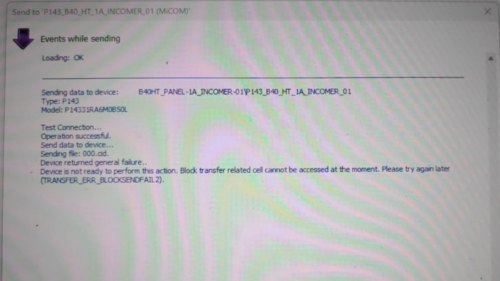
“Device is not ready to perform this action. Block transfer related cell cannot be accessed at the moment. (TRANSFER_ERR_BLOCKSENDFALL2)”
If you are seeing this error while sending data to your MiCOM P143 relay, don’t worry. This guide explains why this happens and how to fix it step by step.
Understanding the MiCOM P143 Configuration Error
When eSergy Studio attempts to send a CID or setting file to the relay, it uses a block transfer mechanism. If the relay cannot access the required memory cells or communication channels, the transfer fails.
This typically appears after messages such as:
- “Test connection… Operation successful”
- “Sending file: 000.cid”
- Followed by the error.
This means communication is established, but the relay cannot accept configuration data at that moment.
Common Causes of TRANSFER_ERR_BLOCKSENDFALL2
1️⃣ Relay Is in Run Mode
The MiCOM P143 does not allow full configuration updates while in service.
✔ Fix:
Switch the relay to Config / Out of Service mode before sending data.
Another Session Is Active
If another PC, HMI, or SCADA system is connected, the relay may block write access.
✔ Fix:
- Disconnect all other clients
- Close any active eSergy Studio sessions
- Reconnect and retry
Incorrect Firmware vs Software Version
Old versions of eSergy Studio may not support your relay’s firmware.
✔ Fix:
- Check relay firmware version
- Install the latest compatible eSergy Studio from Schneider Electric
IEC 61850 File or CID Mismatch
If the CID/SCL file structure is incompatible with the relay’s current configuration, the block transfer will fail.
✔ Fix:
- Regenerate the CID file from the IED capability file
- Ensure dataset names, logical nodes, and IP settings are valid
Communication or Port Issues
Even if the test connection passes, unstable Ethernet or wrong protocol settings may block data writing.
✔ Fix:
- Confirm correct IP address, subnet, and gateway
- Check Ethernet port configuration in the relay
- Use direct LAN connection (avoid switches if possible)
Step-by-Step Troubleshooting Guide
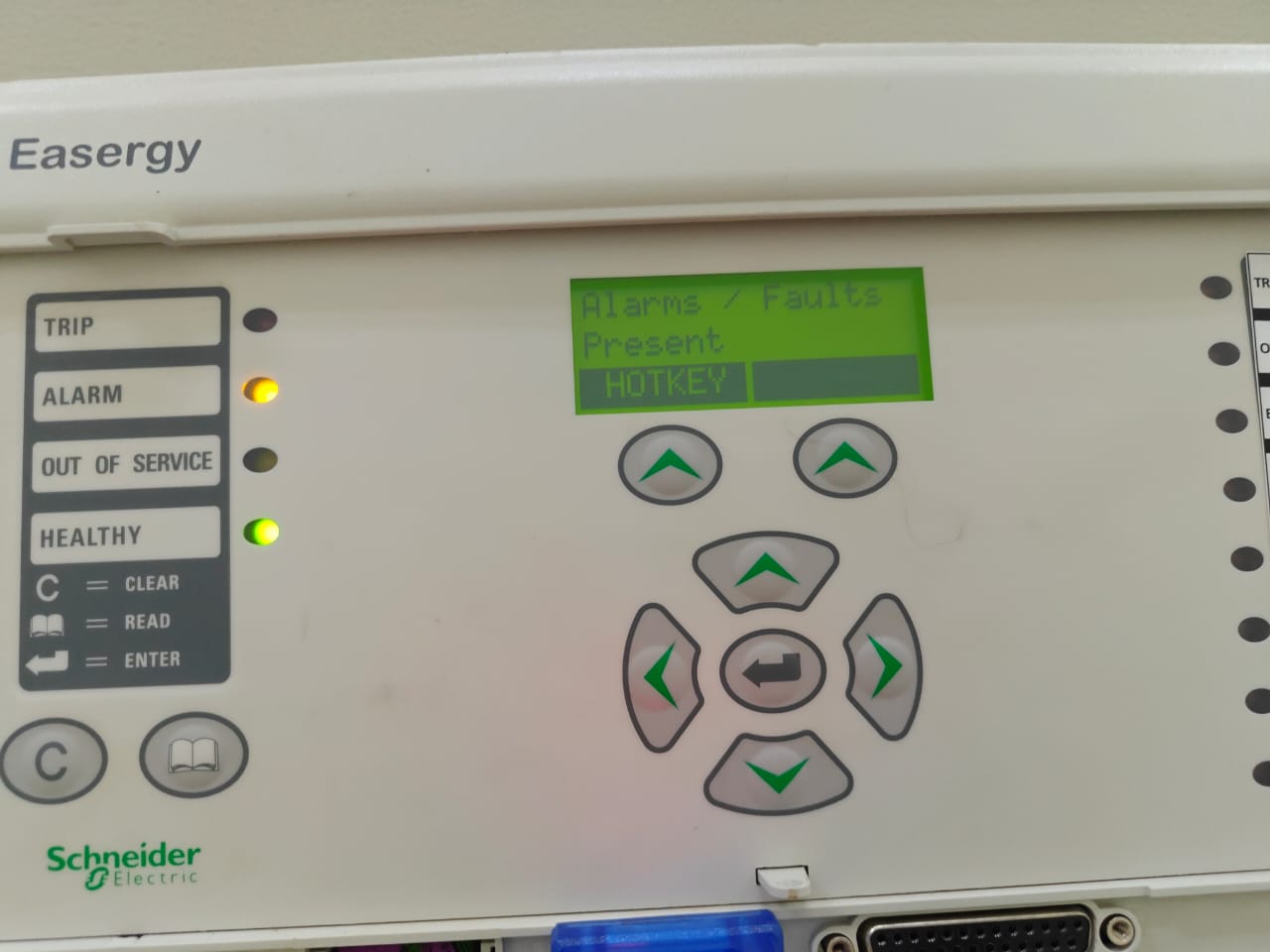
✅ Step 1: Put Relay in Configuration Mode
From the front panel or software:
- Set device to Out of Service / Config Mode
✅ Step 2: Restart Relay & Software
- Power cycle the MiCOM P143
- Close and reopen eSergy Studio
- Reconnect to the device
✅ Step 3: Verify Firmware Compatibility
- Check relay firmware version
- Match it with the correct eSergy Studio release
✅ Step 4: Rebuild and Re-import CID File
- Export a fresh ICD/CID file
- Validate IEC 61850 datasets and GOOSE settings
- Upload again
✅ Step 5: Check Communication Settings
- Confirm:
- IP Address
- Subnet Mask
- Port number
- Communication protocol (IEC 61850 enabled)
Why This Error Occurs in MiCOM P143
Unlike some protection relays, the MiCOM P143 has restricted memory access during live operation. When the relay is active or locked by another session, it rejects block transfers to prevent accidental configuration changes.
This safety feature ensures:
- Protection stability
- No disturbance to live feeders
- Secure IEC 61850 communication
Best Practices to Avoid Configuration Errors
✔ Always place the relay in Config Mode before editing
✔ Use the correct firmware-compatible eSergy version
✔ Keep only one active connection
✔ Backup settings before modification
✔ Validate IEC 61850 files before upload
FAQ – MiCOM P143 Configuration Transfer
❓ What does TRANSFER_ERR_BLOCKSENDFALL2 mean?
It means the relay cannot accept the configuration file because the memory block required for transfer is unavailable or locked.
❓ Can I upload settings while the relay is running?
No. The relay must be in Out of Service / Config Mode for configuration changes.
❓ Does this error indicate a faulty relay?
No. It is usually caused by mode restrictions, communication conflicts, or software mismatch.
❓ Is this problem related to IEC 61850?
Often yes. Incorrect CID files, dataset mapping, or blocked communication sessions can trigger this error.
Conclusion
The MiCOM P143 configuration error (TRANSFER_ERR_BLOCKSENDFALL2) is a common but easily fixable issue. By switching the relay to configuration mode, ensuring firmware compatibility, and validating IEC 61850 files, you can restore smooth communication between eSergy Studio and the relay.
If you regularly work with Schneider protection relays, following these best practices will save time, prevent errors, and ensure reliable substation automation.