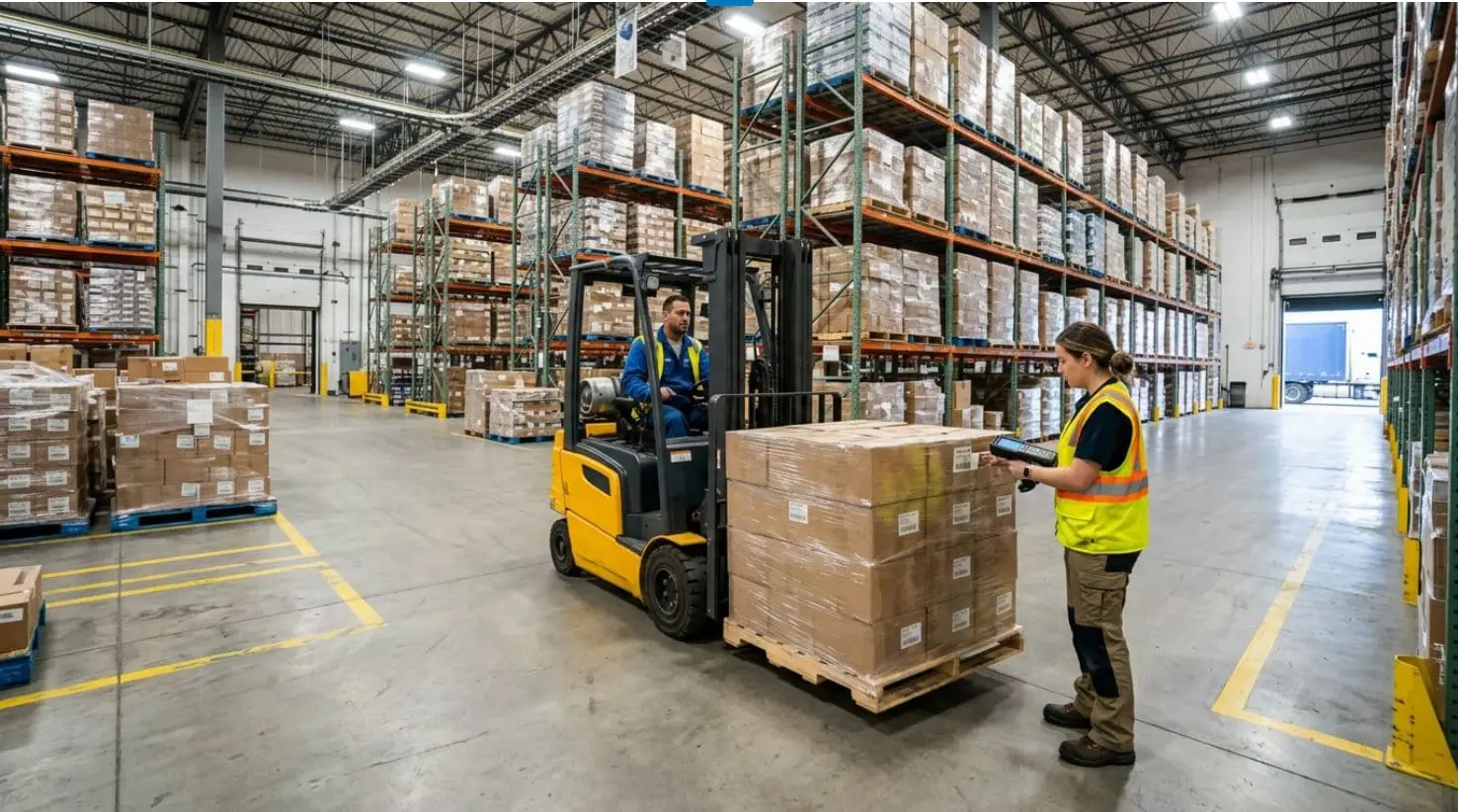
If a warehouse runs on guesses, it runs on stress. A picker can’t find an item, a supervisor doesn’t trust the counts, and shipping starts printing apology labels. Then the same issues repeat: oversold SKUs, late orders, and pallets that “should be here somewhere.”
A warehouse stock management system fixes that by turning inventory into a live record you can act on. In plain terms, it’s software that tracks what you have, where it sits (down to the bin), and what step comes next: receive, put away, pick, pack, and ship. It connects those steps to scans, mobile tasks, and clear rules, so people don’t have to rely on memory.
This guide breaks down what the system does end-to-end, the 2026 features that matter most, how to choose without overbuying, and a rollout plan that won’t stop production.
What a warehouse stock management system actually does, from receiving to shipping
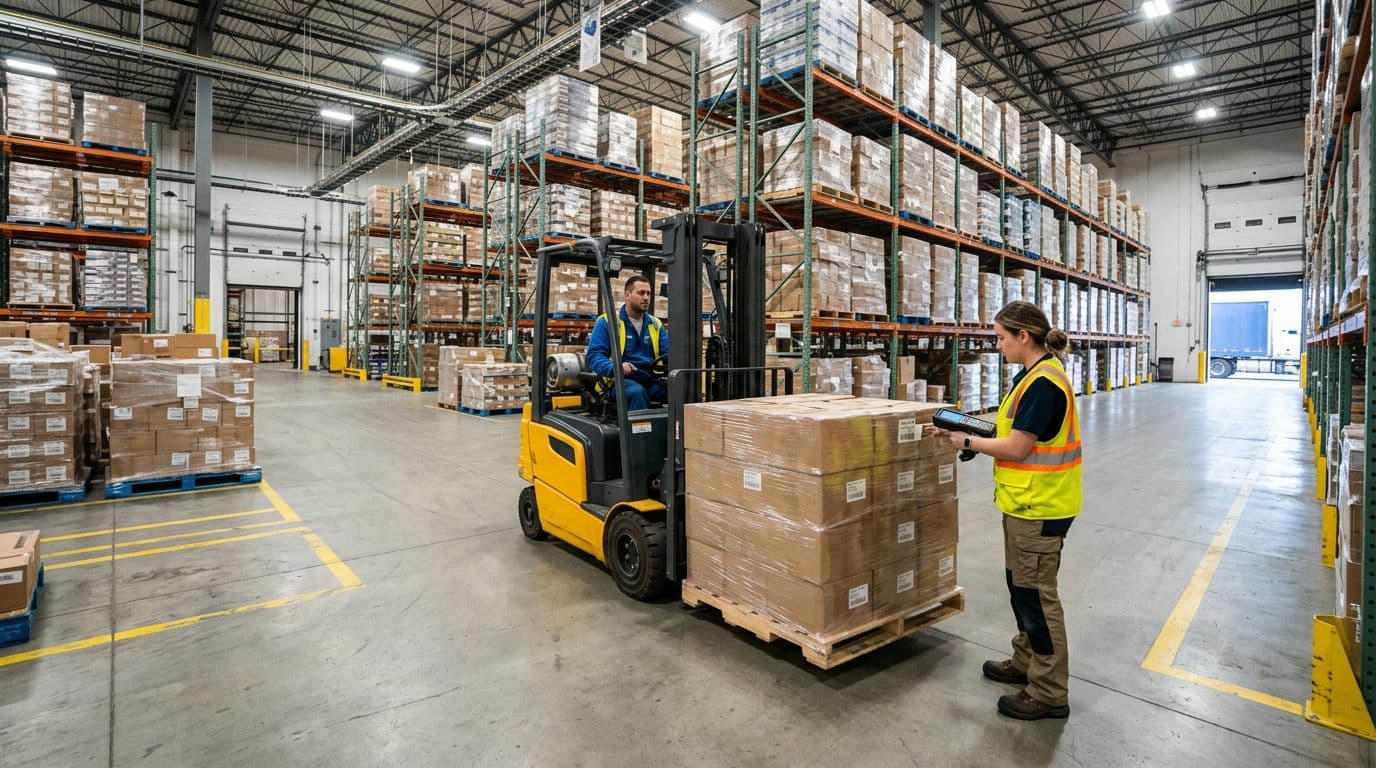 Receiving a pallet and confirming it with a scan.
Think of one pallet arriving at the dock door 3. The receiver scans the pallet label, then the system records what shows up, how many, and when. Next, it assigns a put-away task, often based on rules (weight, velocity, hazmat, temperature zone). When the forklift driver scans the destination bin, the system confirms the move and updates the on-hand count in real time.
Now flip to the other side of the story: one order going out. The system releases a pick task to a handheld scanner or phone app. As the picker scans each item and location, the system confirms it’s the right SKU, the right lot or serial (if you track it), and the right quantity. Packing and shipping closes the loop by confirming what left the building and reducing inventory at the right status.
You’ll hear terms like WMS, bin locations, lot and serial tracking, and cycle counts. Learn them once, then keep the focus on outcomes: fewer errors, faster work, and inventory you can trust.
The core workflow it controls: receive, put away, pick, pack, ship
A good system doesn’t just “track inventory.” It controls work.
- Receive: Logs arrivals against a PO or ASN, then flags shortages or damage right away.
- Put away: Creates tasks to move inventory to a bin, then confirms with scans.
- Pick: Sends pick tasks with locations and quantities, then validates each scan.
- Pack: Confirms items in the carton, often with weight checks or scan-to-pack.
- Ship: Captures carrier details, closes the order, and posts inventory changes instantly.
For example, the pallet at dock door 3 can’t “magically” become available. The system makes it available only after receiving and putting away confirmations.
How it keeps counts accurate with locations, scanning, and cycle counts
Accurate inventory needs three things working together: bin locations, scan discipline, and cycle counting.
Bin locations answer a basic question: “Where is it supposed to be?” Scanning answers: “Did it really move?” Cycle counts answer: “Does reality still match the system?”
Annual wall-to-wall counts can work, but they often force shutdowns and still miss root causes. Cycle counts spread the work across the year. They also focus attention on high-risk areas, like fast movers, returns, and pick faces.
Bad counts usually come from simple failures:
- Items moved without a scan
- Returns put back without processing
- Damaged goods not placed on hold
- Labels that don’t match the physical bin
If you want a practical view of how modern WMS tools tie speed to accuracy, the Warehouse Management Software playbook for 2026 summarizes the operational approach many teams use today.
Features to look for in 2026 so your inventory stays accurate as volume grows
Photo by EqualStock IN
As order volume rises, small gaps become expensive. A missing scan turns into a backorder. A late replenishment turns into overtime. That’s why “feature lists” matter only when they tie to clear results.
In 2026, the strongest warehouse stock management system setups share a few themes: mobile-first work, real-time visibility, stronger automation hooks, better forecasting, and better exception handling. Some vendors also talk about digital twins, which can help model space and flow, but only if the inputs are accurate.
Real-time visibility across sites, 3PL partners, and sales channels
You need one version of the truth, even if inventory sits in multiple buildings or with a 3PL. Otherwise, planners buy extra stock “just in case,” and customer service stops trusting ETA dates.
When you evaluate real-time visibility, check for:
- Multi-warehouse inventory with clear transfer logic
- Role-based access, so partners see only what they should
- Audit trails for adjustments and overrides
- Clean stock statuses (available, allocated, damaged, on hold)
Also, ask how quickly updates are posted. “Near real time” can still mean minutes of delay, which matters during peak picks.
For a quick snapshot of what many teams expect from modern platforms, see Jalasoft’s summary of WMS trends shaping 2026.
Smart replenishment and forecasting that reduces stockouts and overbuying
Replenishment is where warehouses feel the pain of bad data. If pick faces run empty, pickers walk farther, and orders stall.
At a minimum, your system should support reorder points, safety stock, lead times, and alerts. Better systems also use demand signals such as sales history, seasonality, and promo calendars.
AI forecasting can help spot patterns humans miss. However, it only works when the data is clean. If your history mixes substitute SKUs, unprocessed returns, or “phantom” stock, the forecast learns the wrong lesson.
If you want a broader context on where inventory planning is heading, Unleashed publishes a yearly roundup of inventory management trends to watch for 2026. Use it as a checklist, then validate what actually fits your operation.
Mobile-first picking and task management that speeds up work
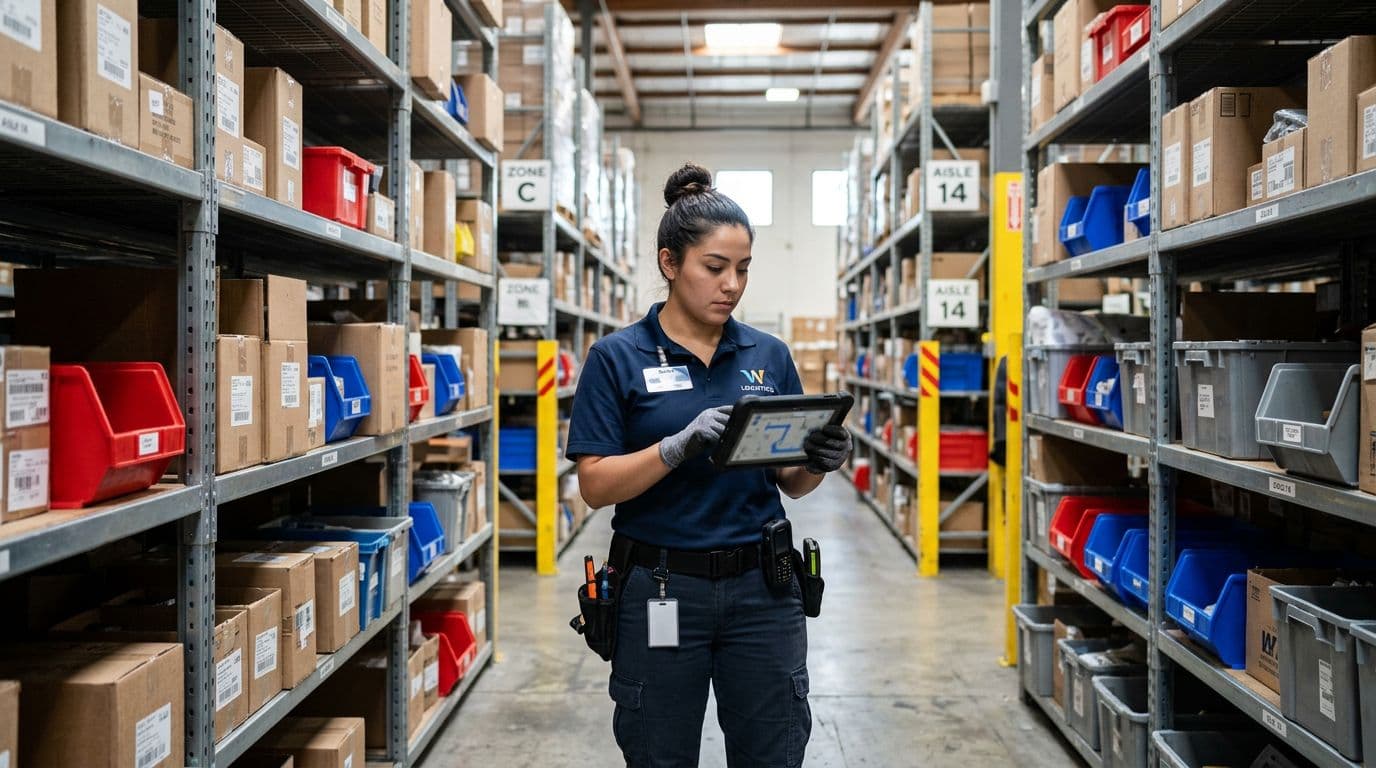 Mobile picking with guided tasks on a handheld device.
Mobile-first matters because the work happens on the floor, not at a desk. The best mobile workflows reduce typing and make exceptions easy to report.
Most warehouses also benefit from simple picking methods:
- Batch picking groups several small orders to reduce travel time.
- Wave picking releases work in timed groups, often tied to carrier cutoffs.
- Zone picking assigns workers to areas, then merges cartons later.
Ease of use isn’t a “nice to have.” If new hires can’t learn the app fast, scan compliance drops, and counts drift.
Automation-ready tools for conveyors, AMRs, and other warehouse robots
Automation-ready doesn’t mean you need robots today. It means the system can exchange tasks and confirmations with equipment when you add it.
A simple example: an AMR brings a tote to a pick zone. The system assigns the tote to an order, then confirms location changes automatically when sensors report the move. That cuts manual scans for some moves, while keeping traceability.
Labor is still tight in many regions, and peaks keep getting sharper. Industry tracking also shows rapid growth in mobile robots in warehouses. Even if you stay manual, automation hooks protect your future options.
Dashboards and alerts that help you catch problems early
 An operations dashboard view for inventory and fulfillment signals.
Dashboards only help when they drive action. Start with alerts that prevent customer pain:
Low stock, blocked bins, late orders, pick errors, aging inventory, and repeated short picks are a strong baseline. Then track a short set of weekly KPIs.
Here’s a practical KPI set that works for many operations:
| KPI | What does it tell you | Why it matters |
|---|---|---|
| Inventory accuracy | System count vs physical count | Predicts stockouts and oversells |
| Order accuracy | Right item, right qty | Controls returns and re-ship costs |
| Picks per hour | Labor output | Highlights travel waste and training gaps |
| Dock-to-stock time | What it tell you | Prevents hidden stock during peaks |
| Backorder rate | Demand you couldn’t fill | Shows planning and replenishment issues |
If the system can’t explain a problem in plain numbers, it won’t get fixed.
How to choose the right system without paying for features you will not use
Selection goes wrong when teams shop by demo, not by workflow. The fix is simple: define what “good” looks like for your site, then test systems against that.
Start with your pain points and a simple map of your warehouse process
Write down your current flow from receiving through shipping. Keep it short, but be honest about exceptions. Then add your operating facts: SKU count, order lines per day, peak month volume, returns rate, and how many people touch inventory.
Call out special needs early, because they narrow the field fast:
Lot tracking, kitting, serial numbers, cold storage, hazmat, catch-weight items, or customer-specific labeling all change the requirements.
This step prevents a common mistake: buying a strong “inventory” tool that can’t run warehouse tasks.
For a vendor-neutral checklist style view, StockPilot’s guide to WMS software in 2026 can help you compare feature claims to your real use cases.
Check integration needs first: ERP, shipping, ecommerce, and reporting
Disconnected tools create double entry, and double entry creates bad numbers. Your warehouse stock management system should sync with the systems that create demand and pay bills.
Ask vendors concrete questions:
How do orders flow in, by API or file? How often does it sync? What happens if an item master update fails? Can you re-try safely? Do they log errors in a way your team can act on?
If you use a 3PL, integration becomes even more important. You need clean status updates (received, available, allocated, shipped) and consistent SKU identifiers.
Ask about setup effort, support, and pricing that matches your growth
Cloud vs on-prem is still a real choice, although cloud is common for small and mid-size teams. Keep your focus on rollout effort and long-term cost.
Pricing often includes users, warehouses, transactions, integrations, barcode devices, and implementation services. Support tiers also vary more than many buyers expect.
A pilot reduces risk. Start with one area, like receiving and put-away, and prove scan compliance before you expand.
Rollout plan that gets results fast, without shutting down the warehouse
Rollouts fail when teams treat them like software installs. Treat it like an operations change instead.
Clean your item data and location labels before you migrate anything
Item masters cause most early issues. Fix them before you import.
Your list should include SKUs, units of measure, barcodes, case packs, dimensions, weights, location codes, and allowed stock statuses. Then label bins with a clear naming rule that matches the system.
Bad data creates “perfect” scans of the wrong thing, and that’s worse than no scan.
Go live in phases, then expand once accuracy is stable
A safe sequence is receiving and put-away first, then picking, then shipping. After that, add advanced features like forecasting, slotting optimization, or automation links.
Run parallel checks for a short window. For example, keep a daily cycle count on the top 50 SKUs while the team learns scanning habits. Then set a clear cutover date, so people don’t keep shadow spreadsheets.
Digital twin features can also wait. If you’re curious how vendors describe that direction, Dynamics Square has a plain-English overview of the future of warehouse management systems that explains why modeling depends on clean inputs.
Train the floor team with simple scanning rules and quick feedback loops
Training should match the job, not the org chart. Teach three things first: how to scan, what to do when something’s missing, and how to flag damage.
Short sessions work better than long ones. Pair them with job aids at workstations and a fast channel to report issues. Most importantly, explain why the rule exists: consistent scans protect workers from blame when counts are wrong.
Measure wins with a few numbers, then fix what the data reveals
Track a small set of outcomes right after go-live: inventory accuracy trend, order accuracy, time to find items, backorders, and returns caused by wrong items.
Many teams report major accuracy gains once real-time updates replace manual checks. They also save hours each week because fewer people chase “lost” inventory. When the numbers improve, lock in the process that caused the change, then expand to the next area.
Conclusion
A warehouse stock management system works best when it matches the real workflow: receiving through shipping, with scans that confirm every move. In 2026, prioritize real-time visibility, mobile tasking, forecasting you can explain, and automation hooks you can grow into. Choose based on integrations and true costs, not the flashiest demo, then roll out in phases with clean data and simple training rules.
Next step: list your top three pain points, map one order from dock to ship, and request demos that replay those exact scenarios.