If your WiFi drops the moment you walk into the back bedroom, your garage camera goes offline, or video calls stutter upstairs, the problem usually isn’t your internet speed. It’s coverage.
A Spectrum mesh network is Spectrum’s whole-home WiFi setup that uses one main router plus WiFi extenders (pods) to spread a single shared WiFi network name across your space. Your phone and laptop can move around the house and stay on “one WiFi,” instead of bouncing between different network names.
Below is a practical, technical guide to how it works, when it helps, what it costs each month, how setup usually goes in the My Spectrum App, and when buying your own mesh system may fit better.
How a Spectrum mesh network works (and why it feels like one WiFi)
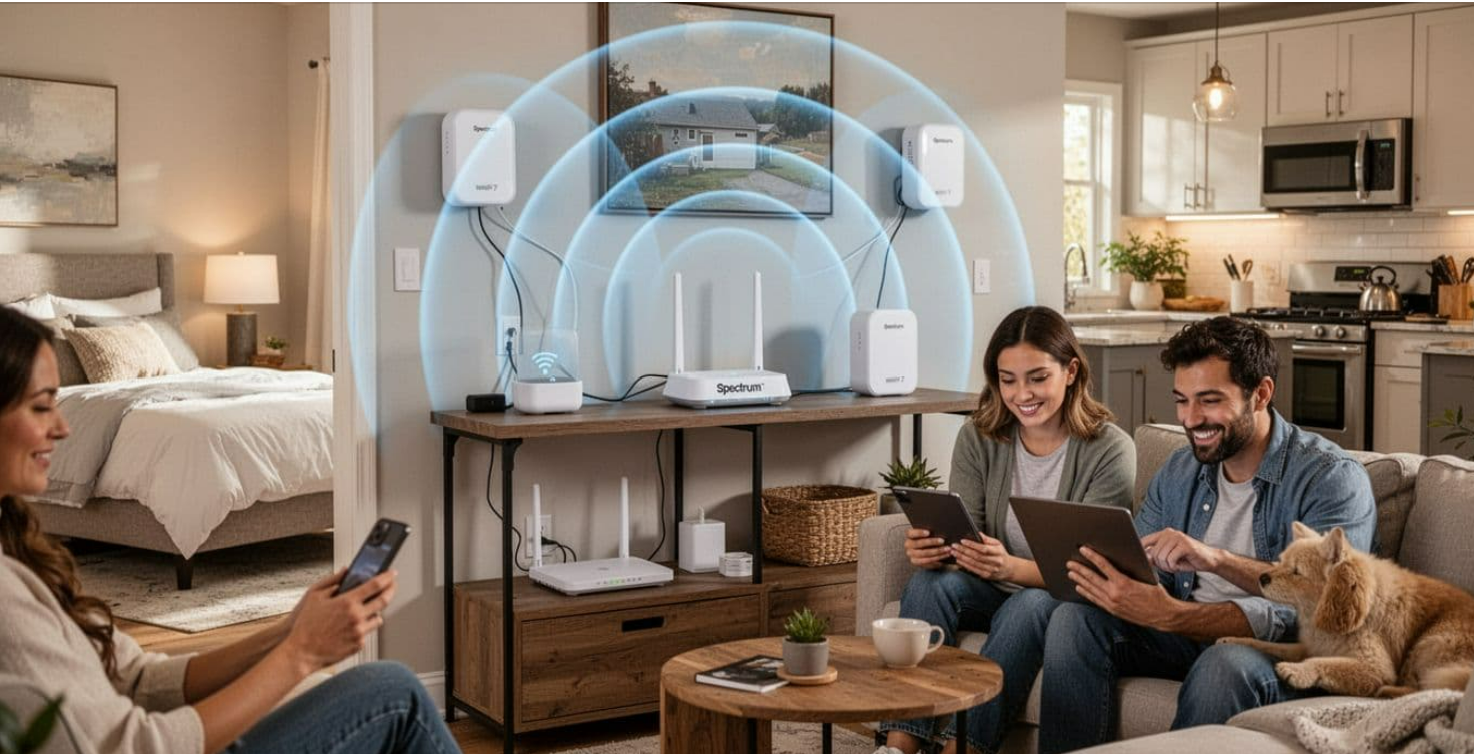
Mesh WiFi is easiest to picture as a set of “WiFi points” that cooperate. Instead of one router trying to blast signal through every wall, each pod acts like another on-ramp to the same network. Your device then connects to the strongest point as you move.
With Spectrum’s current approach (as of February 2026), the mesh is built around the Spectrum Advanced WiFi 7 router and Spectrum WiFi 7 Extenders. Spectrum describes the system as cloud-managed mesh, designed to keep devices on one unified network while it balances connections behind the scenes. The launch details are summarized in Spectrum’s own announcement about WiFi 7 Extenders for whole-home connectivity.
WiFi 7 gear can also use the 6 GHz band. In plain terms, that can mean more usable “lanes” for nearby devices, especially when the 2.4 GHz and 5 GHz bands are crowded. Still, walls and distance matter, so don’t expect every room to hit the same peak speed.
Router vs extender pod, what each piece actually does
The router is the traffic director. It connects to your modem (or gateway), creates your home network, and handles security and device management.
The extender pod is a coverage tool. It places WiFi closer to areas that struggle, like an upstairs office or a garage. Spectrum states each WiFi 7 Extender can add up to about 2,000 square feet of coverage under good conditions. Real coverage depends on layout, wall type, and where you plug it in.
Think of pods as “signal relays,” but with smarter coordination than old-school extenders. They aren’t just repeating a weak signal by default. The goal is to maintain a strong link back to the router, then serve nearby devices with better signal quality.
What “cloud-managed” means for you day to day
“Cloud-managed” means Spectrum tunes the system for you. The network can steer devices toward the best connection point, adjust settings automatically, and push firmware updates in the background. For many homes, that’s a win because it cuts down on troubleshooting.
The trade-off is control. Retail mesh kits often expose deeper settings (advanced firewall rules, VLANs, detailed radio controls). With Spectrum’s system, you usually manage the basics in the My Spectrum App, not every low-level knob.
If you want fewer dead zones with minimal tweaking, cloud-managed mesh fits well. If you love fine-tuning, it can feel limiting.
Is Spectrum mesh worth it for your home? Use these real-life signs
Coverage problems often look like “slow internet,” but the cause is weak signal at the edge of the home. Before you add hardware, run a simple test: stand next to the router and check speed, then repeat in the problem room. If speeds collapse only in certain areas, mesh can help.
Spectrum’s WiFi 7 Extenders are designed to pair with Spectrum’s Advanced WiFi 7 router, and eligibility can depend on your account and plan tier. As of early 2026 reporting, availability may require Spectrum Internet 2 Gig, or certain Gig or Premier situations tied to Spectrum Mobile on the account. Because these requirements can change, confirm what your account supports in the app or on Spectrum’s product page.
In practice, mesh makes the most sense when you have consistent “dead zones,” not just occasional slowdowns from an overloaded device. It also helps when you rely on stable upstream performance for work calls, not only download speed for streaming.
Homes and layouts that benefit the most
Multi-story homes often have weak upstairs signal because floors block radio waves. Long ranch layouts can be just as rough because the router sits at one end. Basements, brick walls, plaster, concrete, and metal-backed insulation also reduce range fast.
Crowded homes benefit too. If you have multiple TVs, tablets, cameras, doorbells, and smart speakers competing for airtime, extra access points can reduce how far each device has to “shout.”
Before ordering pods, try moving the router. A central, open location can outperform a “better router” stuck inside a cabinet.
For readers who like network topology, it helps to compare WiFi mesh to other mesh systems used in IoT. The idea is similar to a Zigbee mesh network topology, where nodes can extend coverage through smarter routing (even though Zigbee and WiFi serve very different use cases).
When a retail mesh system may be the better pick
A store-bought mesh kit can be a better fit if you want:
- More advanced controls (guest network options, detailed logs, custom DNS, VLAN support)
- Hardware that stays with you if you switch providers
- A larger, multi-building setup where you want to choose node count and placement freely
The cost style differs too. Spectrum’s model is typically a monthly add-on, while retail mesh is usually upfront cost with no recurring fee. If you plan to keep the same provider for years, the monthly fee can add up, so it’s worth doing the math.
Cost, limits, and what to expect from Spectrum WiFi 7 Extenders
Spectrum’s stated pricing for WiFi 7 Extenders is $5 per month per extender, with each extender advertised to add up to 2,000 square feet of coverage under good conditions. Those details appear in Spectrum’s materials and coverage announcements, and the current consumer-facing overview is on the Spectrum WiFi Extenders product page.
What should you expect in a typical house?
You may only need one pod. Two pods can cover many larger or multi-story homes if placement is solid. Adding more pods can help, but only when each pod has a strong connection back to the router. Otherwise, you’re just spreading a weak link around.
Spectrum also promotes app-based protections and management features (such as Security Shield availability), but the most important daily benefit is simpler WiFi behavior: one network name, fewer dead spots, and less manual reconnecting.
The hidden trade-offs, control, placement, and speed reality
Mesh improves coverage, but it doesn’t break physics. Speeds usually drop as you move farther away or as signals pass through dense materials. In addition, pods need “backhaul,” meaning a reliable link back to the main router. If a pod sits too deep into the dead zone, it may connect poorly and underperform.
Placement matters more than quantity. One well-placed pod can beat two pods plugged into random outlets.
If your home has Ethernet wiring, wired backhaul (when supported by your equipment and layout) can improve stability because it reduces reliance on wireless links between nodes. Don’t assume it’s required, but keep it in mind for tough layouts.
Simple setup and placement tips that make a Spectrum mesh network work well
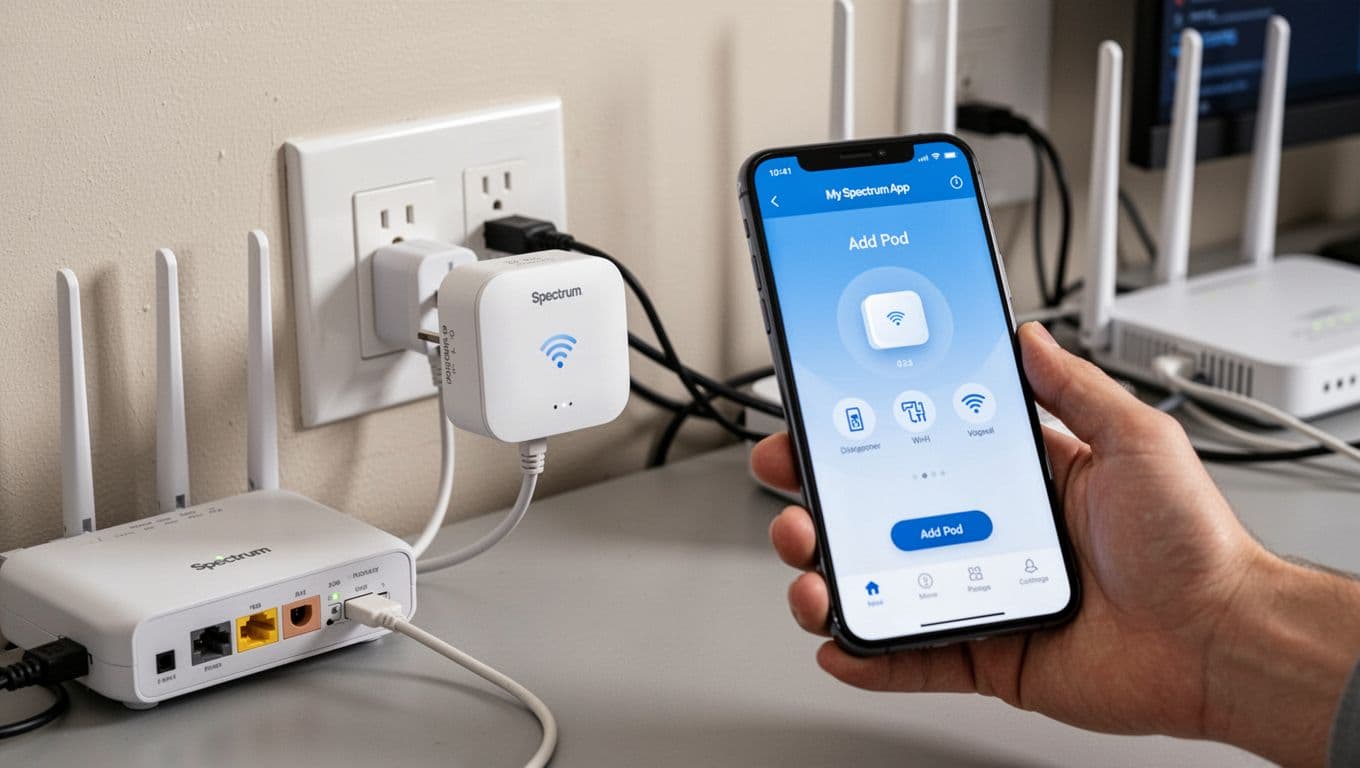 Initial extender setup near the router using a phone app.
Setup usually goes best when you start close to the router, then move outward. This avoids the common mistake of installing a pod directly in the dead zone.
A simple flow that matches how most ISP-managed mesh works:
- Plug the extender into an outlet near the main router first.
- Open the My Spectrum App and follow the prompts to add the extender.
- Wait for it to fully connect and update if needed.
- Move the pod toward the weak area, then test performance.
- Repeat with additional pods only after the first one is stable.
If performance looks worse after adding a pod, fix the link first. Rebooting in order can help (modem, then router, then pod). Also, avoid placing pods behind TVs, inside cabinets, or near thick metal. Microwaves and some older cordless gear can add interference too.
A quick placement formula you can follow in any house
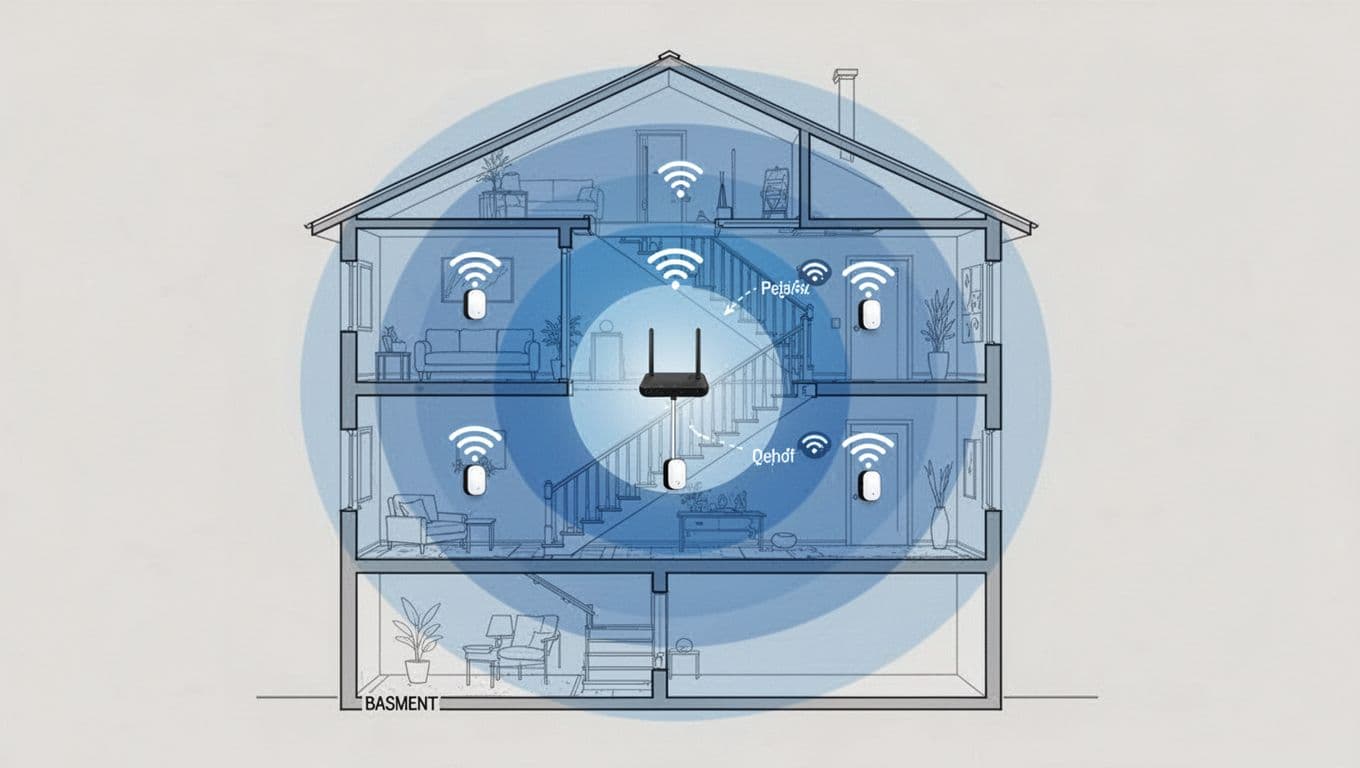 Example pod placement in a two-story home to reduce dead zones.
Use this rule: place the first pod halfway between the router and the dead zone, not inside the dead zone.
For multi-story homes, a pod on a stair landing often works well because it keeps a cleaner signal path between floors. Try to keep pods in open air at about chest height when possible. After each move, re-test in the problem room, not just next to the pod.
A Spectrum mesh network combines the Advanced WiFi 7 router with WiFi 7 Extenders to keep one shared network name across your home. Done right, it reduces dead zones and cuts down on WiFi babysitting.
First, move the router to a more central, open spot. Next, add one extender and test. Then expand only if you still have weak areas. If you’re unsure about eligibility or pricing on your account, check the My Spectrum App or contact Spectrum support before ordering.